1159
Members
-
Joined
-
Last visited
Everything posted by 1159
-
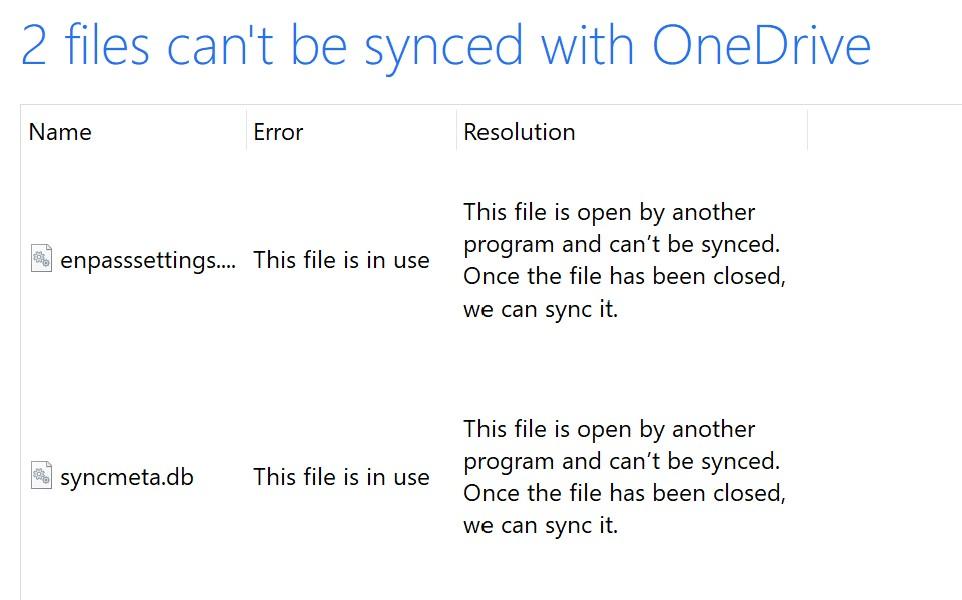
Hi, couple of niggly things with Enpass I need your help with. I am using Windows 10 on Surface Pro: Cloud sync is not working properly and I am getting a OneDrive error message saying the Enpass files are being used by other applications and must be closed before they can be synced. See attached snip. I had to download two versions of Enpass in order to sync LastPass data to Enpass. I did that, now which one do I keep and which one do I delete? I have set up Windows Hello for the desktop application of Enpass, but this does not work for the Firefox extension, and I have to type in my (huge) master password far too often. There don't seem to be enough settings to control password re-entry (like wait for 30 0minutes before asking again). Can I fill forms in Firefox using the desktop application, or must I use the extension? If I must use the extension, I would REALLY like to be able to authenticate using Windows Hello, and not re-type the password (almost) every time I use it. Aside from the above, your app is great - much faster and less glitchy (so far) than LastPass. Cheers. Simon.