


Karsten.74
Members
-
Joined
-
Last visited
Everything posted by Karsten.74
-
Hello Garima, thanks for your support. Enpass is working now on Debian very well. Thx & rgds Karsten
-
Hello, After clicking the enpass icon on Debian Buster Desktop and entering credentials the application crashes with the following syslog entry: Jul 3 06:48:50 Debxxxx kernel: [170487.546114] traps: ApiRequestWorke[16321] general protection ip:7f3fcb0c2550 sp:7f3f7e5f3eb8 error:0 Jul 3 06:48:50 Debxxxx kernel: [170487.546120] in libpthread-2.24.so[7f3fcb0b6000+18000] Does anyone know a solution to this problem? thx & rgds Karsten
-
Hi, after the installation I can see the installed extension in Safari. But the extension is disabled. If I try to enable the the extension with a click in the checkbox nothing happens. It's not possible to enable/ activate the installed extension. Because of my worst English I hope you understand my problem. Attached you will find a screenshot. rgds Karsten
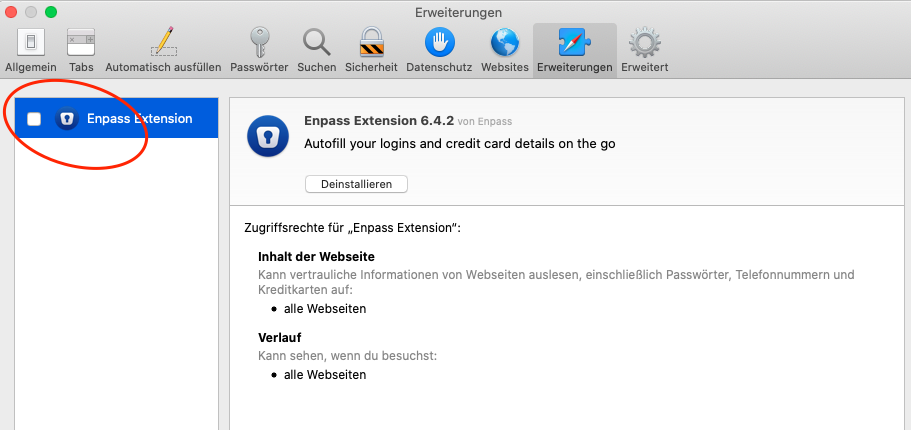
-
Hi, I installed the current version of enpass from the Apple App Store on my Mac Mini under Catalina. So far so good. Without the Safari extension all works fine. I can see the enpass extension in Safari settings but it's not possible to enable it. Also I tried to install the enpass version from your website with the same result. Catalina was installed with the MacOS Patcher for Catalina because the Mini is now unsupported. Any ideas how to solve the issue? thx Karsten
