

Sirio
-
Posts
9 -
Joined
-
Last visited
Sirio's Achievements

Newbie (1/14)
0
Reputation
-
Hello Garima Good news, I hope this will fix the WebDAV problem. I tried this problem with another app that sync the DB file on the NAS, that is not satisfactory also it only works one way Mobile -> Desktop. When is the new version coming? Thx
-
Hi Of course I also tried it on my MAC, the same problem with all devices.
-
No answer is also an answer. a long time has passed and the problem always persists. very disappointing so i have to think about using a different product. Can't you offer me any other solution as I can configure folder synchrosition instead of webdav with my android smart phone in the internal network. it would be a shame I would have to switch to another product. thank you
-
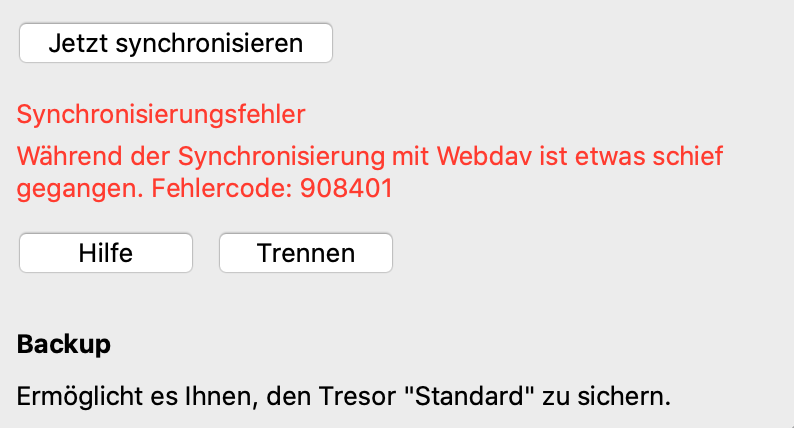
something is not good. can you please investigate. the software should work properly. sync. file deleted on the WebDAV.
-
hi how I wrote before: Enpass 6.5.0 (473) on iOS 13.5.1 & Android EMUI 10.0.0.161& NAS Synology DSM 6.2.3-25426 Update 2 Sync Error code 908401 And here my last question: Its possible to create a new Tresor and copy all entries form the not working (sync) to them? Thx
-
hi I dont have internet access, sorry. Can I create log files Synology and send them? Its possible to create a new Tresor and copy all entries form the not working (sync) to them? Thx
-
Hi Which demo account I don't understand what I have to do.The sync. with the another Tresore (Family) works but not with the default. Thx
-
WebDav Connection established but: Sync Error code 908401, no file on Share Enpass 6.5.0 (473) on iOS, DSM 6.2.3-25426 Update 2
-
The synchronization between different devices with the Synology with WebDAV no longer works. Separating and re-creating it does not solve either. In addition, the sync file was deleted on the WebDAV. I had problems with WebDAV before and it was difficult to set up. What other synchronization methods are there, not via a cloud service? How to set up a shared folder on Android iPhone and Mac? Fighting this problem again is really tedious so the application is not trustworthy.