

MacLitze
-
Posts
3 -
Joined
-
Last visited
MacLitze's Achievements






-
SSL certificate validation failed.
MacLitze replied to AJ_Enpass's topic in Enpass Support & Troubleshooting
Hello, when I want to register my Enpass version I get the following error message: SSL certification validation failed. Please try restarting Enpass. A restart does not bring any improvement! What can I do? Thanks Kay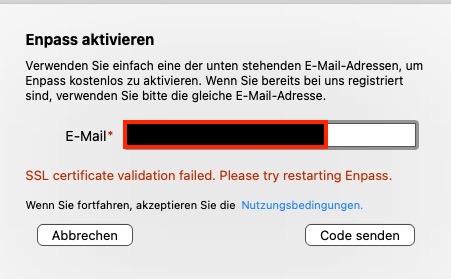
-
Hi @Gulshan Dogra after I deleted Enpass and installed it again the extension had been installed at Safari! So everything is fine now! Thanks for your help!
-
Hi evrybody! I´m using Enpass quite a long time and I was quit happy with it. But now I don't have the extension at Safari. I don't know when it disappears. I disabled and enabled the checkbox in the settings, but that didn't help. Any ideas? It's not nice to work without it!