

Waltdog72080
-
Posts
4 -
Joined
-
Last visited
Everything posted by Waltdog72080
-
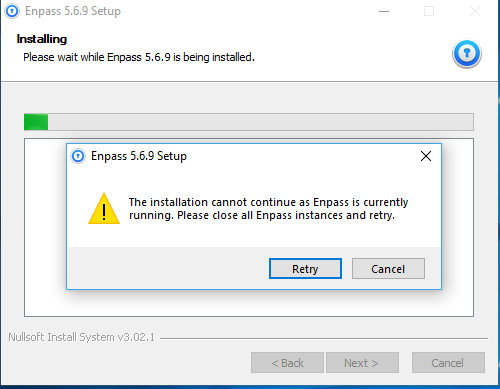
After downloading the update and closing the application to install the update, I still get the message to close the program. I get the same message on three different computers so I don't believe I have to be the only person with this problem. This problem hasn't started till the 5.6.9 update. Please let me know what happen and what I can do to change this problem. Thanks for any help I may get in advance.
-
+1 We need this feature. I have had Enpass for years now and you have came a long way - but I still need to keep another Locked File around for all my attachments. I know your guys can do it - I can't wait. Keep up the good work guys.
-
I'm going to support you on this one as well - I use The Chrome Browser all the time, and I know there are extensions for the app, but I would like to see a working app for the Browser. I don't know once Google update Chrome to work with Android, maybe it will work. But I would love to see that happen.
-
I agree one hundred percent. I would pay for this if you had it. That's the only reason why I dislike Enpass. I use it everyday, but I'm waiting for the attachment figure to come.
