hbarcelos
-
Posts
5 -
Joined
-
Last visited
-
Days Won
1
hbarcelos's Achievements






-
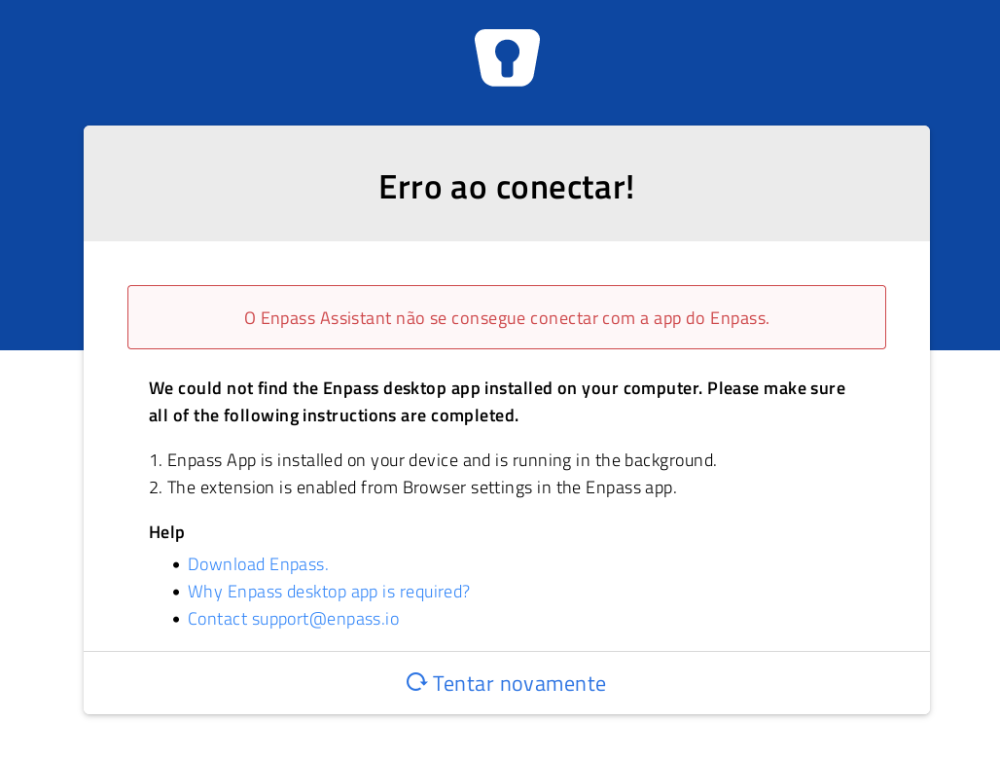
I'm trying to setup EnPass with Tor 11.0.10 (based on Mozilla Firefox 91.8.0esr) (64-bits). I already have EnPass Desktop app installed, working normally with other browsers, however when I try to set up it with Tor, it fails to connect: Any suggestions on how to make this work?
-
It's been more than 2 years without a fix. Any timeframe to look at here?
-
Any updates here? This is pretty annoying for those who have accented characters in their passwords. I have to type the characters outside Enpass window and then copy-paste them.
-
Web extension not working on Firefox 58 / Manjaro
hbarcelos replied to hbarcelos's topic in Enpass Support & Troubleshooting
Hi, @Anshu kumar, thank your for your answer. In deed, I didn't have `lsof` installed. Installing it fixed the issue after I restarted the browser. P.S.: Probably you should include a warning in the installation wizard. -
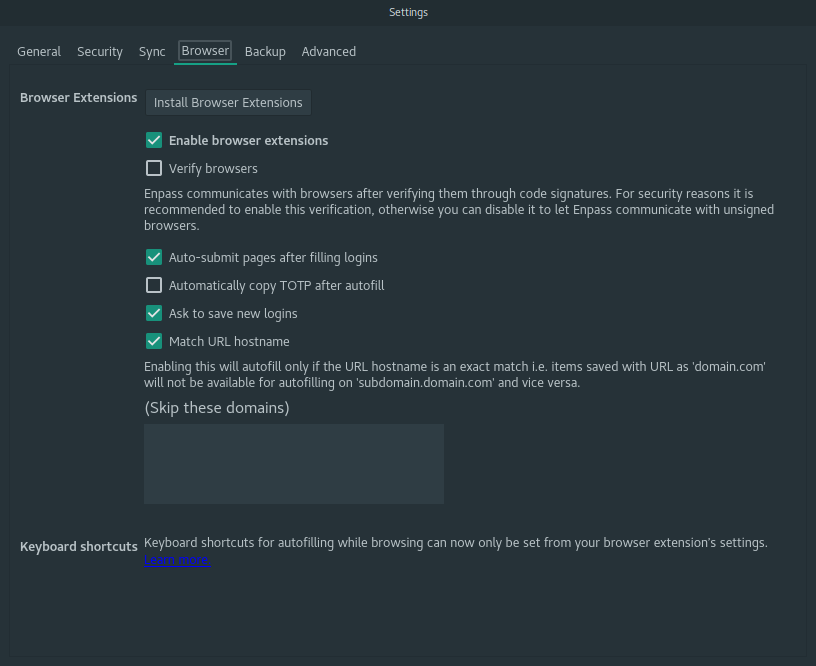
I have the desktop app open. When I click the web extension button on Firefox, it quickly redirects me to the configuration error page, asking me to enable the web extensions on the settings from my desktop app. However, I do have it properly configured (see image attached). Details: Browser: Firefox 58 OS: Manjaro Cinnamon Build Enpass desktop: 5.6.5 Enpass for Firefox: 5.5.2