Jump to content
View in the app

A better way to browse. Learn more.

Enpass Discussion Forum

A full-screen app on your home screen with push notifications, badges and more.

To install this app on iOS and iPadOS
  1. Tap the Share icon in Safari
  2. Scroll the menu and tap Add to Home Screen.
  3. Tap Add in the top-right corner.
To install this app on Android
  1. Tap the 3-dot menu (⋮) in the top-right corner of the browser.
  2. Tap Add to Home screen or Install app.
  3. Confirm by tapping Install.

skywatcher

Members
  • Joined

  • Last visited

  1. The Enpass 6.0.6 update through the App Store solved the problem for me. Thanks guys.
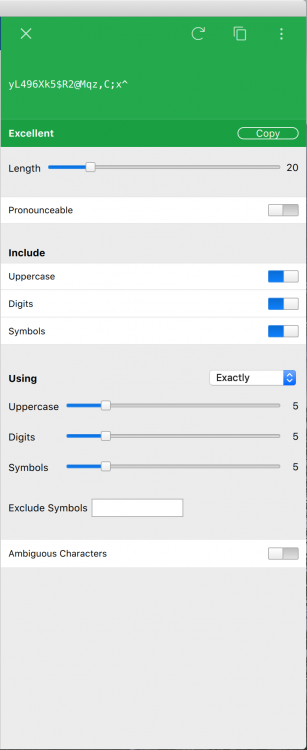
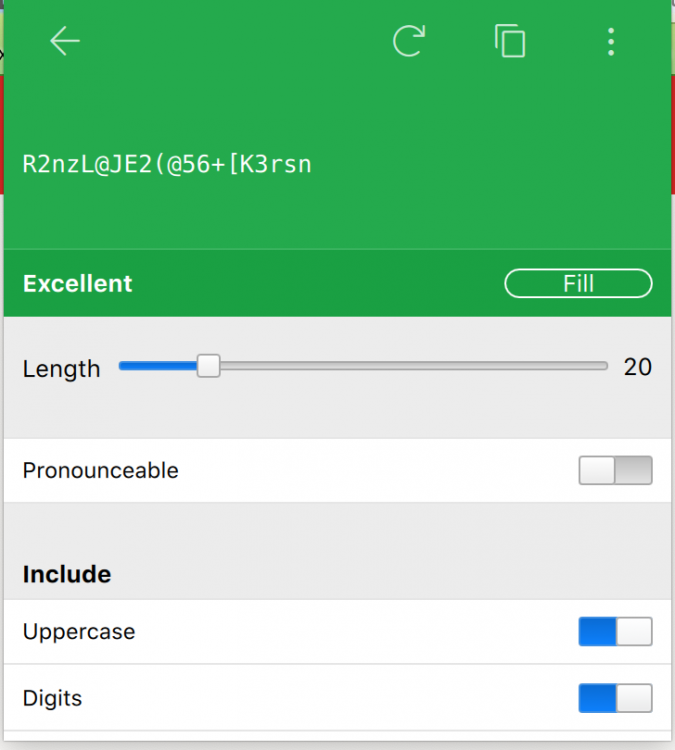
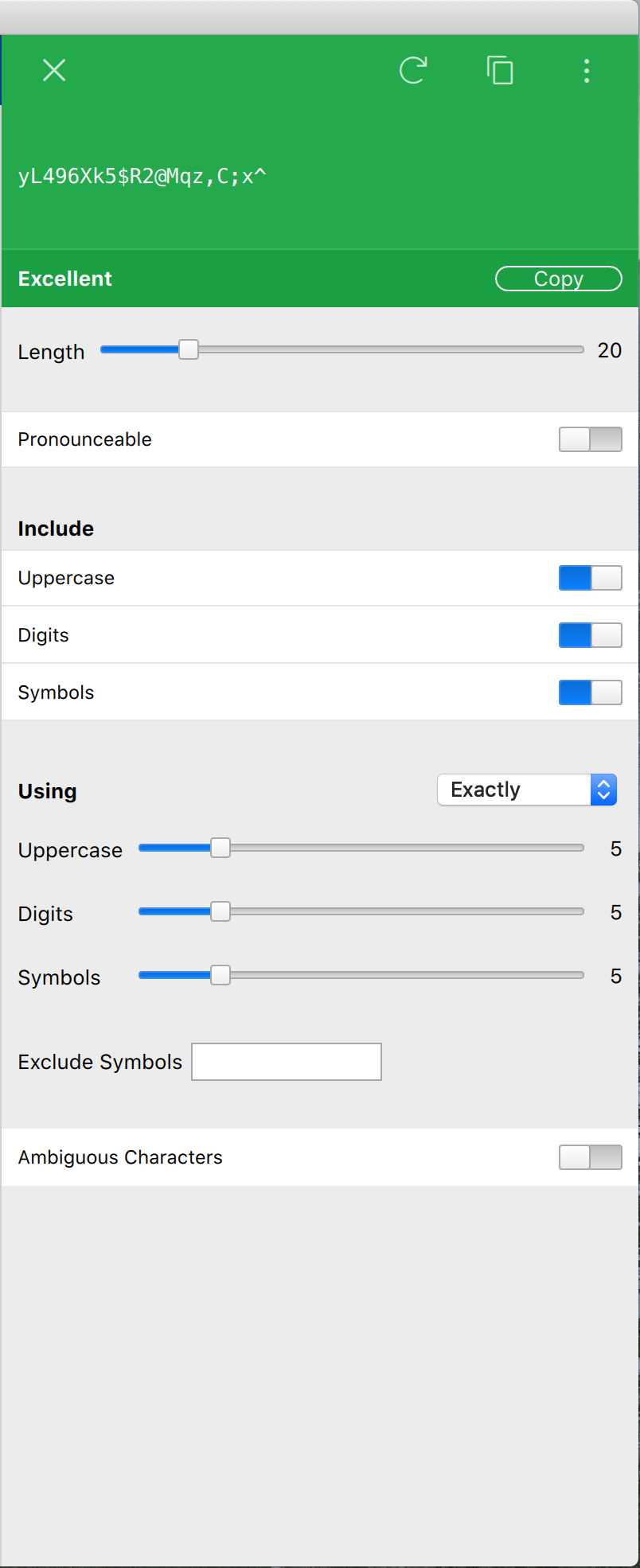
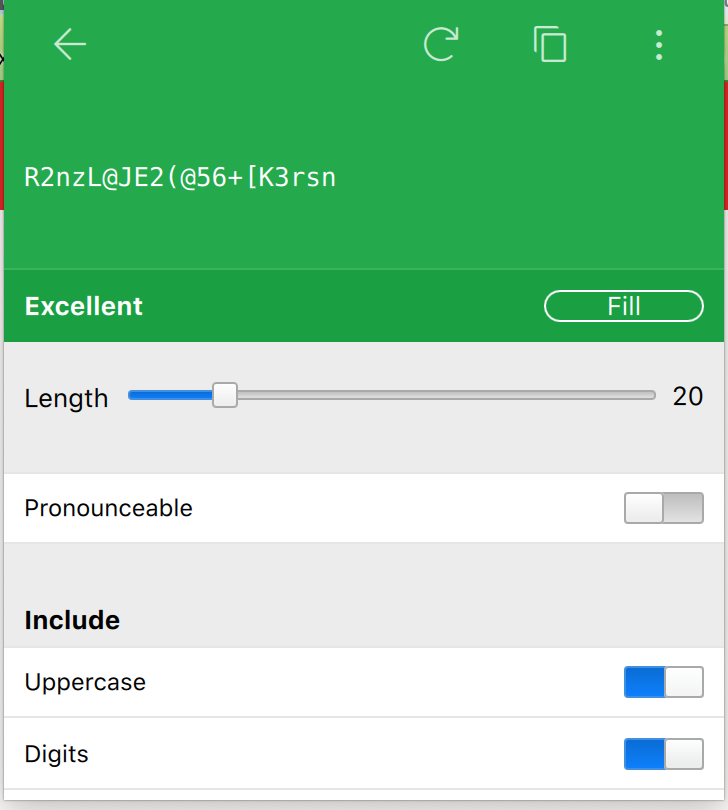
  2. Howdy Enpass, When I want to generate a new password using my favorite method of clicking open the icon in my browser's toolbar, I get a pop-up that cuts off below the digits selector. There is no way to adjust the window, for when I hover over the edge there is no change in the cursor allowing me to expand the window. This of course prevents me from adjusting the recipe. This problem occurs in both my Safari and Firefox browsers. I am using the latest Mojave OS. As you can see from the attachments, when I want to generate a new password using the dock icon, bringing me to the full enpass screen, the generate window has all that I am used to seeing (and more!). If you can fix the pop-up window somehow, it would be great. Thanks for all you have done and continue to do. All the Best, skywatcher

Account

Navigation

Search

Configure browser push notifications

Chrome (Android)
  1. Tap the lock icon next to the address bar.
  2. Tap Permissions → Notifications.
  3. Adjust your preference.
Chrome (Desktop)
  1. Click the padlock icon in the address bar.
  2. Select Site settings.
  3. Find Notifications and adjust your preference.