
ToxicMushroom
-
Posts
3 -
Joined
-
Last visited
ToxicMushroom's Achievements






-
Enpass takes 8 seconds to launch from firefox extension
ToxicMushroom replied to ToxicMushroom's topic in Linux
@Manish Chokwal I've a `root` user (superuser) and one personal user name `merlijn`. I am the only person that uses the pc. -
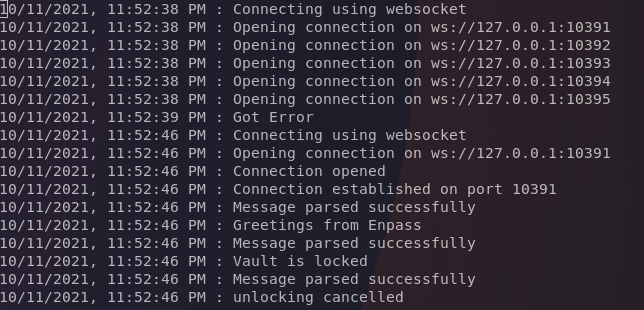
I'm on enpass 6.7.2, and when I kill all enpass processes and then launch it by clicking the enpass icon on a site, it takes 8 seconds to find and launch the app completely ? I'm on a relatively new endeavour os install using i3 on xorg. I've been having this issue for quite some time, on windows it takes far less time. I have an intel 10th gen i7 and 16gb of ram, both were well under 10% when trying this. disk is an ssd at 24% capacity. When launching enpass myself and then clicking the extension it's around 300ms + the time it takes me to type 'enpass' launch the app I'd love to see this improved to under 3s These are my browser extension logs (see attach) I think it might be trying too quickly and gets stuck ?
-
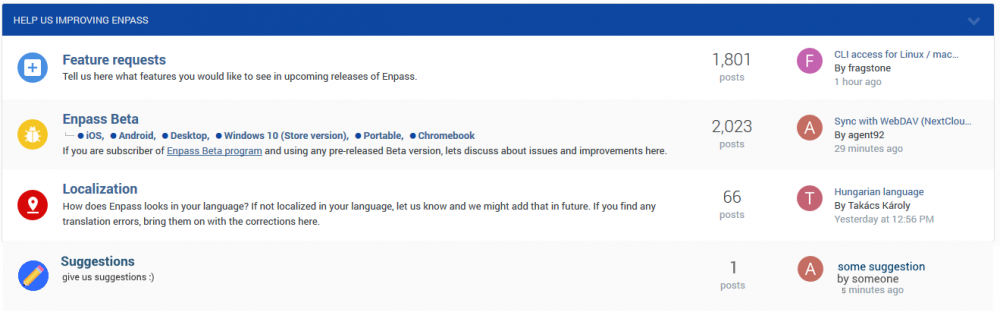
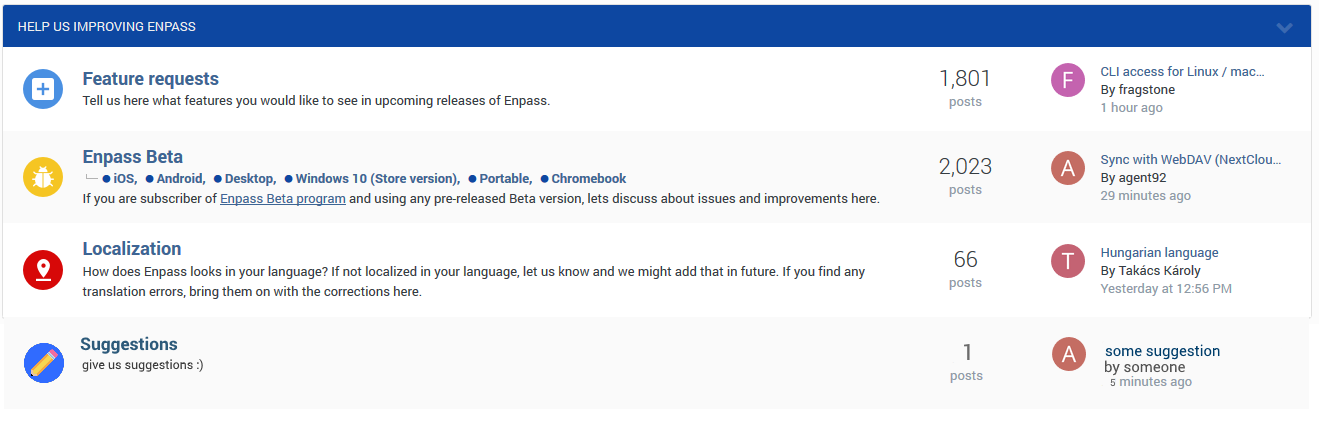
Add a category for suggestions that aren't for the bèta version, or are non bèta testers not allowed to give suggestions? (I have a would like to give all my suggestions and opinions about the new design (v6) in the proper category but there isn't one yet) I imagine it looking like this: