Jump to content
View in the app

A better way to browse. Learn more.

Enpass Discussion Forum

A full-screen app on your home screen with push notifications, badges and more.

To install this app on iOS and iPadOS
  1. Tap the Share icon in Safari
  2. Scroll the menu and tap Add to Home Screen.
  3. Tap Add in the top-right corner.
To install this app on Android
  1. Tap the 3-dot menu (⋮) in the top-right corner of the browser.
  2. Tap Add to Home screen or Install app.
  3. Confirm by tapping Install.

harrik

Members
  • Joined

  • Last visited

  1. harrik replied to harrik's topic in Android
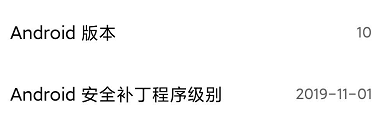
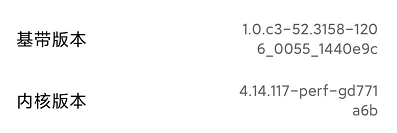
    Device name : MI9 OS version you are using: MIUI11.0.5 Whether this is happening on any other device as well : MI9 has been used all the time, other devices are unknown, and the occurrence probability is relatively high If the app is connected to the internet or not and how. : connected to the internet
  2. harrik posted a topic in Android
    Issue : When app jumps to enpass, fingerprint unlock will be stuck and cannot enter; version: 6.3.4.298
  3. May I ask whether the one-time payment is only for a certain version (such as 6) or all future versions (cross-version) do not need to pay for it?

Configure browser push notifications

Chrome (Android)
  1. Tap the lock icon next to the address bar.
  2. Tap Permissions → Notifications.
  3. Adjust your preference.
Chrome (Desktop)
  1. Click the padlock icon in the address bar.
  2. Select Site settings.
  3. Find Notifications and adjust your preference.