Search the Community
Showing results for tags 'business'.
Found 3 results
-
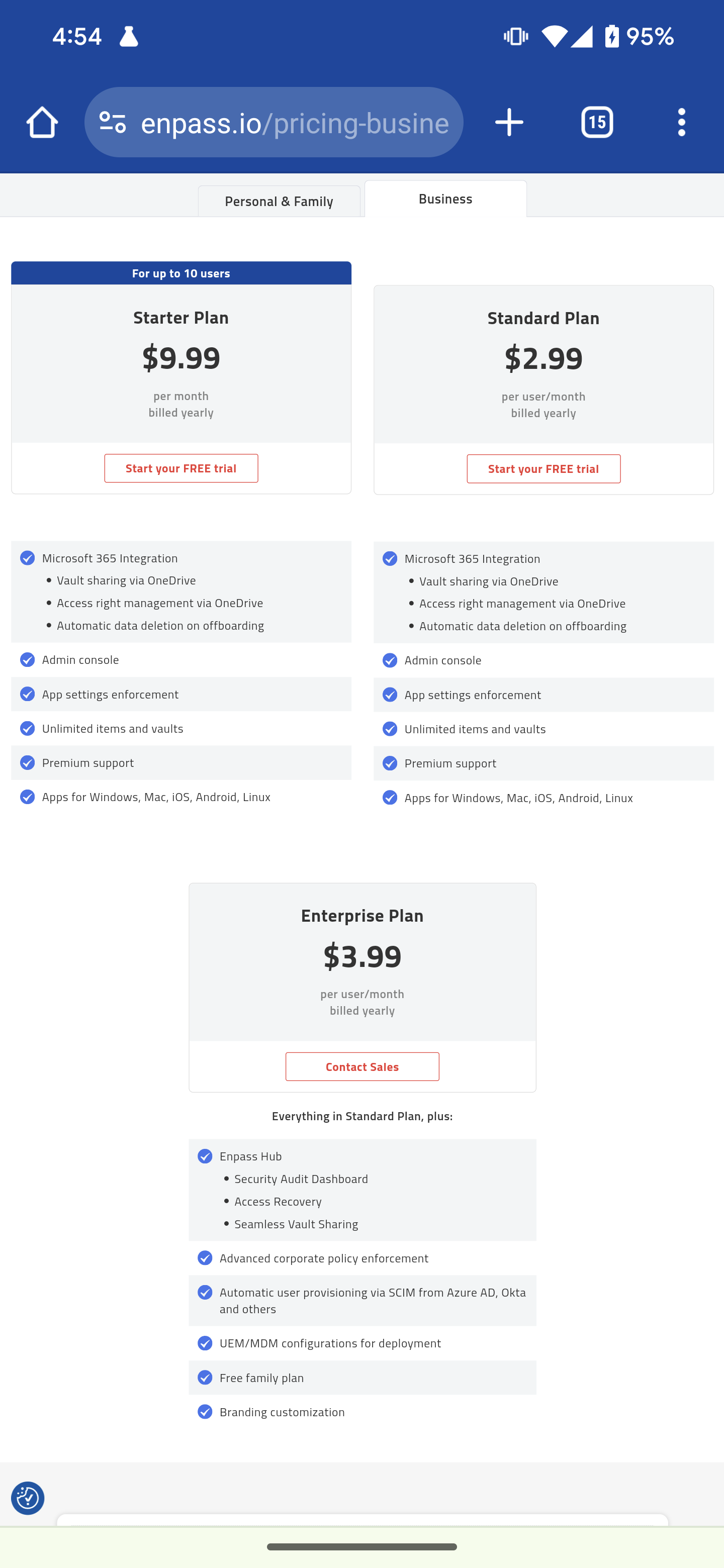
IMAGE: This seems to me like some mistakes got published, right? Or am I missing the point of something here?
-
I am testing a trial of Enpass Business for my company of about 50 users. Our vaults are integrated into Sharepoint OnlineTeams and divided by Team Sites according to our organizational chart. All configured in a simple way but I have some doubts about the cloud sync interval between desktop clients: according to the extract of this article synchronization should work with these triggers. Every time the app is unlocked Every 15 seconds when the app is active in the foreground on your device Within 5 seconds every time you save a change The synchronization takes place only in the first case (not every 15 seconds) but if we have two clients open and we make a change, even after several minutes it does not synchronize unless we do it manually or after locking and unlocking the app. Instead, the mobile app (iPhone) syncs instantly immediately after a change made from a desktop but not vice versa. Any suggestions? Thank you!
-
Id gladly pay for more business options. Such as syncing multiple instances of Enpass to a single file, or a few files as to provide group access for different departments. Another thing which would be great and is not featured elsewhere that I know if, is individual settings import. This would be so I can send a simple file which can be imported to my employees Enpass version and the settings will be as out IT department desires. Seems silly for some of us, but O so necessary for others (e-hem Mac users) Hell, or even another step may be to make a system run file which loads everything as IT prefers including the Enpass program itself. I have no idea how that could be done, but I find the biggest issue with managing a companies passwords is everyone various inabilities to use technology. It woould be great if I could email a file which they can double click and everything is set, including browser plugins and ITs desired settings. That would save me a hundred hours per year easily. And a last thing which is needed for business level is user pass reset. Folks just cant remember passwords, and resetting them is even harder for those type. Hope to hear more about stuff like this as you guys grow.