Search the Community
Showing results for tags 'edge extension'.
Found 3 results
-
Hey all, Can you hear the balloons popping and the confetti all around?! Yes, it's the celebration buzz we're having here at the Enpass. The long-awaited Enpass extension for Edge is now here, guys. Also, being the first ever offline password manager to support the extension for the Edge browser, we're already on the cloud nine. Wait, there's one more exciting news for you. We've also rolled out an all-new Enpass Bridged app on the Store that will work in the conjunction with the extension. Well, you can have the complete info from our blog post itself. P.S. We're gonna have the retro night with some booze later today. Cheers!
-
 Hi, I can't enable enpass browser extension on Microsoft Edge on Linux. Installation worked, but further config does not work. The launcher launches enpass. Please allow it in enpass. Thank you! I am a paying customer.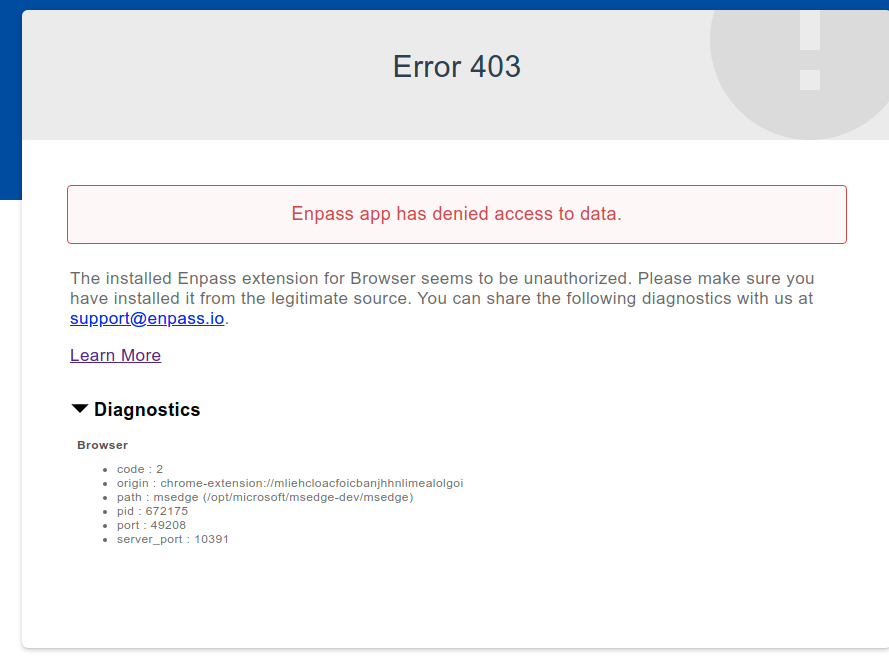
-
Wife using Enpass on Surface Book with 27" external monitor connected through Surface Dock. When opening MS Edge, the Enpass Extension will pop up UNDER the browser window. And then she cannot find the dialog, so she thinks it isn't working. If she turns off Maximize, the browser window covers only about half the screen, and then the Enpass dialog appears "appropriately" next to the browser window. She can then double click the entry to sign in and then maximize the window again. It works but is a nuisance. Maybe you can find a solution in your schedule, or maybe there is a better work around. Thx, Lovin' Enpass.

