Skip to content
View in the app

A better way to browse. Learn more.

Enpass Discussion Forum

A full-screen app on your home screen with push notifications, badges and more.

To install this app on iOS and iPadOS
  1. Tap the Share icon in Safari
  2. Scroll the menu and tap Add to Home Screen.
  3. Tap Add in the top-right corner.
To install this app on Android
  1. Tap the 3-dot menu (⋮) in the top-right corner of the browser.
  2. Tap Add to Home screen or Install app.
  3. Confirm by tapping Install.
  • Search By Tags

    Search will match any tag entered
  • Search By Author

Content Type

Forums

  • General discussion
    • Hot topics
    • Enpass Support & Troubleshooting
    • Registration and Purchases
    • Autofilling and Desktop Browser Extensions
    • Data Security
    • Announcements
  • Help us improve Enpass
    • Feature requests
    • Enpass Beta
    • Localization
  • General discussion

Find results in

Find results that contain...

Date Created

  • Start

    End

Last Updated

  • Start

    End


Filter by number of...

  • Minimum number of replies

  • Minimum number of views

Found 4 results

  1. Please ealborate me a little? Is there a way to get passwords in the pocket *without google allways on the way ? Is there a way to get the app for Huawei? /Kindly Pam Pam
  2. Hello, A scan Qrcode for activate 2FA TOTP bug on my Huawei MATE P20 Pro. All permission require by Enpass are activate. This include a Camera access. But after selection a Qrcode icon, Enpass view a white screen with "Scanner le TOTP" and don't view a camera for scan. version android 9 build: 9.0.0.153 Modele Tel: LYA-L29 Version enpass: 6.0.2 Full access
  3. Vazel posted a topic in Android
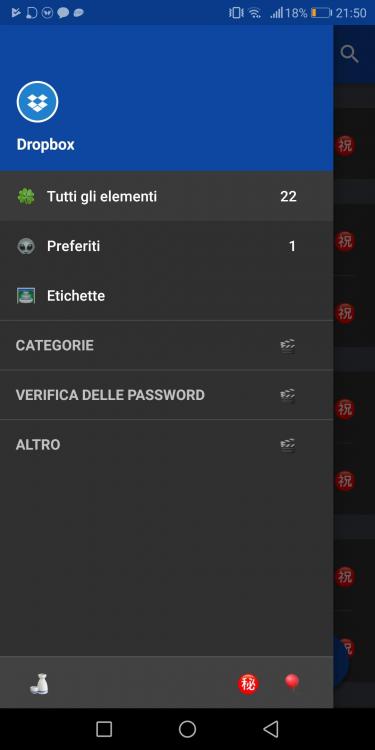
    Hi, I have a mate 10 pro with oreo, but from first update of enpass 6, I have this icon. How can fix? I can try to reinstall but nothing. Thanks
  4. Hi, i have an Huawei Mate 10 Pro with Oreo. I followed this guide: https://www.enpass.io/docs/android/Autofill.html Everytime i activate Autofill, a short time later, the autofill is no longer marked. It first is working a short time and after i do some time nothing with my phone the settings disappear. Before i had an Huawei P8, there was the same Problem, but i thought it would better with Oreo. I have another Samsung S7 with Nougat, there it works fine. Does anybody know the reason, is it because auf EMUI? Greetings

Account

Navigation

Search

Search

Configure browser push notifications

Chrome (Android)
  1. Tap the lock icon next to the address bar.
  2. Tap Permissions → Notifications.
  3. Adjust your preference.
Chrome (Desktop)
  1. Click the padlock icon in the address bar.
  2. Select Site settings.
  3. Find Notifications and adjust your preference.