


mark chang
-
Joined
-
Last visited
Posts posted by mark chang
-
-
-
-
-
1 hour ago, Garima Singh said:
Hey @mark chang
Apologies for the trouble you are having.
Our team is unable to reproduce or fix the issue without the log. Please take the backup of your Enpass data and perform these steps:
- Disconnect sync from all the devices.
- Download the debug version of Enpass from this link on your device.
- Now open Enpass --> Settings --> Advanced --> Logs --> Enable it.
- Now sync with One-drive. When you receive an error code --> Go to Advanced settings --> Logs --> Copy the Logs in any text editor and share with us on support@enpass.io.
Thanks for your co-operation.
Enpass --> Settings --> Advanced
There is no "logs" on windows10
-
-
On 4/3/2020 at 1:01 PM, Kashish said:
@IslandBoy Sorry for a late reply. There seems to be an issue with the OneDrive sync. Don't worry, follow the below steps:
- Please disconnect the sync on all the devices that are syncing with the One Drive account. If you already have all the data on the device(s), proceed to the next step.
- Login to OneDrive on a browser and rename the file inside Enpass folder to old_vaultxxx.sync.
- Re-connect the sync on all devices with the same OneDrive account and check if the issue fixes.
This can't be solved completely. A few days later, it's still like this.
-
-
-
-
4 hours ago, Tatos said:
I have the same problem as well. I sent a mail yesterday to the support, but did not get an answer.
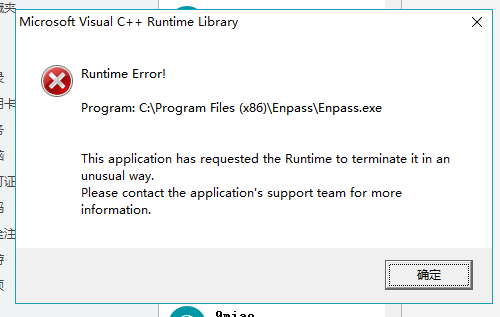
I uninstalled and then reinstalled the application, without success ... I specify that if I leave the error message without closing it, browser extensions work.I hope that the problem will be quickly identified.
If not, I can't find version 5.3 (functional) on the site. Possible to have it ?
Otherwise, the beta version released some time ago made the same mistake on my machine.(W10 64 bits with Onedrive sync)
-
 1
1
-
-
-
Edited by mark chang
16 hours ago, Anshu kumar said:Hi @mark chang,
Sorry to hear about your trouble. Please provide some more details so that we can investigate where the problem could be?
-
Exactly when/where Enpass get crashed?
- As soon as app is opened.
- After entering the master password.
- Previously which Enpass version are you using?
- Which cloud sync are you using?
For Testing Purpose: Please turn off the internet connection and now try to open Enpass and search for any items and let me know does Enpass gets crashed?
- After entering the master password.
- Version 5.3.0.1
- Folder sync
Thanks
-
Exactly when/where Enpass get crashed?
-
-
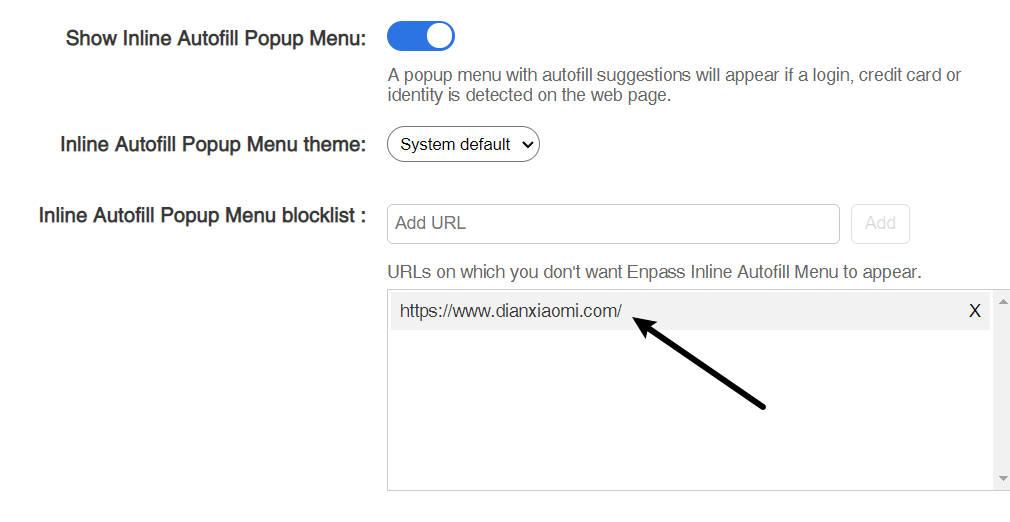
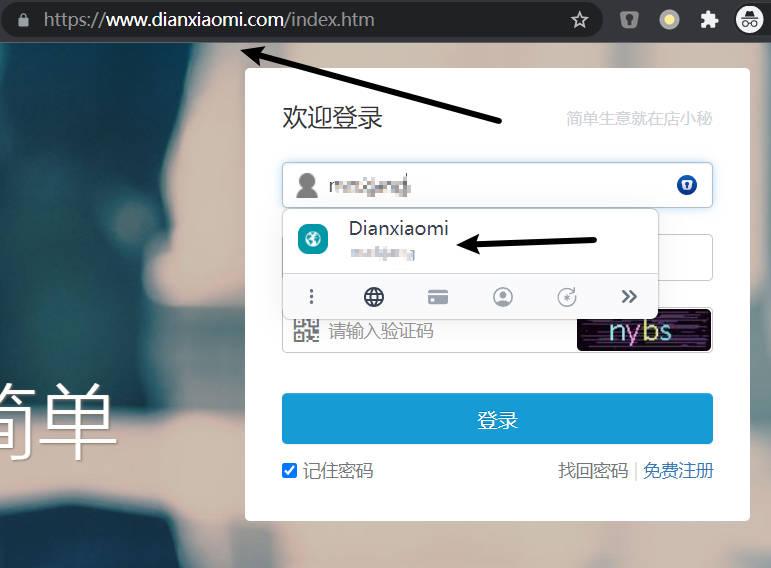
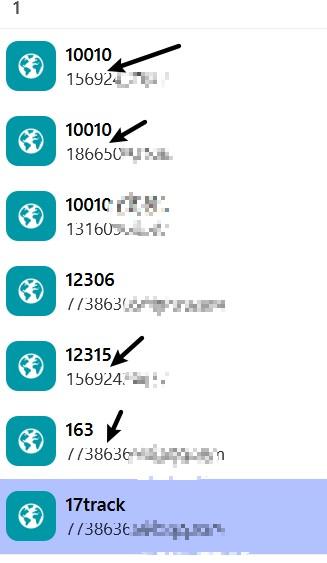
Enpass Extention 6.7.4 'Inline Autofill blocklist' does not work
in Windows
This extension will cause the website not work properly, so I can only add it to the block list, unfortunately, the block list does not work either.