


bspreen
Members
-
Joined
-
Last visited
-
-
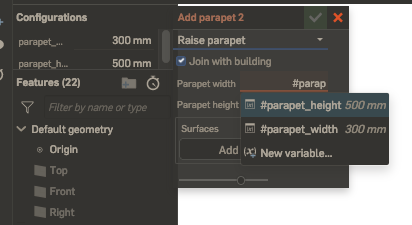
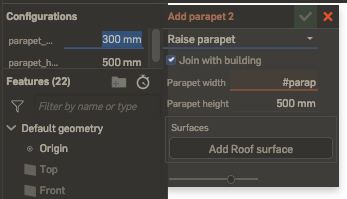
There is a bug where the Firefox Enpass Extension interferes with expected cursor behavior in the online CAD program Onshape. Onshape utilizes an autocomplete feature when filling out certain fields: Normally if a user presses "Enter", the highlighted recommended variable is pasted into the input field, and the user can continue typing in that field. As of approximately two weeks ago, this no longer works. When "Enter" is pressed, the cursor jumps to a different input field (highlighted blue below): The behavior is quite frustrating, as it means that the autocomplete function cannot be used. If the Enpass extension is disabled (and only that extension), the bug disappears. Why would Enpass be controlling cursor behavior on this page? It was my understanding that the extension does not take any action until its icon (top right-hand corner of the browser) is clicked.
-
Hi @Pratyush Sharma, many heartfelt thanks! For the fix and the speedy reply. Cheers :)
-
@Pratyush Sharma, it looks like the page you referenced might need updating? Every time I use 'Ctrl+/' in the browser, Enpass pops up, and there does not seem to be a way to disable this behavior. For Firefox, the Enpass user manual states: However, Firefox (85.0.2, running on Big Sur 11.1) disagrees....(screenshot from the page described in the user manual) As joji noted, the 'Ctrl+/' shortcut can be extremely frustrating when it conflicts with the functionality of web-based code editors. A fix for this would be super! Otherwise it is a deal-breaker for me and Enpass
