Sleepyhead
Members
-
Joined
-
Last visited
Everything posted by Sleepyhead
-
With AI agents this is becoming more important. AI agents can read keys stored on disk for example. With projects like https://github.com/jdx/fnox we can rely on a vault for retrieving secrets and ensure, with touchid or password, that it is only accessed when needed.
-
Thanks but that is not working.
-
To add: the clickjacking method was made public on 9 August 2025. Enpass released an update *after* this, which basically means this was a 0-day attack for anyone to utilise. Very irresponsible if my understanding here is correct.
-
Wait, so you were informed about this on April 7, 2025 and didn't inform users until August? And this information release was done in a forum post? This is unacceptable. If users were vulnerable until the fix released to users in late August users should have been notified via email prior to the fix so the extension could have been disabled. If my understanding above is correct I must reevaluate my usage of Enpass.
-
-
Relevant: https://discussion.enpass.io/index.php?/topic/14617-command-line-interface-cli/#findComment-92057 Great to see open source contributions but I can only trust an official application here in this case. This project is using enpass-cli, a third party app. An official CLI/API would be a big step for providing an Alfred extension.
-
I made a post about the same issue some time ago as well, I believe it is the same issue: https://discussion.enpass.io/index.php?/topic/31826-primary-vault-is-always-selected-when-opening-enpass-autofill-widget/#comment-92249
-
I have emailed support with a video demonstrating this issue.
-
I notice weird issues on some websites I vist. Random javascript based behaviour will not work when Enpass extension is enabled As soon as I disable Enpass then the behaviour works as expected. Here is one example: https://www.shelly.com/de/products/shelly-blu-gateway Going to this website without Enpass you can click the thumbnails to replace the main photo. When Enpass extension is enabled this is not possible. Adding the domain to skipped domains in Enpass extension does not make a difference. I have to disable Enpass extension in Safari for the website to work properly. Enpass 6.11.12 (2002) Safari 18.5 (20621.2.5.11.8)
-
It was already set to 'All vaults'. 'Always Save Items to Vault' is however set to 'Primary'. So either that setting applies to autofill and not just saving, or there is a bug.
-
Enpass iOS seems to default to the Primary vault for the autofill widget in Safari. I have four vaults and want to default to 'All vaults'. I have to manually select all vaults every time the autofill opens. If I open Enpass app then all vaults is the default. Enpass iOS 6.11.12 (1002) iOS 18.5
-
I see that Enpass is doing network requests even when I am not storing my vault in a cloud. According to this article Enpass uses internet access for some features. If I disable these features will I still be able to use Enpass? Or do I require to give Enpass network access to ensure my subscription is valid? I really prefer Enpass to not send any data from my device.
-
Website: https://fossbad.no/produkt/variant46-kommode-b81-d455-2/ When Enpass Safari Extension is enabled the photo is not showing. Clicking on the product links 'Velg farge' will navigate to a product photo instead of changing the product.
-
-
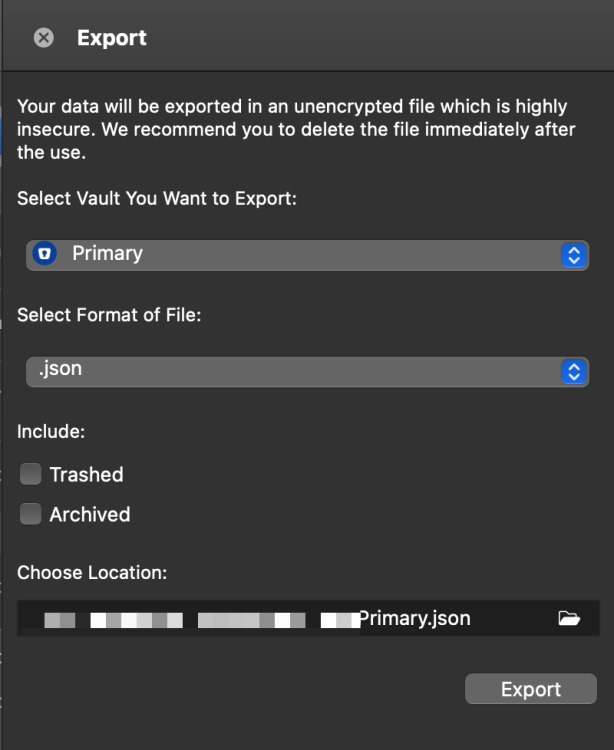
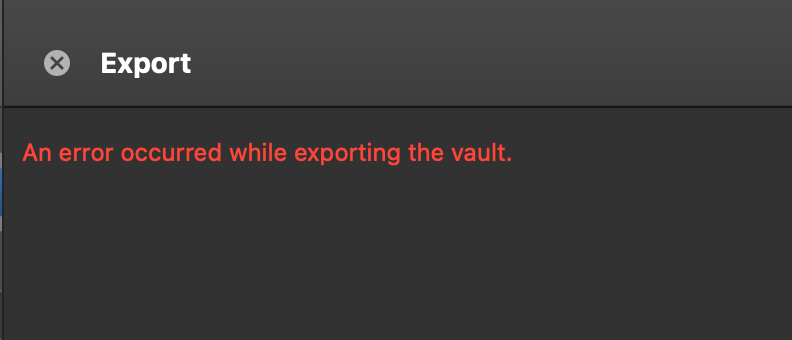
I have 3 vaults. I am able to export 2 of them but my primary vault gives an error when doing an export: "An error occurred while exporting the vault". The export config is the same. I tried with all file type outputs. There is no other error show. Is there a log somewhere? Enpass 6.9.1 (1512) Mac App Store.
-
A new update and again not able to sync over Wi-Fi. Please improve your software testing. It seems like there are major problems with how you release software updates. I really like Enpass but so often new updates just breaks a core feature like sync.
-
@Abhishek Dewan no need for local changes here, the problem was introduced with the wifi sync bug in the previous version of Enpass. After 3 weeks it was fixed with the latest version.
-
Over two weeks now with a completely borked update. I would consider rolling back to the previous version. Really not acceptable that a core feature breaks like this. This version was launched for your business offering. As someone who runs a business I do not gain trust to pay for a business subscription given how lightly this issue have been tackled. Very little information. Barely able to confirm the issue on Twitter. A very serious bug and two weeks of radio silence. I run a software company myself and for such a serious bug I would just roll back to the previous version. This together with your outdated external security audit makes it difficult for me to trust Enpass with a business subscription. I know fixing bugs can be difficult but please improve how you communicate such issues.
-
It is the Enpass Safari browser extension. It is a generic issue. Many sites require SMS login in addition to username+password. So 2FA but with SMS. Enpass has stored an entry for the URL with username/password. But after the login there is a code input from SMS. This code input often has autocomplete="one-time-code" attribute on the HTML input. IMHO Enpass browser extension should not trigger for such fields. it is not a password field and Enpass does not have 2FA secret code stored for the URL entry. In such cases it is highly likely that the code is supplied with SMS. Thus Enpass should not auto-trigger for input fields with autocomplete="one-time-code".
-
The Enpass widget popups for 2FA SMS inputs and will overlay browser 2FA autofill widget. I suggest that Enpass should not auto-trigger for input with autocomplete="one-time-code". If this input is for OTP from Enpass then this value would be in the clipboard after the login and thus should also not need the widget. So I don't see much value in showing the Enpass widget for this type of input?
-
I'm having the same issue. It works after I disconnect and add it again with a qr code. So annoying to do this all the time, the wifi sync is very unreliable. Given that it works with a new qr code setup it doesn't seem like there would be any connection issue, rather a bug with the app.
-
@PASHKA there is no need to be rude. I find that Enpass is an excellent app but here are some improvements to be made. It is good to give feedback and criticism, but no reason to resort to the language you are using.
-
I have 900 items here and while it is far from as slow as OP describes Enpass is very noticeably slower than my previous pwd manager 1Password. I do have multiple entries with file attachments if that makes a difference.