


Rooco
Members
-
Joined
-
Last visited
-
Thanks for looking into the matter
-
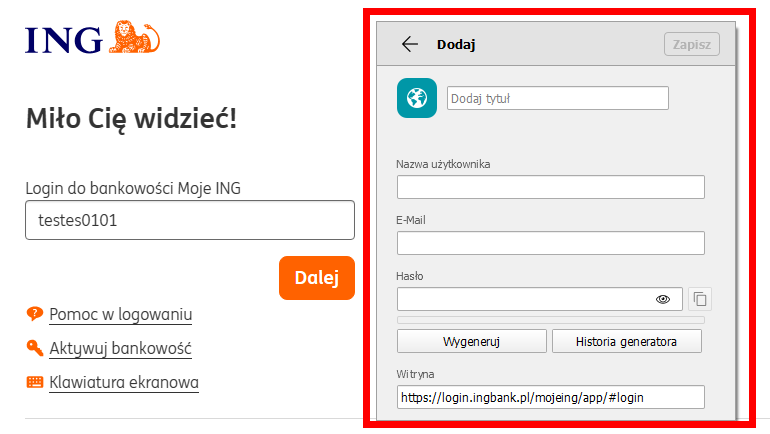
Hello @Abhishek Dewan I tried your advice but unfortunately it doesn't work. Enpass can't save data on new login page. As you can see in the screenshot, only the site address is captured. Enpass extension 6.9.3 (Microsoft Edge) This is the the problematic web page https://login.ingbank.pl/mojeing/app/#login
-
Hi Team, My bank changed the website, on the new site, autocomplete does not work The old site had the address https://login.ingbank.pl/mojeing/app/#login The new website has the address https://login.ingbank.pl/mojeing/app/#login-new Browser extension displays page matching but when you click on login, a new browser tab is opened. Can you take a look at this problem? Enpass 6.9.2 Windows 11 (all updates installed)
-
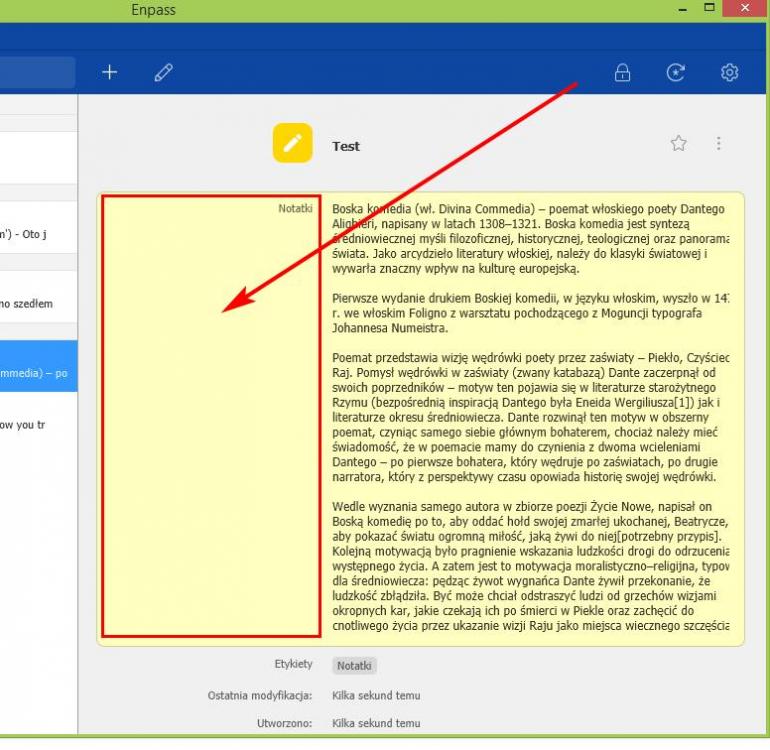
Hi, Currently, a large part of the unused space remains on the left. It would be better if formatting started from the left. Currently, the text is extremely narrow A great option would be to add some simple text formatting options eg. bold, italics etc.
-
-
I think Enpass Team will rethink your decision and restore the extension for version 5 to the Chrome webstore. I do not like version 6
-
-
Hello @Akash Vyas Thank you for checking this case. Unfortunately, in my case, pressing the return arrow on the browser does not cause a popup window to save login data. My browser is Slimjet Best regards
-
Hi I have a problem with saving login details on a specific website, Enpass does not propose to save the registration data. Without the popup window, there is no way to save your login details Here is the website address https://www.sfd.pl/sklep/aspx/Login.aspx?ReturnUrl=%2fsklep%2f Windows 8.1 64bit Enpass (latest) Please check it
-
Hi @Anshu After the last update of Chrome plugin (5.4.1), everything works fine. Thanks
-
You are right Enpass can not handle it. RoboForm also saves all fields without errors. I also go back to RoboForm, though as for me Enpass look like better. And what is important is absolutely free (Desktop and Android)
-
There is no way to save values for these fields. https://websupport.wdc.com/smartware/customer/default.aspx
-
Any help from you? Do you confirm a login problem? When it will be fixed?
-
The same problem here. Enpass does not fill login. https://login.ingbank.pl/mojeing/app/#login
-
+1

