azarot555
Members
-
Joined
-
Last visited
Everything posted by azarot555
-
I have no feedback since weeks. This is not cool.
-
Any news, Abhishek? Hello??
-
Any news, Abhishek?
-
Dear Abhishek, would you mind sending the link to this conversation to your development head or help me get in contact with them, please?
-
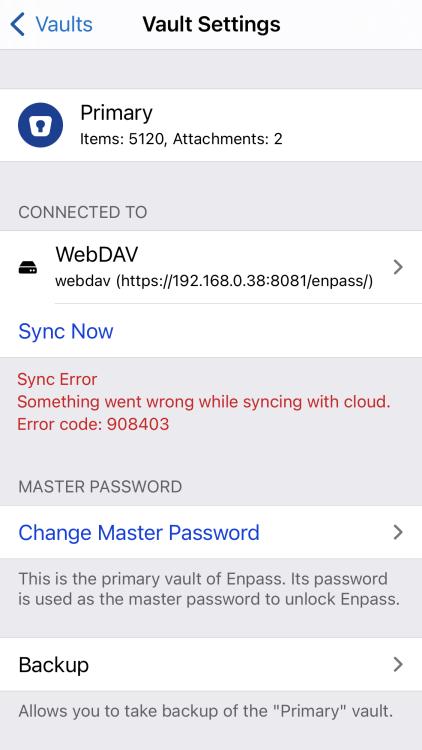
Well, maybe let's take this step by step. Maybe, some kind soul can explain the error-codes Enpass throws up? Is there a repository where I could find an explanation for the error codes or some sort of logical mapping? What is the meaning of 908403 or 906405? Thank you for any help available. cheers!
-
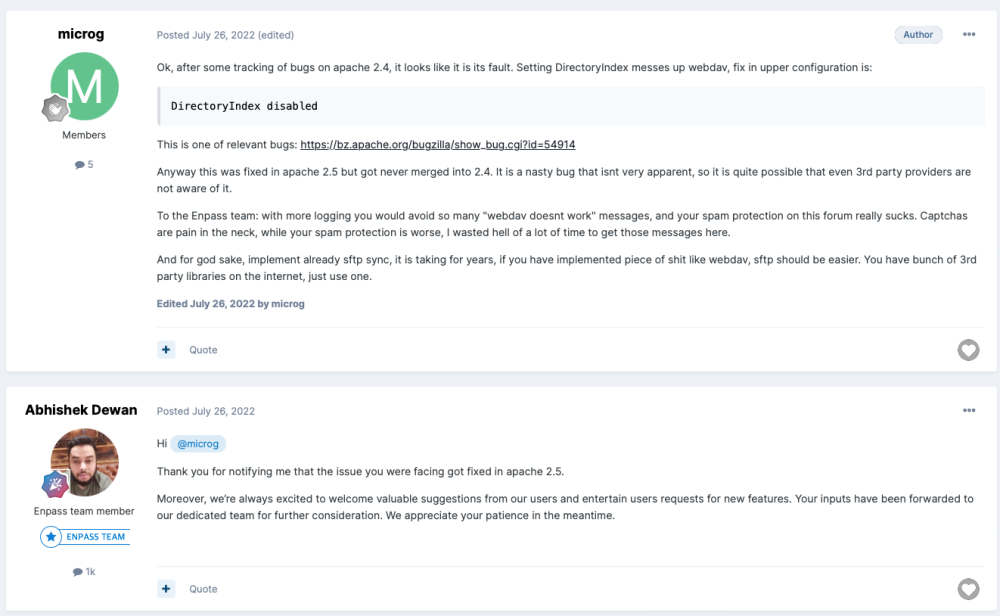
Seems there is some strong language out there about the implementation of WEBDAV in Enpass...
-
Ah, yes, Enpass is set to be able to check on the local network on my iDevices. Any news, Abhishek, yet, please?
-
Dear Abhishek, may we know what your talks have resulted in? Thank you!
-
I have put this question out to @EnpassApp on Twitter as well. This exchange is a bit ridiculous, as we don't seem to make any headway into the issue at all, and I have already written several polite notices here. It seems to be legit to at least get a clear timeline until when such a small, bullte pointed guideline on how to debug the Enpass/WEBDAV pairing, as it is a recurring issue in all kinds of environments, both in Cloud- and local networking environments.
-
Look, Abhishek I have invested both time and money to resolve the issues Enpass has (as stated in my initial comment, I went out to buy dedicated hardware as I assumed maybe QNAP were the culprit). I think it is, as a registered user, not too much to ask to get some help on how to troubleshoot the issues. This issue is the reason I went from 1Password to Enpass in the first instance. As explained above. Why can't we have some simple yes/no answer to this question? I understand you are successful in troubleshooting these issues. Never though, do we get to know how. Many people on the internet are in the same situation, and are desperate. Are you cementing your employment by being the only one to do this? What's keeping you from answering the questions?
-
Hello, dear is there any progress with the small enlightening manual on troubleshooting WEBDAV yet? thanks for coming back soon on the issue! Really appreciated, cheerio
-
I am increasingly uneasy about this same issue. For now I am managing with a feature that 1Pasword haven't addressed for years in a row no, in spite of me even talking to their CEO about it: local sync. Enpass is actually doing it with a kind of crude solution (having more than one computer makes the process awkward, as you need to disengage at least on device from the "main" vault to sync via WiFi to the other computer and then re-pair it with the main computer. But it at least kind of works locally. I am really irritated that every solution seems to insist on puttin gyour keys to the castle on someone else's computer ("the cloud"). Disclaimer: And I have been promoting privacy-respecting cloud technologies for years, I am not ignorant about it. But I have witnessed pompous CEOs proclaiming their wonderful secure crypto-algos are the bee's knees and being wrecked soon after by breaches. I simply prefer not to put my vaults in the cloud and am flabbergasted over the inability of providers not getting it right in spite of claiming it is no problem. The net is full of folks desperately trying to get their QNAP or Synology solutions to bloody work with Enpass and no answer to be seen anywhere. Obv there are ways of troubleshooting the issues, but it would be sooooo handy to have a small explanation on what to look for. Abishek? Over and out.
-
Update: tried it with that neat little trick, but to no avail.
-
Just a small doubt on my end, Abhishek in this forum (hxxps://www.synology-forum.de/threads/webdav-zugriff-einrichten-enpass.106147/) they say the password to access the Webdav should be identical to the vault-password. Is that the case? cheerio
-
Hello Abhishek, any news about the troubleshooting guidance yet? I realize the net is full with all kinds of people having issues with the pairing of Enpass and WebDav, so something is strangely difficult in the setup - and customers are unprepared for it. Maybe a small general help will be beneficial for all those poor folks? As you have successfully helped various people here on the board, I am turning to you as an assumed expert in the matter. cheerio!
-
Thanks a ton, Abhishek, look forward to your info! cheers!
-
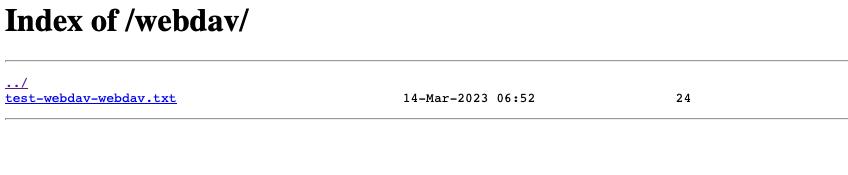
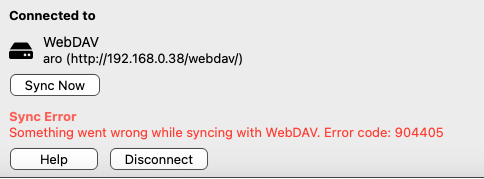
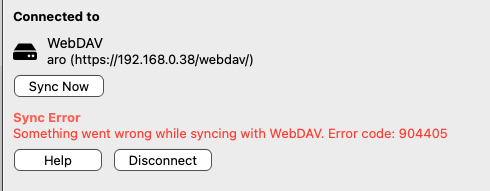
I would like to add, that the folder on the OMV6 device has the following access rights/ownership: drwxrwxrwx 2 www-data webdav-users 4096 Mar 14 07:52 webdav Here's also some screenshots from the trial and error-journey and from the browser (which accesses the folder just fine).

-
Thank you Abishek 1. I am using Mac OS Ventura 13.2.1 (22D68, iOS 16.3.1 on several iDevices and Windows 10 on and off on another laptop. Enpass Web-download version. iOS verion: 6.8.6 (684). 2. I am using Enpass only within my network, there is no open port to the outside world, hence no firewall etc hindring access to the WEBDAV folder 3. I can't, unfortunately, for above mentioned reasons. All of the solutions I tried, are within my network, no port is open to the interwebs... Which is, why I suggested instead of burdening yourself with troubleshooting other people's problems (which my be simply "homemade", and I don't exclude me from the list of culprits, I am sure I made a mistake) that it would be extremely kind and give a lot of good karma if you could share the troubleshooting steps you do here, which allows everyone to follow in your footsteps in cases like mine. Also, it would be terrific to have a pointer to what the error codes mean. Do you think, this could be achieved? cheerio!
-
The WEBDAV issue is an ongoing nightmare to me. I do not wish to sync outside of my private network. I had a QNAP WEBDAV instance running nicely for quite some time, when I switched away from 1Password (having been an early adopter there for the reason of them making local sync all but impossible through a number of versions, until I moved to Enpass. Reason for Enpass was it's capability to use WEBDAV. Then at some point, the WEBDAV was impossible to use, throwing up 6-digit errors. I invested in a small NUC-like PC to test other solutions. Both Truenas WEBDAV and OMV6 Webdav (crazy install procedure) are throwing the same errors. This leads me to the conclusion that something is amiss in Enpass. In all the above mentioned cases, I was well able to access via browser and http or https, with or without authorization, so the solutions were kind of working. May I ask for a favour to Abishek Dewan, please? Instead of doing the troubleshoot yourself (which requires an open port to the WEBDAV server), how about creating a small troubleshooting guide document to share here in order to empower the customers to do the troubleshooting themselves? Your kind help would certainly be appreciated! Which steps are you taking in order to find out what needs to be fixed? What even do the error codes mean at all? Here's mainly 908403's and 904405's showing up and that's not very enlightening. Is there an error code registry with Enpass?