


rps
Members
-
Joined
-
Last visited
Everything posted by rps
-
It would seem to be on all new added sites, wordpress logins, google logins, misc ecommerce logins...
-
For the past few months newly saved logins for websites in Firefox no longer autosubmit once filled out. Previously created logins continue to submit as expected.
-
After backing up and uninstalling both the primary Enpass app and browser extension. Then reinstalling (direct download this time instead of Mac app store) both, the system is working as expected again. Thanks for your help.
-
This is still ongoing. If I update a login in the browser extension, it does not save. If I update the entry directly in Enpass, I get this message saying "Error! There was an error while updating the item.", but it still saves.

-
@Amandeep Kumar Also of note, I don't seem to be able to delete / move to trash any of my logins either from the browser plugin or from the Enpass app itself.
-
Hi @Amandeep Kumar It looks like there are different results coming from my Firefox browser extension than from the app itself, where the app is showing recent additions but the browser extension is not. I had originally installed Enpass directly, but that seemed quite buggy, so I uninstalled that and reinstalled it from the Mac app store, but I couldn't tell you how long ago that was.


-
@Amandeep Kumar I don't suppose there's any update on this? The issue persists for me, but I'm surprised that no one else has chimed in having similar situations.
-
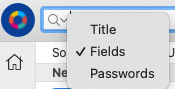
@Amandeep Kumar Thanks for the followup here. - This issue is on all sites - My search is already set to "Fields"
-
Thanks for the update
-
@Amandeep Kumar Here is a screen recording of the issue.
-
This behavior is consistent on both of my devices: MBP M2 (Ventura / Mac OS 13) & MBP M3 (Sonoma / Mac OS 14) Enpass: 6.9.5 (1640) Chrome 122 - 6.9.3 Firefox 124.0.1 - Extension 6.9.4.2 (December 2023) Everything should be up to date. I've been noticing this behavior for a while.
-
Hello, I've been running Enpass installed from the Apple App Store since it seems to be more reliable than the externally installed version. But now it won't save any passwords from the browser extension. When entering a new credential, the save window comes up and I click save, but it doesn't get saved in the vault. Let me know if there is a solution for this. Thanks!
-
Is it still a thing that you can only change your vault location on versions downloaded directly from Enpass instead of installed from the Mac app store?
-
@Abhishek Dewan To be clear, at the moment I'm not even concerned with new features, I just want all of the existing features to work smoothly and without crashing! Make this look like 1Password from 8 years ago and you have a winner. I haven't seen a bug fix release since I purchased 6 months ago and as shown here, many of your other customers are having the same concerns. Feel free to reach out to me directly if you're going to shutter this project so I can understand if there's any logical path for picking up the development work here and carrying it forward.
-
Yes, even just getting a solid bug update release out would be a great step forward! With classic 1password browser support coming to an end in the near future, now is the perfect time to show that Enpass is a true replacement and a polished product.
-
Hi Abhishek, Thanks for your prompt reply, I appreciate that. I would encourage the Enpass team to share as much as possible for any upcoming release information. A password manager is a critical component for daily workflow for me and many of your users. I am in a position where it is just difficult and clunky enough to use Enpass, that without guidance on future update cycle. I'm tempted to switch back to my old password manager until this becomes a more viable option. Again, this is mostly related to UX bugs, not future feature development. The pieces are there, they just need to work better. Thanks again.
-
Hello, You have a good product with a great opportunity for a self hosted password manager that the rest of the market has abandoned in favor of centralized cloud storage. I think much of the frustration with your product shown here on the forums could be alleviated by defining a road map for your project with defined projects and bugs that are in development. This would help communicate to your customers that development is ongoing and provide insight to time lines. It wouldn't take much to squash many of the UX bugs that currently make the product clunky to use and greatly improve the overall experience. Please help us understand the direction that Enpass is going. Everyone is here to replace 1Password / LastPass and their cloud based systems, give us the assurance that this is a product worth getting behind.

