syriusz
Members
-
Joined
-
Last visited
-
I am (was) a big fan of Enpass since the very beginning (I created my account before subscription model) and it's really sad to see that Enpass development team slowed down significantly and seems to be unresponsive to the user's requests. This SSH support feature request was submitted 6 years ago and still not implemented. Another important request - FIDO2 support - was submitted 4 years ago - unfortunately the same result: https://discussion.enpass.io/index.php?/topic/27596-usb-security-key-fido2-support/page/2/#comment-92034 Today I discovered that Bitwarden can be self-hosted (aka Vaultwarden) and it has all that features: excellent SSH support, FIDO2 keys support etc. It's a bit more effort to self-host Vaultwarden server, but that was the last advantage of Enpass - you own your data offline and you decide how to backup them. Is it time to say goodbye to Enpass then...? (I still hope not...)
-
As I can see in release notes for all three Enpass extensions (Edge, Firefox and Chrome), all of them in version 6.11.6 have this item "Fixed a clickjacking vulnerability...": https://www.enpass.io/release-notes/enpass-browser-extensions/ Anyway - thank you for sharing this issue!
-
Are there any news regarding security keys support in Enpass? It's almost 4 years (!) since the initial request here...
-
syriusz changed their profile photo
-
I can confirm that a new Beta version of Enpass for Windows 6.10.1 (1655) works perfect now and I can properly login to vercel.com site (and others) with my passkey (stored in Enpass) on every attempt! Thank you very much for this fix! Since it is Beta version, it is not yet available in Microsoft Store version of Enpass, so it would be great to have it officially released there as soon as possible. Manual installation (from downloaded installer) requires entering password each time Enpass application starts, while MS Store version can be unlocked with Windows Hello feature (which usually means face recognition or BIO-touch), so it is much more convenient and faster. Please let me know as soon as this version is released in MS Store. Thank you!
-
-
Just to let you know (by the way - asking for an update of this issue) - Proton Pass has implemented recently passkeys support in their password manager - it works perfect on that vercel.com site (registering and using passkey successfully on every login attempt), so this is not an issue with this particular site, but rather an issue (a bug?) in the given implementation (Enpass). So, it would be nice to have a highest priority on fixing this issue. Thank you.
-
-
-
Sure, all the details below: Enpass version: 6.9.3 (1592) - Microsoft Store version (the latest) OS versions: Windows 10 Pro 22H2 (with all updates applied) Windows 11 Pro 23H2 (with all updates applied) Browsers name & versions: Google Chrome version 121.0.6167.140 (the latest) Firefox version 122.0 (the latest) Browser extension version: 6.9.3 (in both browsers)
-
-
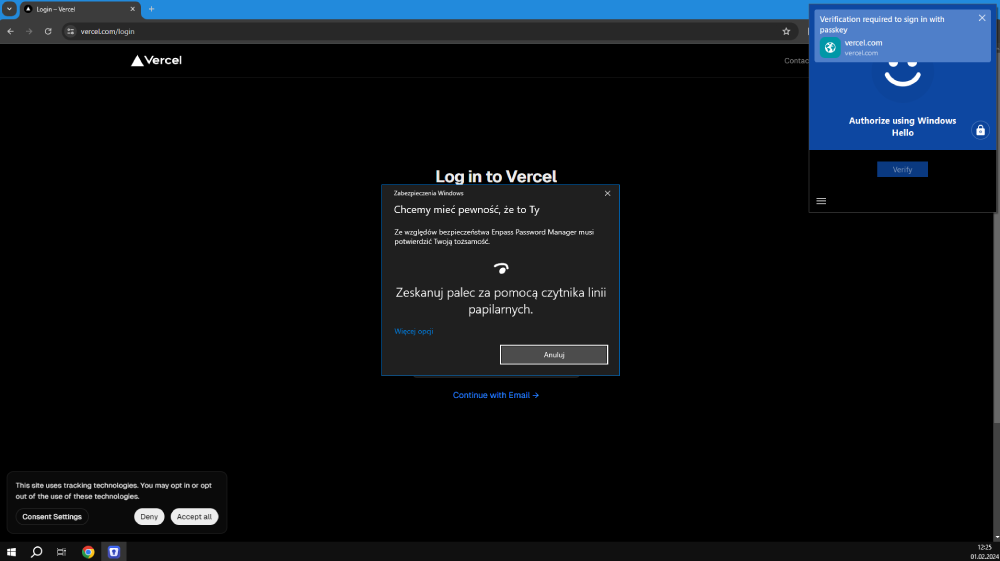
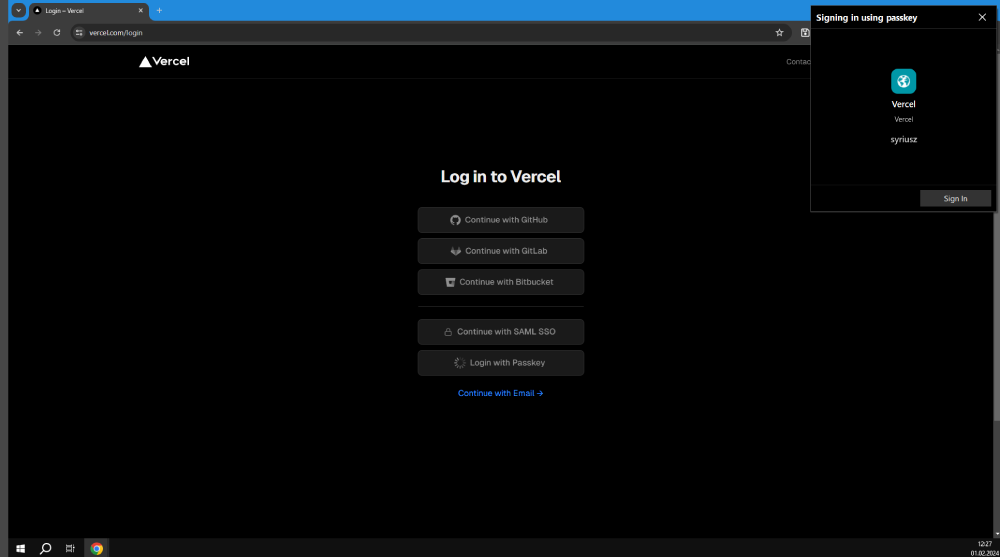
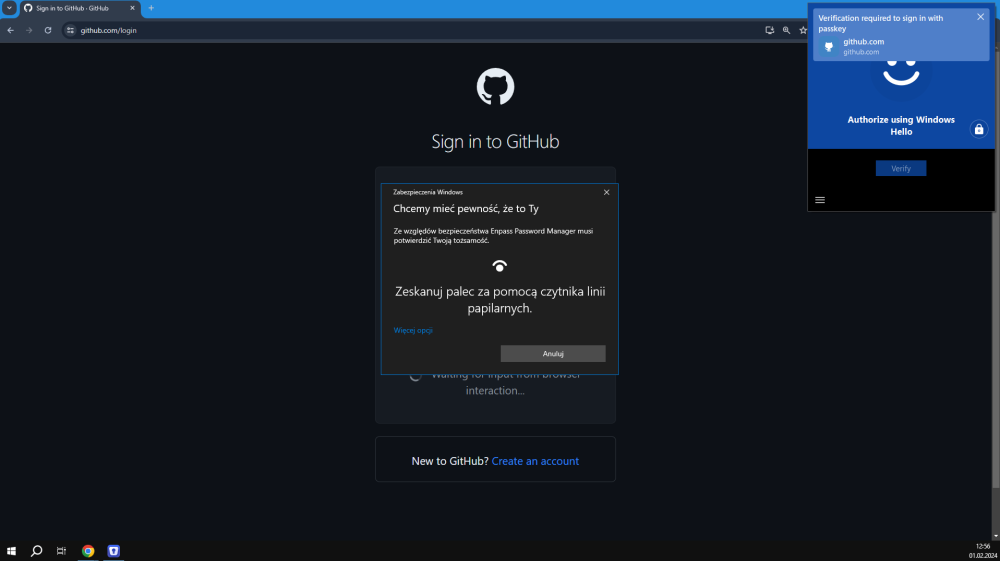
Enpass-based passkey does not work yet on some sites while USB-based hardware keys always work. Let me explain in details: Previously I registered and stored passkeys in Enpass for both sites mentioned below. When I first try to login on https://vercel.com via passkey I get the following prompt from Enpass browser extension: This login success! but when I try to login every next time then I get the following prompt: This login fails with message "Login with Passkey failed. Please try again." In browser console I get "400 Bad request" for "POST https://vercel.com/api/auth/webauthn/verify" On the other hand Enpass passkey works fine every time on https://github.com but in that case I always get the following prompt asking for Windows Hello: In case of github.com I never get this second prompt without Windows Hello. I hope that will help in fixing this problem in Enpass. Please let me know if I can help more in some debugging Regards, syriusz
-
YEAH! There it is! And now with MS Store version I've got full-time Enpass unlock with Windows Hello (biometric) and passkeys synced! https://www.enpass.io/blog/general/enpass-completes-passkey-integration-with-passkey-management-for-mac-windows-and-linux/ Thank you Enpass Development Team!
-
Do you have your Windows Hello properly configured and you login to Windows machine by TouchID/FaceID of Windows Hello ? If so, I guess there might be some incompatibilities in AMD version of your TPM module... I've found a lot of issues in google related to such AMD PSP (TPM) issues unfortunately...
-
Hi, I've just tried the latest Enpass BETA for Windows (6.9.2 but Website version only because I don't have access to MS Store version for beta) and passkeys work perfect! This is amazing user experience when you can login to your passkey-based account (github, google, passkeys.io, ... etc.) with one click/tap using your passkey previously saved (on iOS) in Enpass and now synced with your Enpass Windows version! I can't wait when this new Enpass version is available as stable release (and published in official MS Store)! Great job Enpass Team!
.png.13da3802b6b02ed1b1ca345a433fde2c.png)
-
If anyone missed this news on Enpass blog - there is another great step announced - full passkeys support on Android! https://www.enpass.io/blog/security/enpass-for-android-now-supports-managing-passkeys/ Since I use iOS for mobile Enpass (which also supports passkeys sync for a few weeks) now the best news for me is: "Enpass for desktop computers already syncs passkeys created on mobile, and will support passkey creation and login within a few weeks." I can't wait to have this functionality too! Great work Enpass Team! Thank you!