Captain_Eric
Members
-
Joined
-
Last visited
Everything posted by Captain_Eric
-
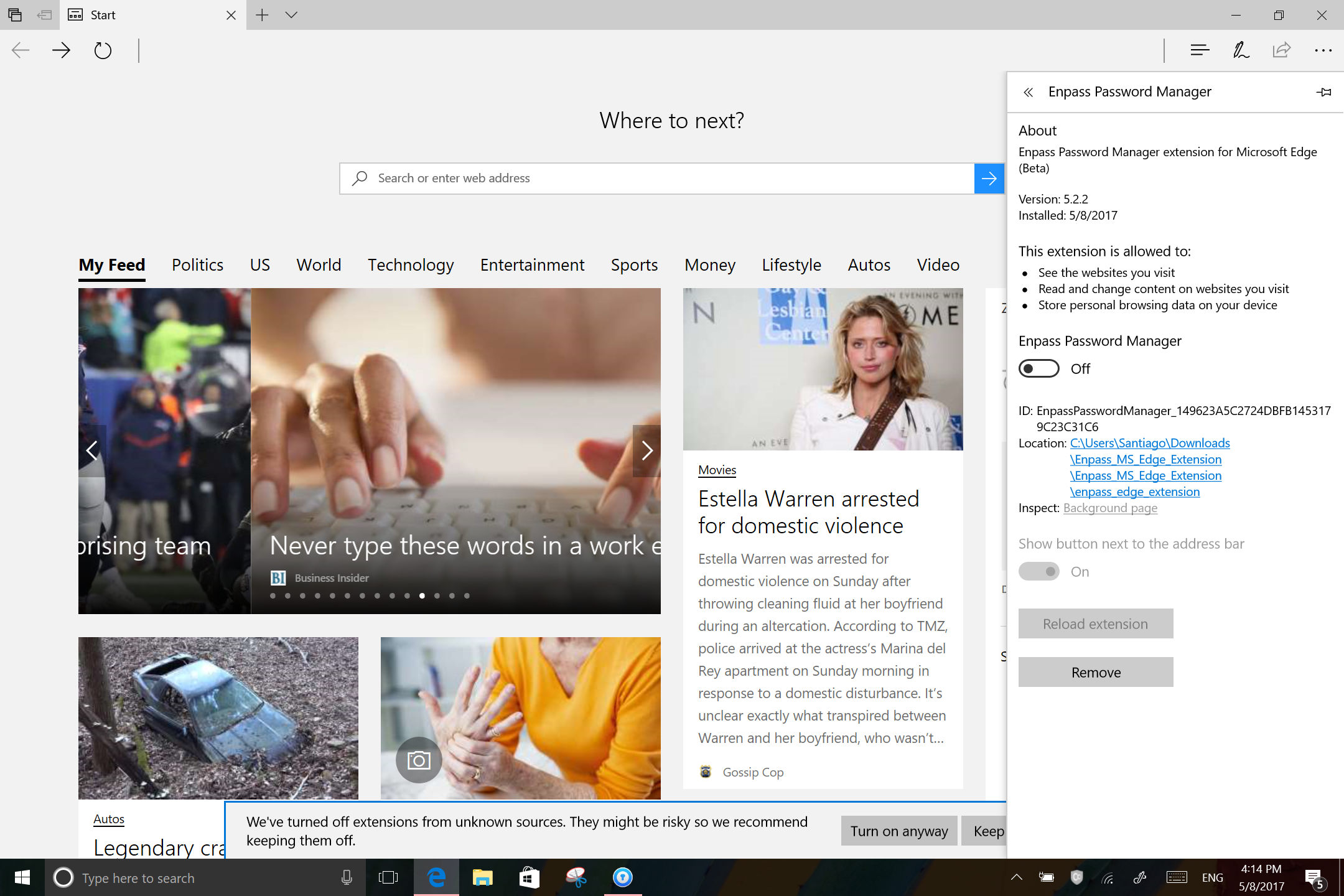
Ugh. Not working. I just updated to Enpass Beta 5.5.3 and I'm on Edge Extension 5.2.2, Although, I couldn't get it to work on Enpass Beta 5.3.3, either. See attached screen shot. I sometimes get the "Turn on Anyway" warning at the bottom. And, sometimes I need to go to overflow . . . in Edge and turn on Edge Enpass Extension. All of which I do. Icon appear in upper right corner. I've closed and reopened Enpass and restarted the Surface. I'm on a Surface Pro 3 running Windows 10 15063.250, if that helps But it's not working, not like it did on Chrome anyway. So, what to do? Should I do a complete reinstall of the extension, which thanks to Vince, I completed earlier today?. Thanks in advance, Eric
-
Vince and all, I successfully installed, thanks to your advice. I really appreciate it. I owe you a beer! Eric
-
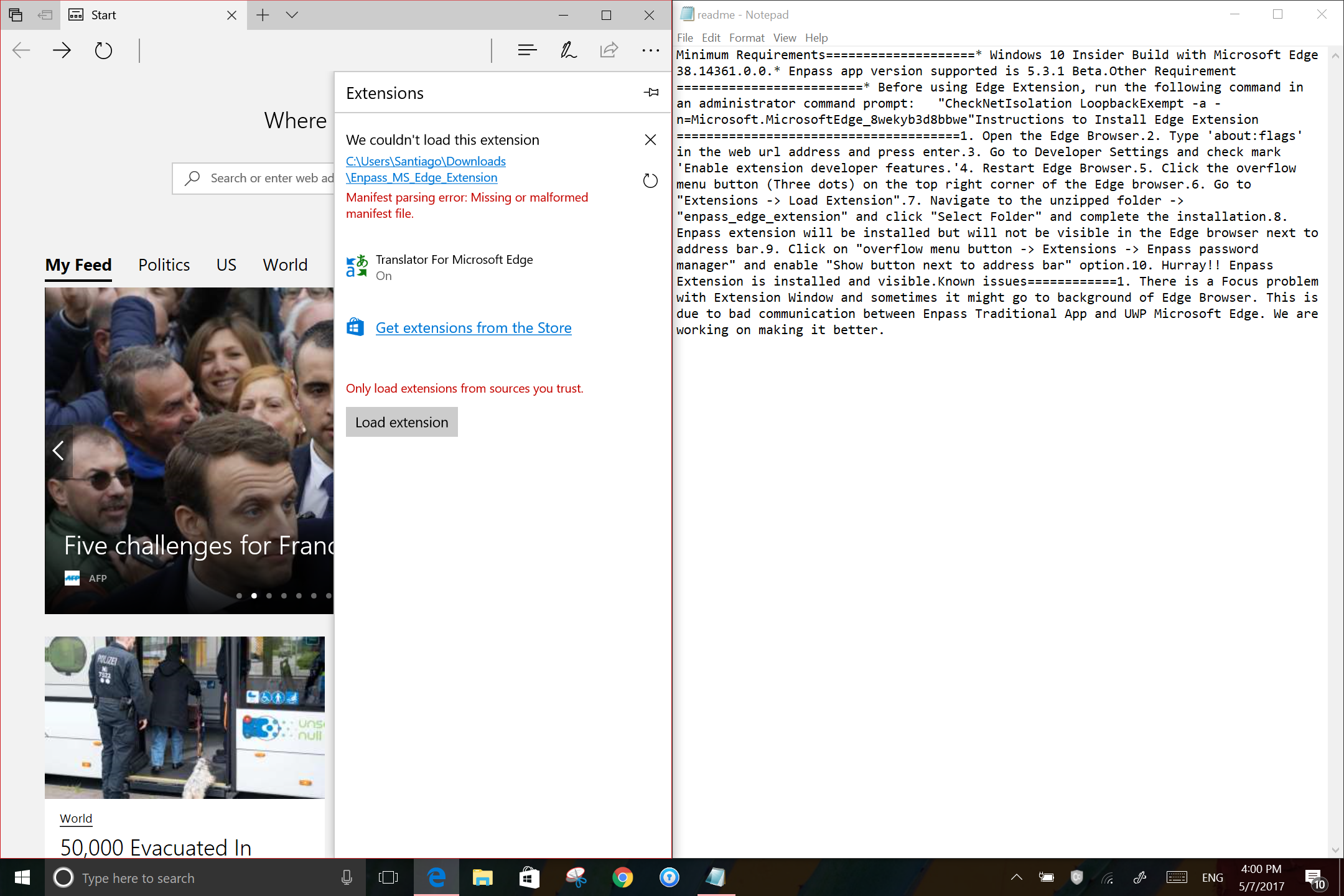
Thanks. Yea I did. When should I do it? Here's my error message (screen shot). A "manifest parsing error..." when I try to load the extension. Also, after going to "About:Flags", should I uncheck (or check) any of the other boxes? Thanks guys, I really appreciate and want to get this to work!
-
Thanks for getting back to me. But I can't even see the folders. The directory (Downloads) is entirely blank. No folders at all. (Though, again, I can see them in file explorer.) Weird. Any ideas?
-
OK. I'm trying this for the first time. I am using Enpass 5.3.3. My problem: In Readme file it's says under step 7 7. Navigate to the unzipped folder -> "enpass_edge_extension" and click "Select Folder" and complete the installation. However, when I go to the download folder (where I know the unzipped folder is because I can see it in file explorer), it's blank. Nothing is shown. So I can't "Select Folder" I'm on Surface Pro 3, running Windows 10 Release Preview 15063.250. I'm stumped. Any ideas?