Captain_Eric
Members
-
Joined
-
Last visited
Everything posted by Captain_Eric
-
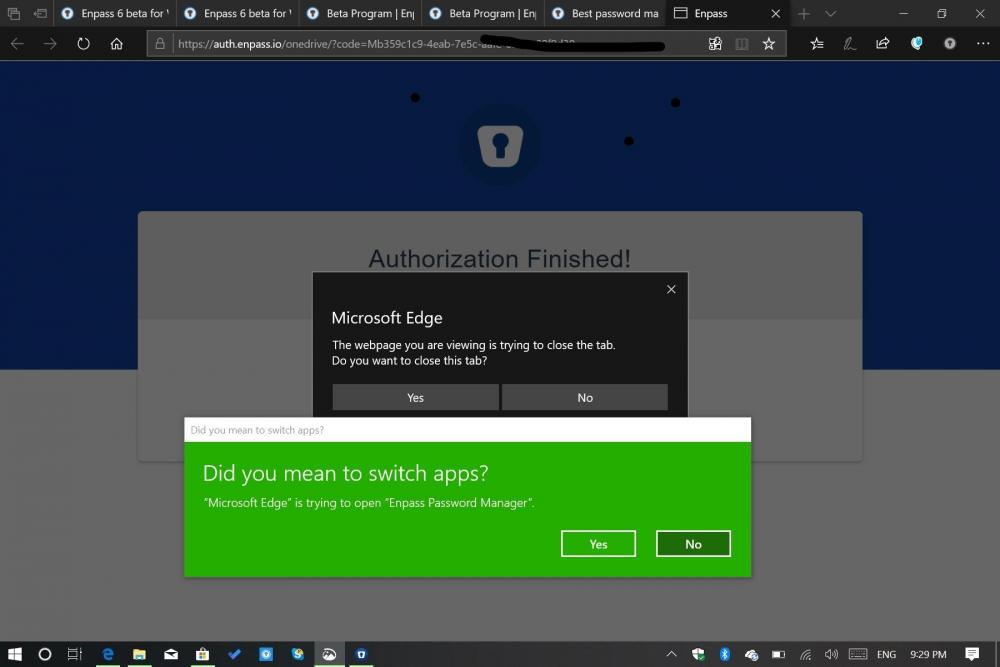
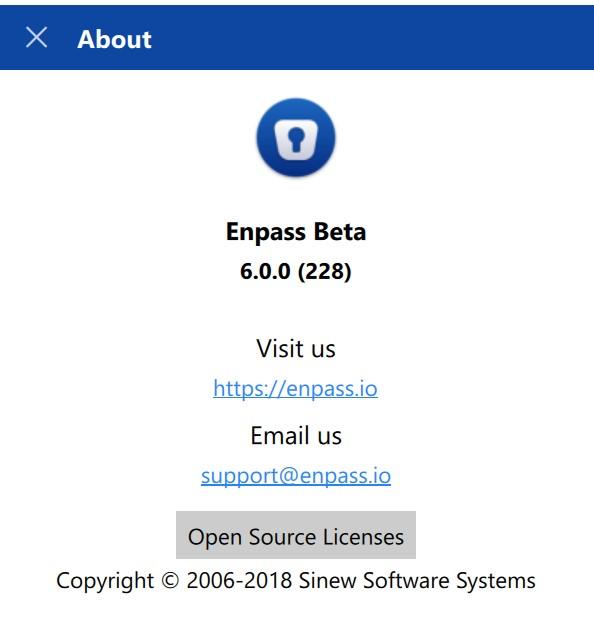
I had already installed Skype 6 Beta for Android 6.0.0.100. Seemed to work fine. Wanted to update my Surface Go (running Windows 10 1909) to Enpass Beta 6 so the databases synced. With the update on 23 December, I decided to give it a try. Preface: I think you guys know what you are doing. I really do. And for sure, I'm grateful for you efforts, but more importantly, the results of your efforts. I offer this as an insight for future consideration. It's entirely possible "I don't get it." But I do plenty of beta testing too. And, after I post this, I'll re-read this thread to see where I can find solutions to these problems. Why not do that first? Just help you understand a new guys experience. Fair? [Indents are messed up below. Copy and paste from Word did not go well. Bare with me here] This is what it was like for me. · I needed to guess which version to get: o “Enpass Beta Windows 10 (Store Version),”, (aka “Windows 10 Store, Desktop App and Edge extension” or “Enpass 6 beta for Windows is now available on Store”, etc. etc). Confusing. o “Enpass for Traditional Windows” (akaTraditional Win32, “Desktop”, "stand alone app," etc., etc.) Confusing. o It would helpful if you could say why to choose one over the other (As best I can figure, your pages are silent on this choice). o Please settle on one name for each version. Multiple names gets confusing. · Tried to get Enpass from the Store (it never worked) o This packageflight thing is confusing. I went to https://www.enpass.io/beta-program/ It’s important, I’m sure. But that page doesn’t say much about “packageflight.” If I were you, next time I’d just call it the beta signup form, skip any reference to “packageflight” as it makes no difference to the end user. o Anyway, I filled out that page from your links on your announcement o I gather the Enpass 6 Beta is distributed via the Microsoft Store, right? o But I’ve never received the beta, not yet anyway. o So this was a dead end. How do I fix this? · So I “moved on” and got Enpass for Traditional Windows (whatever that means….) by using your link to download it o It downed and installed just fine. Version 6.0.0 (228) o It did not wipe out nor install over my prior version of Enpass 5; it’s still there o It seemed to say that the linking/syncing to OneDrive had a problem (two confusing messages popped up…. o ….. but I tested it and it synced with my Android Enpass 6, just fine. o It seems to imply I need to buy a premium, but I already have a premium account (I’ve seen others post about this problem. So, I’ll wait. Fix it.) o Hello doesn’t work o Edge Extension doesn’t work. § As mentioned above, I filled out the so-called “packageflight” form that appears from you link. · How is this supposed to work? · I wait until Microsoft Store gets the “packageflight” form and updates me? o How do I delete Enpass 5, without messing something up? · In addition to questions above and to summarize: o If I have installed Enpass 6 for Traditional Windows on my Surface Go, does that in anyway prevent me from getting Enpass 6 for Windows 10 from the Store on the same device? o How do I gracefully uninstall Enpass . o Again, I’m not getting Edge Extension. Confused on how this works. o Fix this (duplicate) Premium signup requirement. I’m already Premium, or believe I am. § I gather this will bring me Hello, right? o Explain somewhere clearly which version to download Store or Traditional o Be clear, consistent, and simple on your version naming conventions. Remember, though you guys use these terms interchangeable all the time, it’s confusing for me and others.
-
-
-
-
-
Thanks @Anshu kumar I get it now. Yes, you are right, I've moved my Android to Enpass 6 beta, but not my Laptop to Enpass 6 beta, not yet anyway (I'm waiting a little bit for the issues to be solved and sorted out.) . Which brings me to: 1) Please see the recent post by @kwieto which raises some good questions about sync files in OneDrive 2) which Enpass should I get Traditional Windows or Windows 10 (from the store)? And dare I say, why pick one Windows version over the other? My sole concerns are longevity of the upgrade path and Extensions on Edge (which I believe both versions have now). Again, thanks for your continued support and guidance.
-
-
Please tell me if I got this right: I updated to the beta 6 for Android (but not for Windows 6 beta) . So, when I sync the Android, it has created a new sync location in OneDrive. And, my Windows non-beta app can't see it, and so, it keeps syncing to regular place in OneDrive. And, therefore, my Android and Windows 10 device do not sync with each other, right? Which is fine (we're in beta here). But, please tell me how this will play out when I move my Windows laptop to Enpass beta 6? Will the Enpass 6 for Windows 10, see and sync to my Android beta 6 OneDrive location without me doing anything? And if not, how do I my Android beta 6 and Windows beta 6 to sync to the same place?
-
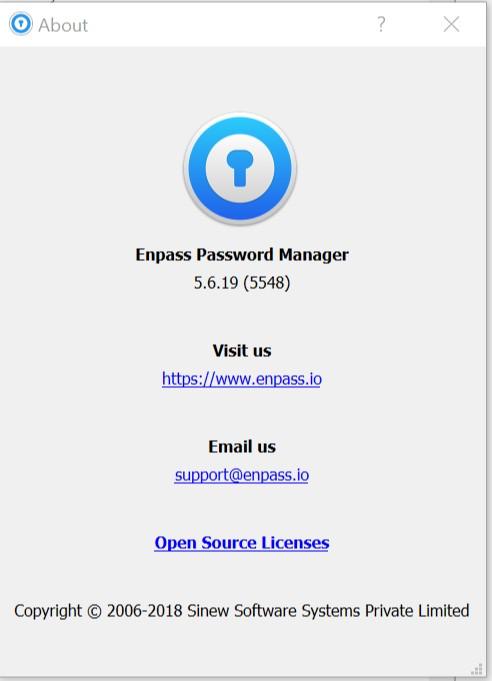
Gentlemen, I'm having trouble syncing to OneDrive. And yes, I tried without success: Enpass Settings > Security, I disabled "Lock on Leave" and set the Autolock to "5 minutes". Android to OneDrive: I am seeing that I "Last Synced 3 days ago." That means 13 December. As far as I know, it was working properly before that (but see below). Any ideas? I'm on a Moto G5s Plus Android 8.1 Enpass Android 6.0.0.98 My laptop is a Surface Go Enpass on my Laptop: 5.6.19 (5548) Laptop: Windows 10 1809 17763.194 Thanks in advance. I like your software! Eric
-
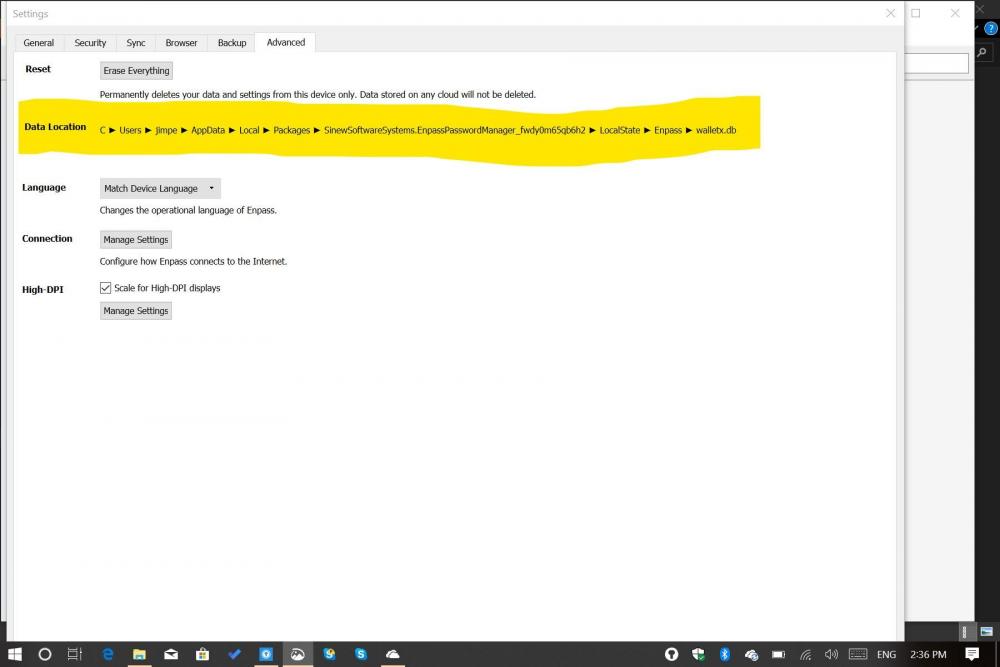
See the attached screen shots. I can't change the location of the "file download" location. When I click on it, it properly takes me to the file directory, but I don't see a way to save and permanently change the location. How do I fix this?
-
-
Hey Akash, How's the coming along?
-
I read the above thread and associated FAQ. But I haven't changed my password! So, I wonder what is going on. How could I get this message (see screen shot)? Certainly, I hope someone else has not fiddled with my signins, which I doubt, but still.) I use a Windows 10 laptop and a Windows 10 phone, both synced to OneDrive. So, how'd this happen? How do I fix it (same as above Oct 2, 2017 thread)? Oh, I love Enpass!!!

-
I read the above thread and associated FAQ. But I haven't changed my password! So, make me wonder what is going. How could I get this message? Certainly, I how someone else has not fiddled with my signins, which I doubt, but still.) I use a Windows 10 laptop and a Windows 10 phone, both synced to OneDrive. So, how'd this happen? How do I fix it (same as above Oct 2, 2017 thread). Oh, I love Enpass!!!

-
FWIIW: I fixed it. It seems, the Microsoft Store "thought" the Enpass Extension was already installed. (Yes, this seems an error, to me anyway). So my work-around: I deleted all Enpass files and reinstalled. It's works. Happy and grateful to Enpass for adding these features. (As a aside, when I deleted "everything" I deleted my restore info in OneDrive. Oh my! Not good, not good at all. But I restored from the "recycle bin" and will live for another day!) Thanks for the help you folks offered.
-
Thanks JeffB. That link works to connect to the Microsoft Store, but again, Enpass Extension won't download, not even with a VPN. This is strange. I gather others are not having trouble. There are more details: Earlier, I was able (after some trial and error, which i now forget) to download the new Extension. But it didn't work. So, I cleared out and deleted all my prior Enpass Password Manager apps and Extensions (betas) hoping that would help the Extension work. Then, I successfully download the "new" 5.6.2 Enpass Password Manager App. But can't even download the Extension. And that's where I am. I'm sure I (or they) will get this to work, but this is strange..
-
Well, I'm happy for you, really. I tried a VPN, didn't help. What Windows are you using? I'm on Window 10 Insider Preview Slow Ring, which currently means 16299.0. I'm on a Surface Pro 3 ( for those who track such things).
-
In the Enpass Blog, the link to Enpass Extensions is broken, at least for me. And, in the Microsoft Store, the Enpass Extension won't download. I must be the unluckiest guy. Is it because I'm presently in Guatemala, Central America? Or is anyone else worked around this? Still, I'm happy to soon have extensions.
-
Ok. How about this, could a moderator from Enpass give us a link to 5.6.2? :-) Update: even the Enpass website link to (probably) 5.6.2 is broken.
-
Hmmm, Not for me. I'll try the Store again, and/or be patient, though I'm not good at patient. More seriously, thanks.
-
Here's a screen shot of my extension error message. Anyone?

-
ok. I went to the store. And yes, there it was, both the win32 app and extensions. I'm happy. But, it appears to me the Store app is something like 5.5.7, meaning below the version 5.6 that I've been using (and worse, it seems both versions are installed). But whatever, I'm happy. What are we to do, roll back or stick with 5.6? Also, extensions are NOT working. Due to a typo, I've corrected that extension is NOT working. Anyone?
-
We should be using Enpass 5.6 right? An updates to the extensions? I ask because extensions stopped working for me. Maybe it's because I'm on Windows 10 16278.1, Slow Ring. Any ideas?
-
I really appreciate your help. I little more info, in case it helps. I just today updated to Windows 15063.296, which maybe makes a difference? And my Edge version is 40.15063.0.0.


-
Uh oh. I've installed 5.5.4, rebooted computer. Not working for me. Can you look at the screen shots and tell me if I need adjust anything? Thanks in advance