jakejohn
Members
-
Joined
-
Last visited
Everything posted by jakejohn
-
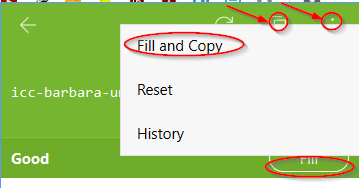
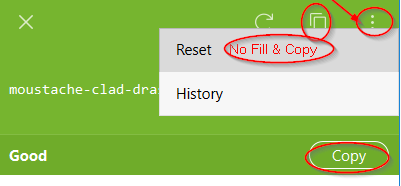
Here's what I see....clutter and inconsistencies that can be improved. Enpass Desktop App: No Fill & Copy. Two buttons for copy, and another "..." button for more, but still missing fill/copy. Enpass Browser Extension: There are 3 buttons to Copy, Fill, and "...". Also, Fill & Copy really needs to be the default since the Extensions frequently misses the trigger to capture the web page's new login and save it. Thanks.
-
The browser extension needs the feature to copy the generated password when you "Fill" the browser. Fill & Copy. Here's what's happening to me WITHOUT the feature: Generate the password. Fill the password to the web page. The web page accepts the password. But....Enpass didn't capture the password! So now I have a new web page login, without the password! Enpass didn't copy the password, nor did Enpass create a new login account in the Enpass App. Other Option: Enpass extension should figure out why it's not capture a new login on the web page. But at least having the password in the clipboard is better than nothing. Other Option: Fill & Create new login button. Enpass Password Manager extension for Chrome Version 6.0.0.1
-
-
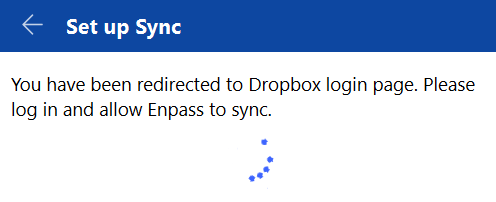
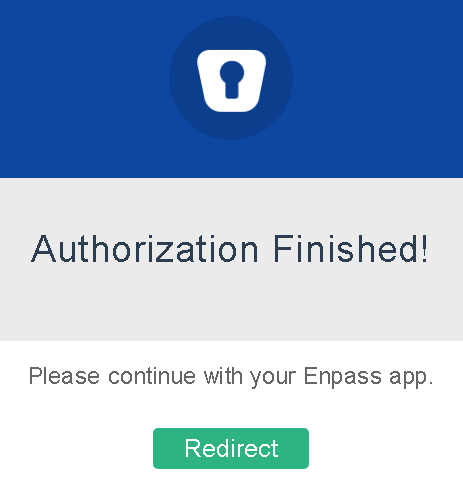
I click the Set Up Sync button. Click DropBox. I get the DropBox API Request Authorization webpage. I click Allow. I get the Authorization Finished web page. But the Desktop App is spinning and waiting....for something. Enpass Windows Desktop v6.0.6 Enpass Chrome Extension v6.0.0.1 Chromium 72.0.3626.121
-
[SOLUTION] There were multiple Enpass Desktop Applications running (not on purpose). Closed all the apps, started a new desktop app, and it worked as expected. Ideally Enpass wouldn't allow multiple running Desktop Apps, and get itself confused.
-
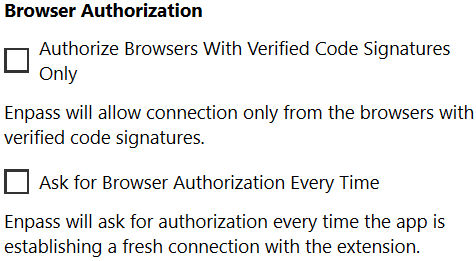
Upgraded Windows Desktop from 6.0.0 to v6.0.6. Now the extension won't talk to the app. I also checked Browser Authorization options: Enpass Windows Desktop v6.0.6 Enpass Chrome Extension v6.0.0.1 Chromium 72.0.3626.121
-
How do I open an existing vault? I have a new machine. The vault is on a USB drive. I have installed Enpass. When I open Enpass, it asks to either "Restore from Cloud" or "From this PC\Backup File". Is there an option to just open an existing vault from Enpass v6?? Thanks. Windows 10 Enpass 6.0.4
-
ERROR MESSAGE (Menu\Settings\Vaults\Primary\Sync Now): Sync Error: Something went wrong while syncing with Cloud. Error code: 204035 ERROR MESSAGE (Menu\Tools\Sync Now): Sync Error: Something went wrong while syncing with Cloud. Error Code: 204005. INFO: Attempting to sync to DropBox. Enpass asked to authorize via browser; received authorization confirmation "Authorization Finished". Enpass attempts to cloud sync with DropBox. Error message received. VERSION: Windows Desktop v6.0.0 (230)
-
When the browser extension pops-up to save a new login... I would like to assign the category/folder (tagging would be nice too) Currently the browser extension will prompt to save a new login, I save the login, then I go to the desktop app, search for the new login, then assign the category/folder for organization. Thanks.
-
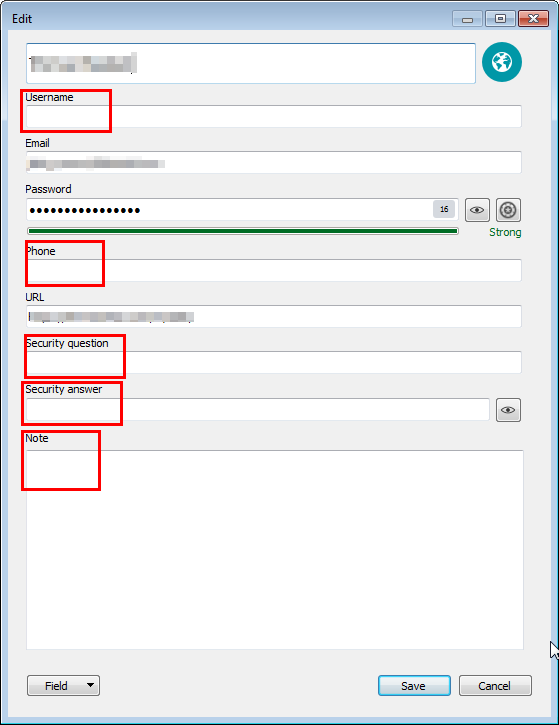
My logins (especially the auto-created logins) contain fields that are unnecessary. My OCD-ness wants to clean them up.
-
I want a new multline text field with the option to make it "sensitive".
-
When capturing and adding a new web login, auto save the URL domain, not the garbage after it.
-
Remove all unused fields from item/login.
-
I would like to categorize logins by tags. I would like to see the tags in the left pane. I would like to search by tags
-
+1 It's 2018...why isn't this implemented yet? Seems easy, and very useful.
-
-
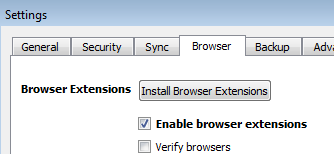
I managed to resolve the problem before I was able to read the troubleshooting steps. I resolved the issue by going to Enpass Desktop and removing the checkmark from "Enable browser extensions" and adding the checkmark to "Verify browser", and then reversing those checkmarks. I also noticed there was an extension error log that was mentioning something about the localhost connections. So far, all is good now.
-
-
When I click the browser extension, nothing happens. It used to work, and I think related to upgrading Chromium/Chrome. Enpass 5.6.5 Enpass Password Manager 5.5.2 Chromium Version 65.0.3325.162 (Official Build) (64-bit) Windows 7 64-bit
-
I've been getting the multiple EnpassHelper.exe processes when: Enpass is running. Enpass was unlocked with master password, but now locked. Enpass asks for PIN to unlock. Enter PIN to unlock, and immediately multiple EnpassHelper.exe are appearing in Windows Task Manager. Enpass v5.6.5 Windows Chrome plugin
-
+1 for custom template. I create items that only need a password field OR a PIN field.
-
-
-
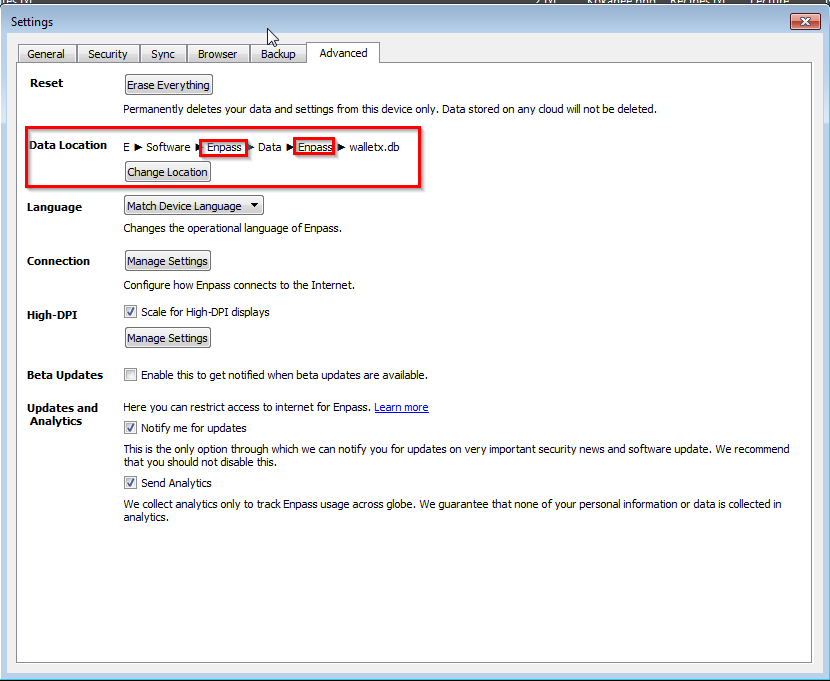
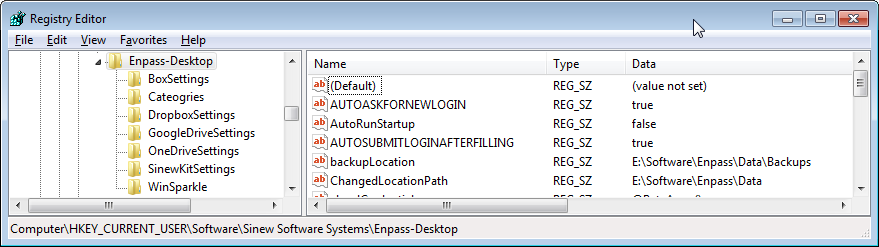
Changing the Data Location isn't working the way I want. I want the walletx.db to be stored in the location "e:\Software\Enpass\Data". But the Settings menu keeps appending the "Enpass" folder to the end of the location I want. I also had a similar problem with the Backup location, but was able to change this via enpass.conf file. Enpass Windows Desktop v5.6.5
-