


Eric206
Members
-
Joined
-
Last visited
-
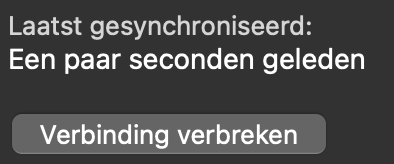
When I look at the sync status on Mac with NextCloud, I always see; Last synced; a few seconds ago But I know that isn't correct, because looking at the last accessed date on NextCloud I see 5-10 minutes ago. And looking at the sync icon for a few minutes it isn't syncing so many times. So it seems that message is incorrect or the last synced date cannot be retrieved. Anyone else has this with NextCloud?
-
-
On the desktop versions I have more audit options such as possible passkey websites and even viewing current passkeys. Are those coming to iOS as well? And passwords that are older than 1 or 3 years etc. I don't see that on the iOS version.
-
I have website icons disabled. When changing the icon I see there are a lot of website icons for the most popular sites when I search for something. Are those build in? Or still fetched from your servers?
-
Thanks
-
Over the course of > 10 years, I now have more than 10 old passwords for many login items (right mouse click on password field, history) that are never used anymore but still use storage. To keep the vault as small and tidy as possible for fast syncing (vault is now 2.4MB), I would like to see an option to quickly delete old and unused passwords. It is possible to delete the password field and recreate the field by copying the current password, but that should be easier. Perhaps if you right-click on a password field there will be an option to delete old passwords and perhaps keep the newest 2 or 3. Something along those lines? Or that it is adjustable how many passwords you want to keep?
