Skip to content
View in the app

A better way to browse. Learn more.

Enpass Discussion Forum

A full-screen app on your home screen with push notifications, badges and more.

To install this app on iOS and iPadOS
  1. Tap the Share icon in Safari
  2. Scroll the menu and tap Add to Home Screen.
  3. Tap Add in the top-right corner.
To install this app on Android
  1. Tap the 3-dot menu (⋮) in the top-right corner of the browser.
  2. Tap Add to Home screen or Install app.
  3. Confirm by tapping Install.

tomtom68de

Members
  • Joined

  • Last visited

  1. well done, works :-) thank you very much
  2. @Amandeep Kumar Hi, can you please take a look at this? I'm currently unable to use Enpass on my device. Thanks and regards Tom
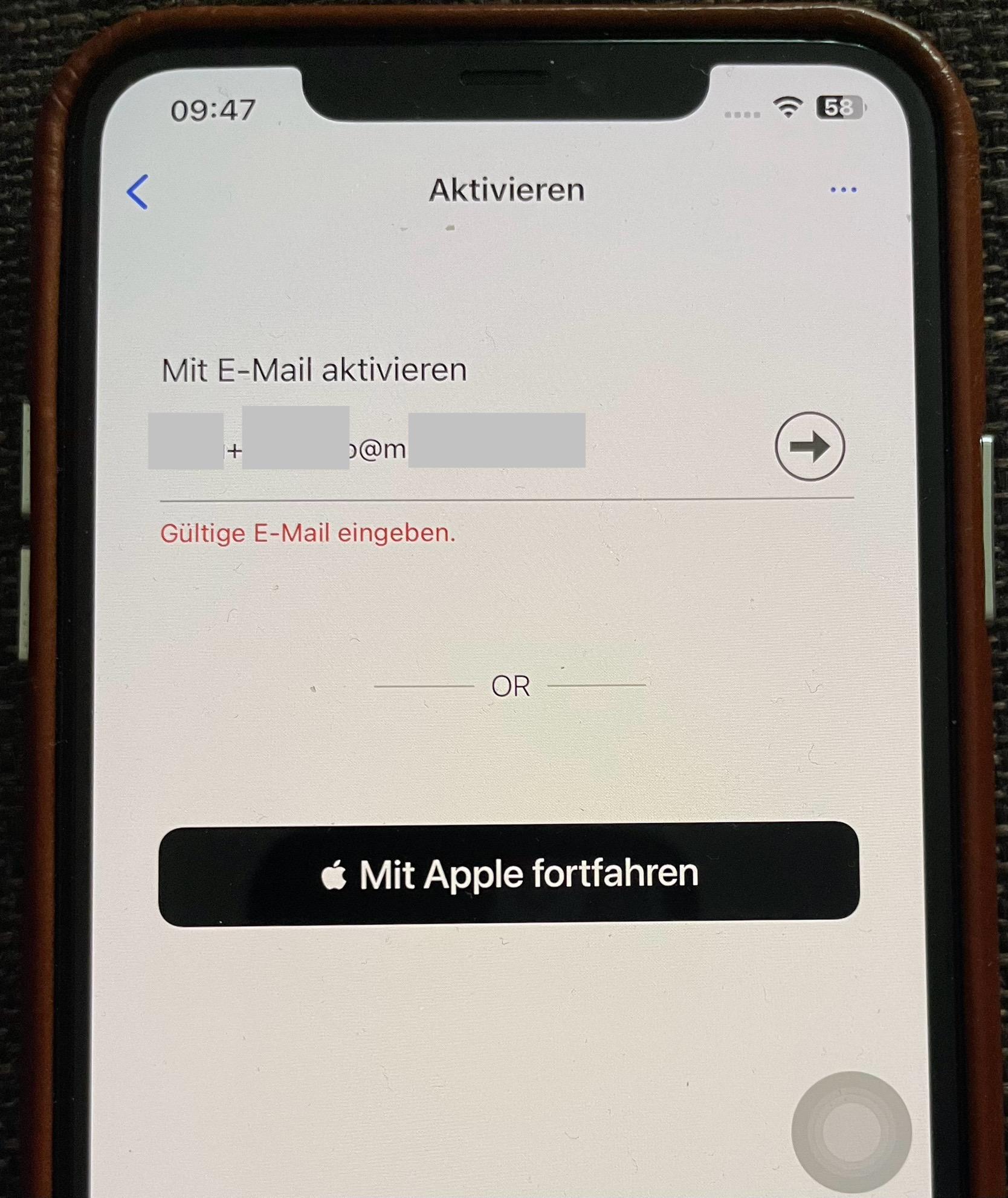
  3. Hello everyone, I would like to activate Enpass via the e-mail address. I get the message: "Enter valid e-mail.". This worked until some time ago. I think it is due to the plus sign "+" in the local part of the e-mail address. According to RFC 5322, this is a permitted character and as written, it worked once. RFC 5322: https://de-m-wikipedia-org.translate.goog/wiki/E-Mail-Adresse?_x_tr_sl=auto&_x_tr_tl=de&_x_tr_hl=de&_x_tr_pto=wapp#Der_Lokalteil_(Local_Part) Until this is fixed, how can you activate plan B? Thank you and best regards Tom Translated with DeepL.com (free version)

Account

Navigation

Search

Search

Configure browser push notifications

Chrome (Android)
  1. Tap the lock icon next to the address bar.
  2. Tap Permissions → Notifications.
  3. Adjust your preference.
Chrome (Desktop)
  1. Click the padlock icon in the address bar.
  2. Select Site settings.
  3. Find Notifications and adjust your preference.