atdnorth
Members
-
Joined
-
Last visited
-
After enabling the log settings in Enpass, I learned that I needed to modify my personal webdav upload settings to allow for larger files.
-
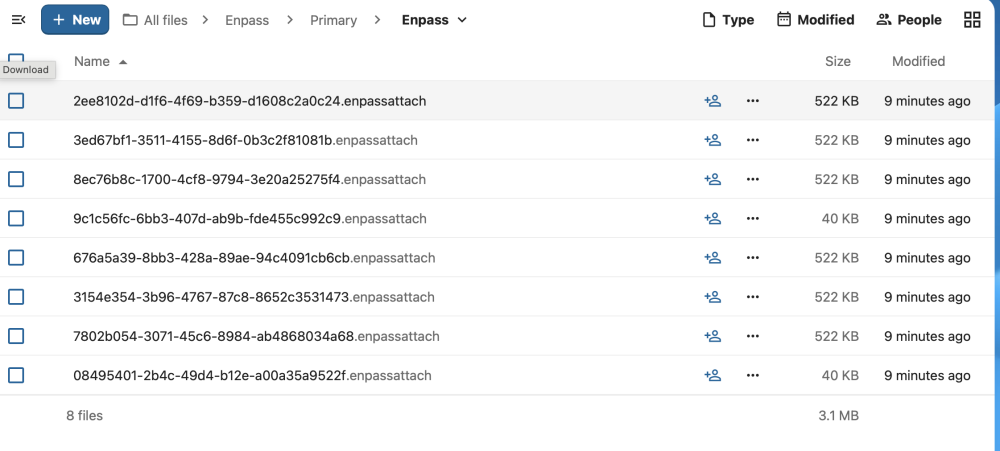
I am attempting to sync a vault through webdav to my NextCloud server hosted configured via docker. I am able to connect to this server and at least some of the attachments get uploaded but the vault contents (e.g. vault.enpassdbsync file) itself does not get uploaded. I get an error message "Something went wrong while syncing with Webdav. Error code: 908404. Attachment shows the contents of the nextcloud directory after the error message. Of note, I have been able to sync another vault to the same Nextcloud instance using webdav and it syncs fine. The only difference I note is that the instance that syncs correctly does not have any attachments.
-
+1 on this. Without this feature, it is time intensive and manual process to determine which entries (out of 100s) has no tags. Competitor password managers have this basic capability.