Pete
Members
-
Joined
-
Last visited
Everything posted by Pete
-
I'm having the same issue no, started a couple days ago. Noticed the error when I turned the computer on from sleep, hibernate or restart. Then noticed it happening when there was any kind of network change, disabling VPN for example. This never happened before a couple days ago.
-
I would love to see a note or textarea field type, for things like 2 step verification codes or account recovery words. I've noticed I put this info into the note area, but it feels a bit insecure there, I'd love a sensitive textarea field and do it that way instead.
-
-
Glad it's not just me.
-
-
I noticed recently the program doesn't popup credentials on a website when I try logging in, and later when I visit a different website it'll bring up the credentials from the previous website. It just started happening last week.
-
I'm having the same issue when I register for an account, it never asks if I want to save the login. It happens on every website I signed up for a new account, not just a random website here or there.
-
Having a section inside the app seems like a lot of steps to get a code, I would love to see a widget like Authy. Or even better, auto-fill codes after logging in. I use Snap Swipe Drawer, with the Authy widget, and get get a code very quick. If I could do that with Enpass, I'd drop Authy in half a second
-
-
I've noticed this as well on a couple sites, mainly logging into my TP-Link router http://tplinkwifi.net/
-
-
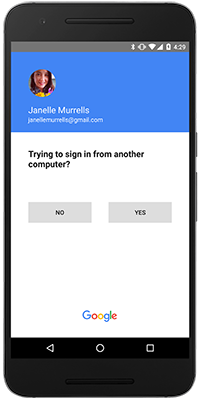
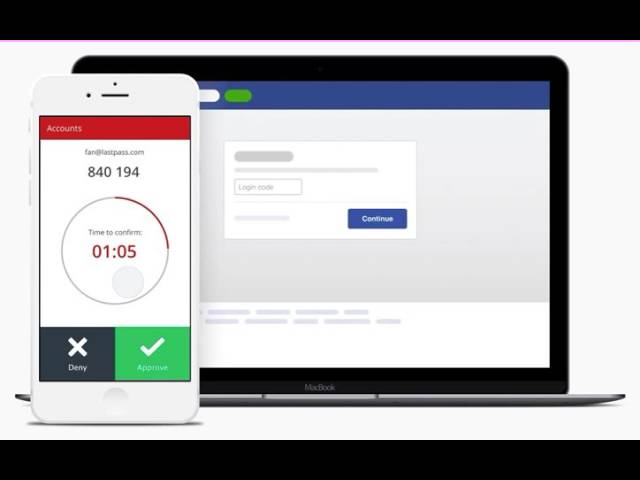
There are a couple names for this feature, Lastpass one-button approval or Google prompt approval, but I don't want to use Lastpass and Google disables the prompt when used with a u2f key. When Google implemented prompt approval, I wished every password manager and totp app (I use Authy right now) would add the feature as well, as it's super convenient. I'll probably add all my totp to Enpass eventually, but if you guys added this I'd move over all my totp logins instantly
-
-
A simple workaround until this feature becomes official: close the program, rename the database folder from Enpass to Enpass2 (for example) then start up the program, it'll ask if you want to create or restore an account. I went through the process for the additional account and it works fine. If you want to use the original database again, rename that second vault Enpass to Enpass3 then rename Enpass2 back to Enpass. I know it's a pain, but that's the only way I managed to have two vaults, unless you create a new Windows user and install it there.
-
-
Edit the credential, choose field from the lower left, add field, field type url, save, then add another url. If this feature isn't in the Enpass docs section, it should be. I did a quick search there but couldn't find it there.
-
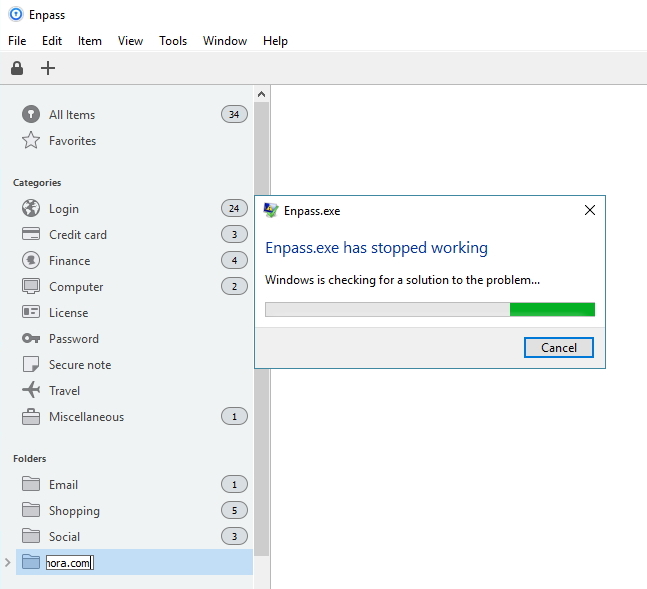
Basically I created a new folder, but didn't press enter, so when I created a sub-folder, and pressed enter for that sub-folder, Enpass crashed. I don't usually forget to press enter, and I doubt others do either, but I'd figure I'd share this bug anyways.
-
Not sure if it's something I missed, but I can't seem to find the feature. Is there a way to auto save, or option to save, a new credential when I sign up for a site? If not, this is my formal feature request I just signed up on a site, but was never asked to save the new credential, which would be great to have instead of pasting the password in a new credential in the program later. Update: Okay sorry, it seems another site I signed up on asked to save my credential, so maybe it was that one time it didn't ask me to save it. A one time occasion? Not sure.
-
Go the Windows anniversary update last night; Edge extension please, pretty pretty please
-
Aggh, I should search better lol You can just delete this thead, cheers
-
+1 for this feature. I moved from Dashlane, and didn't know how valuable this feature was until I couldn't do it with Enpass.
-
I'm sorry, probably a stupid question, but I don't understand the point of a Windows 10 app when there is already a Windows version. Not just Enpass, but other password managers I've used, and other apps as well. Does it work with Edge when I get the anniversary update, or am I just missing something? Don't get me wrong, I love Enpass, I'm just trying to figure out how to use the Windows 10 app properly is all
-
Custom icons have been brought up here before, but favicon makes sense too. My only issue with favicons, I have a couple websites which don't have one (my library and bank), so I'm hoping we can choose an icon if there's no favicon available.
-
-