


Pete
-
Joined
-
Last visited
Posts posted by Pete
-
-
-
-
-
-
I noticed recently the program doesn't popup credentials on a website when I try logging in, and later when I visit a different website it'll bring up the credentials from the previous website. It just started happening last week.
-
 1
1
-
-
-
Edited by Pete
Having a section inside the app seems like a lot of steps to get a code, I would love to see a widget like Authy. Or even better, auto-fill codes after logging in. I use Snap Swipe Drawer, with the Authy widget, and get get a code very quick. If I could do that with Enpass, I'd drop Authy in half a second

-
-
I've noticed this as well on a couple sites, mainly logging into my TP-Link router http://tplinkwifi.net/
-
-
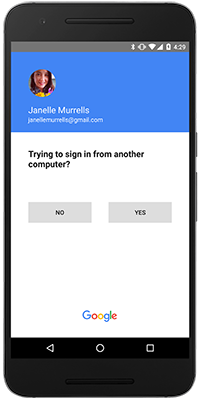
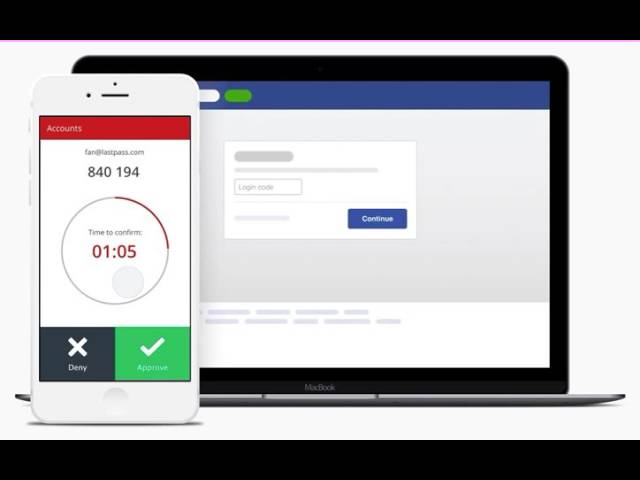
There are a couple names for this feature, Lastpass one-button approval or Google prompt approval, but I don't want to use Lastpass and Google disables the prompt when used with a u2f key.
When Google implemented prompt approval, I wished every password manager and totp app (I use Authy right now) would add the feature as well, as it's super convenient. I'll probably add all my totp to Enpass eventually, but if you guys added this I'd move over all my totp logins instantly
-
-
A simple workaround until this feature becomes official: close the program, rename the database folder from Enpass to Enpass2 (for example) then start up the program, it'll ask if you want to create or restore an account. I went through the process for the additional account and it works fine. If you want to use the original database again, rename that second vault Enpass to Enpass3 then rename Enpass2 back to Enpass. I know it's a pain, but that's the only way I managed to have two vaults, unless you create a new Windows user and install it there.
-
1 hour ago, My1 said:
@Vinod Kumar
just asking because of curiosity, is there any Idea when this will come?
I will paraphrase the usual response, "no eta, will be released in a future update"
 I guess they want to release a major update instead of minor updates more often, like many apps do that tends to get annoying fast.
-
-
-
Edited by Pete
Not sure if it's something I missed, but I can't seem to find the feature. Is there a way to auto save, or option to save, a new credential when I sign up for a site? If not, this is my formal feature request
I just signed up on a site, but was never asked to save the new credential, which would be great to have instead of pasting the password in a new credential in the program later.
Update: Okay sorry, it seems another site I signed up on asked to save my credential, so maybe it was that one time it didn't ask me to save it. A one time occasion? Not sure.
-
-
Edited by Pete
On 8/16/2016 at 6:20 AM, Anshu kumar said:Hi @Pete,
Thanks for writing in. UWP have the latest Windows 10 UI with Windows Hello support.
Cheers!
Aggh, I should search better lol You can just delete this thead, cheers
-
-
I'm sorry, probably a stupid question, but I don't understand the point of a Windows 10 app when there is already a Windows version. Not just Enpass, but other password managers I've used, and other apps as well. Does it work with Edge when I get the anniversary update, or am I just missing something?
Don't get me wrong, I love Enpass, I'm just trying to figure out how to use the Windows 10 app properly is all
-
-
-
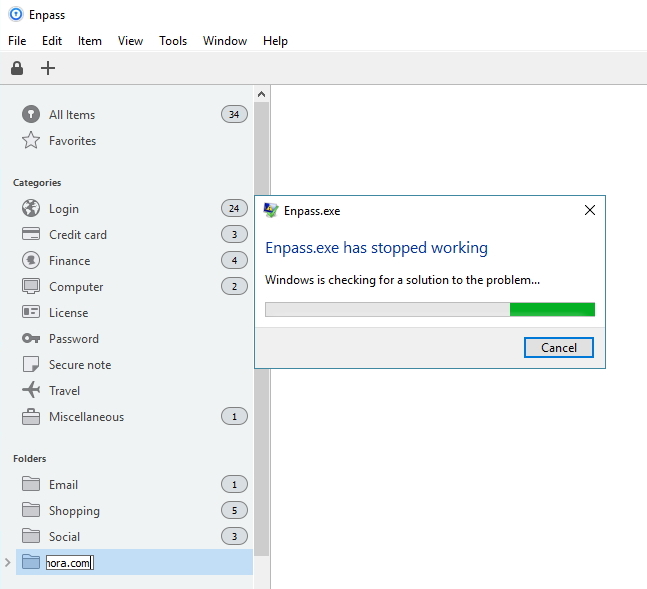


Enpass has stopped Working Error
in Windows
I'm having the same issue no, started a couple days ago. Noticed the error when I turned the computer on from sleep, hibernate or restart. Then noticed it happening when there was any kind of network change, disabling VPN for example. This never happened before a couple days ago.