
Asmit
Members
-
Joined
-
Last visited
-
The current release version of Enpass is Enpass5, which has two editions in the Microsoft Store: The native UWP application https://www.microsoft.com/store/productId/9WZDNCRDFQJS - (paid) The classic Win32 application https://www.microsoft.com/store/productId/9NJ3KMH29VGJ (free) The classic Win32 application does not have Windows Hello (as of Enpass5). However, Windows Hello capabilities have been added to Enpass6 (which is currently in beta) and it will still be free to use (as per the team's announcements). They will probably deprecate the native UWP Enpass5 once Enpass6 is released to the store. So maybe just hold off for a couple of months until Enpass 6 gets released.
-
-
-
Build 17711, issue persists.
-
Hello, The Edge extension gives an 'Enpass connection error' in the latest Windows 10 Insider build 17704. I am using Enpass 5 from the Microsoft Store. Just giving you a heads-up, I will give an update if it starts working again in the next Insider build. FYI, I tried the Enpass extension for Opera 54, and it works fine. Thanks, Asmit
-
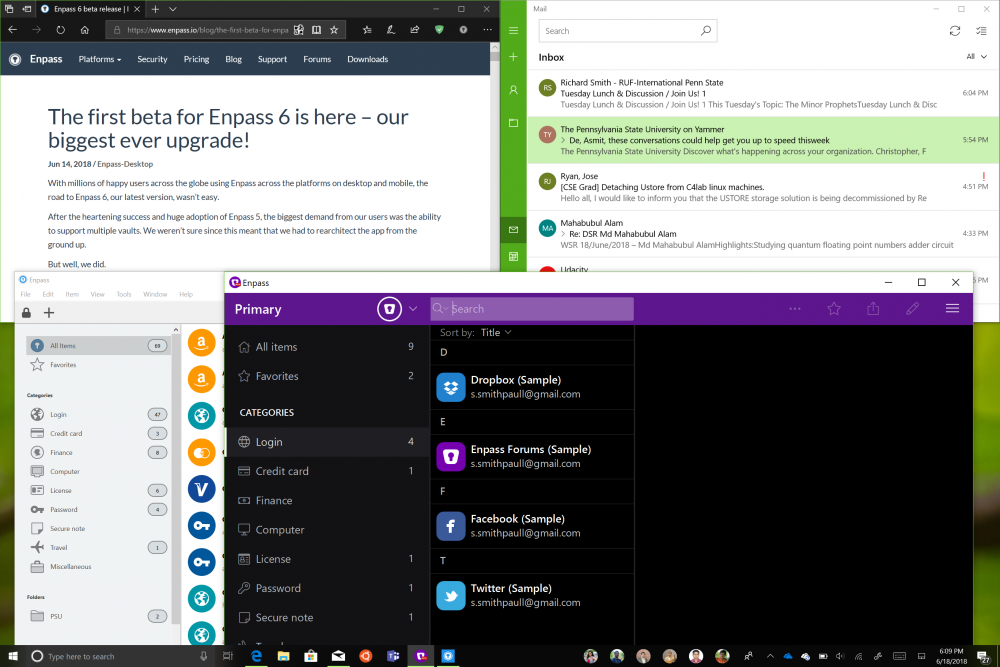
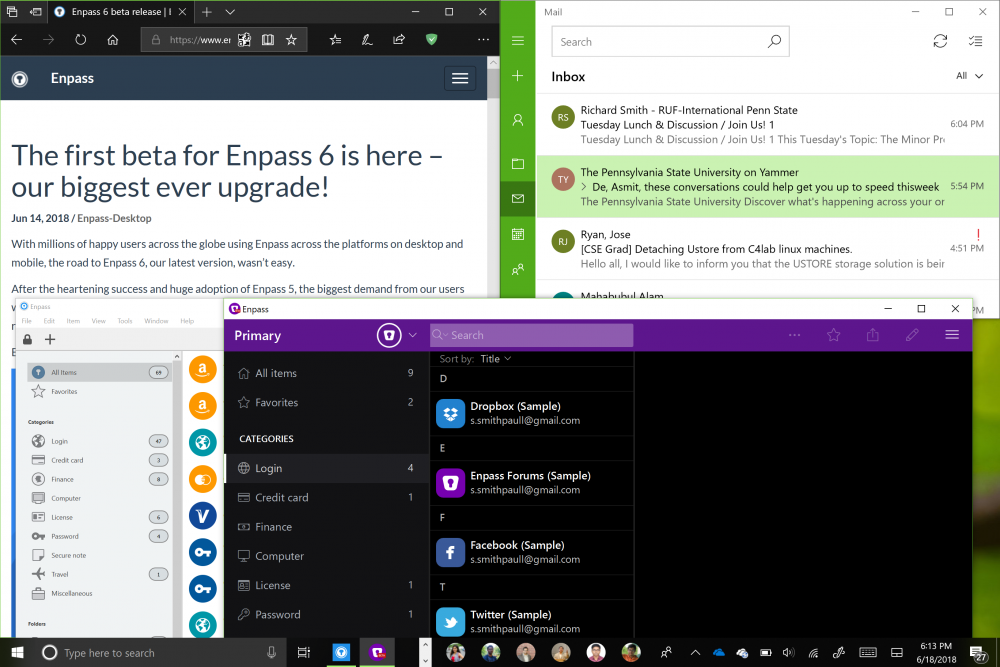
Hello, The Enpass6 application does not scale appropriately with the system scaling setting. I am using it on Surface Pro 4 with 150% scaling and it looks huge compared to other applications (see attached images). The scaling seems to tally with the 200% (default) system scaling. Please fix this. Also, it would be nice if the window is made responsive. For example, collapse the panes if the window is resized to a smaller dimension (right now, the window cannot be resized smaller than a certain size, which is very large). I hope you'll address these issues in a future beta release. Thanks, Asmit
-
Hello, Can you add a field in the password generator to type in certain special characters that should be excluded from the generated password? There are many websites (mostly banks) which put some restriction on the set of special characters that can be used in the password, so it'll be nice if the generator can handle this. Please try to implement this in the next release. Thanks, Asmit
-
Asmit changed their profile photo
-