


Fredrik
Members
-
Joined
-
Last visited
Everything posted by Fredrik
-
-
The first thing I tried with the new android beta-app was to synchronise with dropbox. I clicked synchronise with dropbox, opened the dropbox website and autorised the oauth-token and got the message "continue in the app" or " redirect to app" or some similar message. But when I clicked that button nothing happened. If I went back to the app manually, the app was still waiting for the oauth-token and nothing happens. I tried this multiple times and always the same error. (later I realised this might not be supported, and I would need to use a backup-file and restore from that. But still an error or a warning or something would be nice if this is the problem)
-
It would be nice if the "new login"-button defaults to the current selected vault for saving new logins. i.e. I have a "work"-vault, which I have selected when im at work. Now when I create new logins it still defaults to "Primary" and not "work", which would save me a click with the mouse. Also in the same line. When I create new login I usually select the "Default"-template, instead of searching for a relevant template (if it exists at all (NGINX-template!)). It would be nice if I could just hit ENTER in the search field and automaticly select the "Default"-template, saving me another click with the mouse!
-
I have also seen that I have to type in the authorisation-code to pair the browser extension with the desktop-application a number of times now. I assume this is suposed to be a one-time-thing, and I think I have done it four times now. Some more ideas came to my mind: It would be nice if each login with a URL got the favicon from that site as its icon, instead of me having to set every icon maunally (which I don't)
-
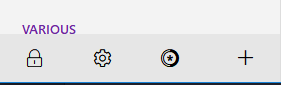
Hello guys, What a great new manager! I love it. You asked for some feedback and I have some: Alt Gr + 2 is for some reason now a keyboard shortcut to open the manager. This is also the shortcut for @ on my keyboard, and now I can't type @ any more. (Scandinavian/Norwegian layout) It would be nice if there was a mouse-over tooltip for these boxes: So I can figure out what they are for without clicking them. Thats it for today!
-
I have a process that's called EnpassNMHo+ that is sometimes stuck at 100% CPU load. Anyone know what this is for? Enpass 5.6.8 on Ubuntu 18.04
