

Skip to content
View in the app

A better way to browse. Learn more.

Enpass Discussion Forum

A full-screen app on your home screen with push notifications, badges and more.

To install this app on iOS and iPadOS
  1. Tap the Share icon in Safari
  2. Scroll the menu and tap Add to Home Screen.
  3. Tap Add in the top-right corner.
To install this app on Android
  1. Tap the 3-dot menu (⋮) in the top-right corner of the browser.
  2. Tap Add to Home screen or Install app.
  3. Confirm by tapping Install.

dnf

Members
  • Joined

  • Last visited

  1. I wonder why this is taking so long - this request is not something rare. Yubikey is major player so it should be in Enpass Team best interest to have support it this may years ago.
  2. +1 - lastpass already have it https://www.lastpass.com/yubico
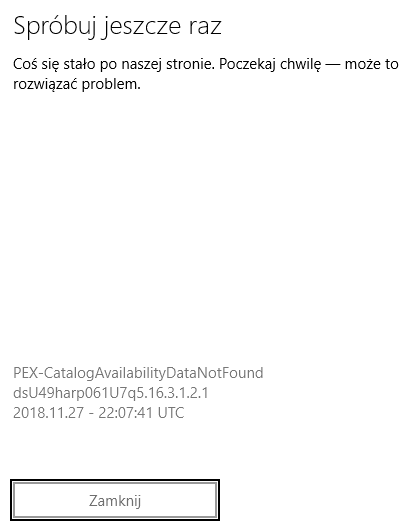
  3. I have pro version on Windows 10 but today it lost its Pro functionality and I cannot re-purchase because of error described ;( What can I do to fix this?
  4. I'm trying to buy premium features of new enpass 6 but it is not working (message in attachment)
  5. I have installed beta version 5.3.1.1 and now everything works (only extension in Edge is not working but this is different story)
  6. I have same problem on Opera and Chrome (version 53 and 54 both 32 bit and 64 bit) - I have Windows 10 build 14936 (but prev builds also don't work from September). Every time I'm trying to use enpass in browser I have Enpass Connection Error and I have enabled browers and even disable browser verifications. What Can I do?
  7. It would be a killer feature!!

Account

Navigation

Search

Search

Configure browser push notifications

Chrome (Android)
  1. Tap the lock icon next to the address bar.
  2. Tap Permissions → Notifications.
  3. Adjust your preference.
Chrome (Desktop)
  1. Click the padlock icon in the address bar.
  2. Select Site settings.
  3. Find Notifications and adjust your preference.