Telenic
Members
-
Joined
-
Last visited
-
Hi Pratyush, Thanks for your feedback. In the meantime I have wasted too much time with update attempts. In the end I simply uninstalled Enpass and reinstalled it again. Now I have the latest version 6.4.1. Thanks for your hints. Kind regards and STAY HEALTHY! Tom
-
Hi Pratyush, Thanks for your feedback. I have followed your suggestion: - Windows Store open - Select "Downloads and Updates - Select "Enpass Password Manager - Select "Update --> Nothing happens
-
At the moment I have version 6.4.0 (632) installed. The current version is 6.4.1 (windows Store version) And as with the previous versions, no update is offered. How can I update to the latest version?
-
Hallo in die Runde, es wurde ein Update auf Version 6.3.2 bereitgestellt. Dieses sollte das Sync-Problem beheben. Jedenfalls bei mir funktioniert es wieder.
-
I updated to Version 6.3.2. Now it seems to be working.
-
Same with me. I already had contact to the support. It seems to be a bigger problem for the Enpass team, they recommend using a different cloud service.
-
Selbiges Problem bei mir.
-
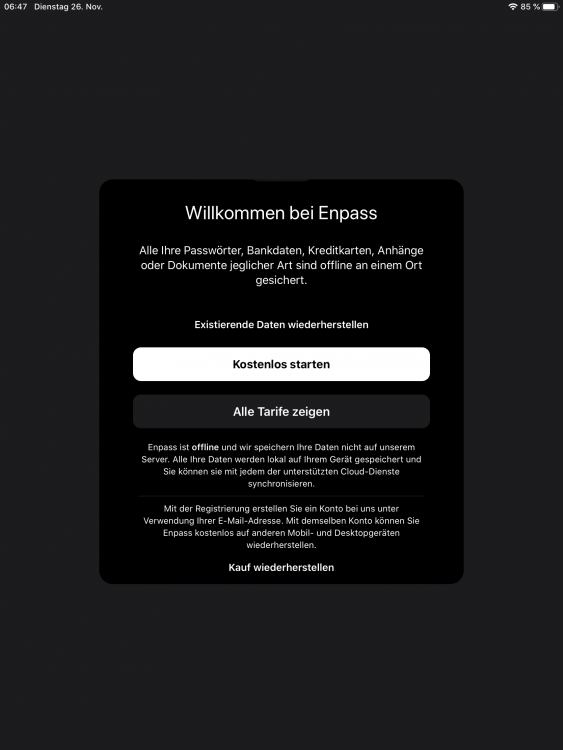
Hello, it is not possible for me to restore my PRO purchase on my iPAD because the option is missing. How do I enter my email address? When I press "Restore purchase", the message "No purchase found" appears. There is nothing to recover. ..."
-
How can I duplicate an entry? Means: Copy the entry and paste. Thanks. Sven
-
Any proposals? Hi @Anshu kumar Please forgive me for expressing myself so badly: There is a backup function within Custom: Settings - Automatic Backups. And this is what I mean. Thanks in advance for constructive advice.
-
How do I change the Automatic Update settings? Thanks Sven Enpass 6.0.6 (322) Store Version Premium Version Windows 10
-
How can I change the Storage Location from "c:\Users\Name\AppData\Local\Packages\SinewSoftwareSystems.EnpassPasswordManager_fwdy0m65qb6h2\LocalState" to a different folder? Thanks Sven Enpass 6.0.6 (322) Store Version Premium Version Windows 10
-
Thank you for pointing that out. With reference to the original mail: I tried it several more times and in the meantime I was successful. I was able to purchase the premium features.
-
Happy New Year to everyone. Enpass Team, you have a great product! If you now optimize your marketing and sales processes, it's almost perfect.
-
True words worth paying attention to! @ Sinew Software Systems Pvt. Ltd.: Enpass is an excellent product, do not break it by not functioning sales processes!