


R3HDH8pNh7
Members
-
Joined
-
Last visited
-
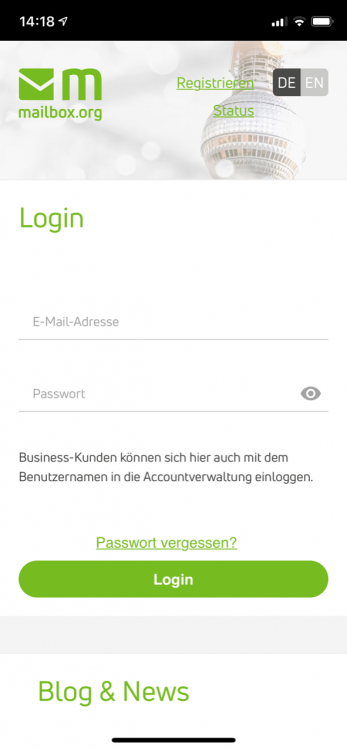
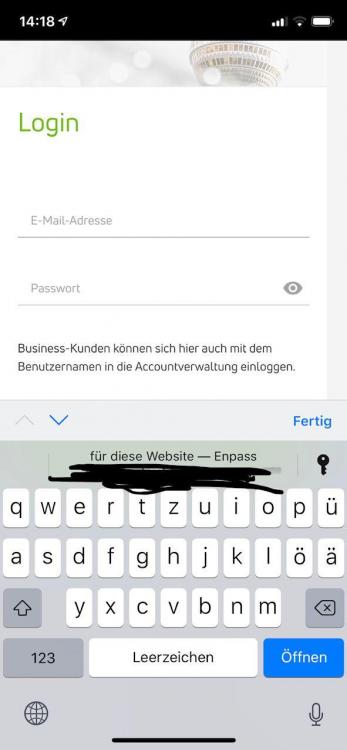
Product : Enpass Version : 6.0.3 System : 12.1.3 DeviceName : iPhone --------------------------------------------------------- Enpass does not work for websites that I have saved as a link on my iPhone home screen: I have added the website of my mail provider to my iPhone home screen (i.e. created a home screen icon for a website) When I tap on that icon, Safari opens with only that website and no „share“ menu at the bottom: When I tap on one of the login field, iOS offers to fill the login data via Enpass: However, if I tap that entry (or the key to the right), Enpass opens, Face ID identifies me - and then nothing happens, Enpass closes. Maybe it's related to this:
-
Just send you a PM
-
Specs: Enpass 5.5.2 (81), 1133 items, no attachments macOS 10.12.4 Sync over WebDAV (self-hosted Nextcloud 11.0.2) with SSL (letsencrypt) When starting up my Mac or waking up, Enpass freezes for several minutes. My impression is that it hangs on sync (as the sync icon spins during the freeze). After a couple of minutes, Enpass is usable again. What can I do?
-
Just sent data of a test account.
-
Seems to me that there's something seriously wrong with WebDAV and Android. Running Android 7.0.1, I cannot connect to my WebDAV server through ANY app, be it Enpass or Nextcloud.
-
Running Nextcloud on the latest stable version, 11.0.0. just remembered: the current Nextcloud server has some TLS issue, I think: https://github.com/nextcloud/client_theming/issues/13 - could that be the culprit?
-
Same here, I'm not able to set up sync with Enpass 5.4.7 on an Google Nexus 5x / Android 7.1.1 for my personal nextcloud server with a Let's Encrypt certificate. The server's address is something like https://www.(somedomain).com:5553/remote.php/webdav and Enpass reports "webdav-folder not found".... The same sync configuration works on iOS, macOS, Windows. BTW: What's a trustworthy source for the 5.4.6 apk?
-
Hi, I just did a re-start of Windows (7) - and it works! Thanks for your quick response though!
-
Still same error here, no matter if I use Chrome 32 bit or 64 bit (Version 53.0.2785.89 m), Enpass 5.3.0.1, Enpass Extension 5.3.1.


