Ducilator
Members
-
Joined
-
Last visited
Everything posted by Ducilator
-
Not fixed, even in 6.05 ... so embarrassing.
-
Anyone? Support, where are you!?
-
Anyone from enpass support to comment this post?
-
Dear support, in Safari I have to make 2 clicks (not double-click) to open the plugin. Why does this not work with 1st click? Please fix it. Cheers, Daniel
-
-
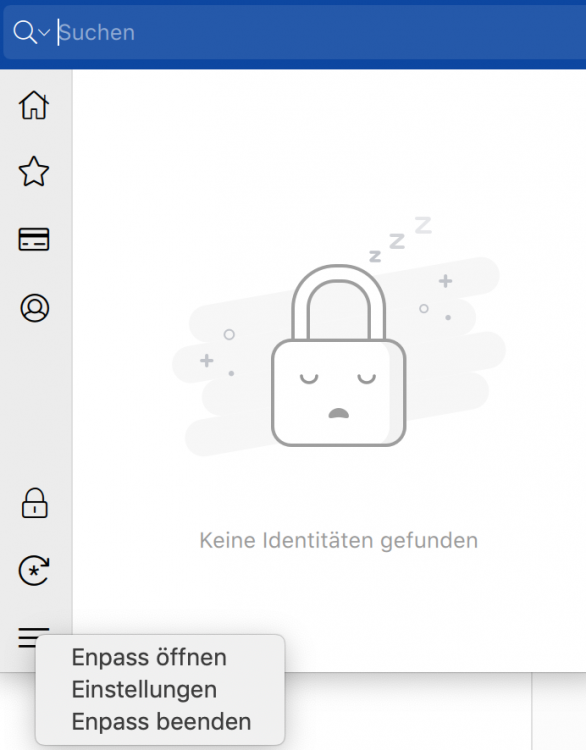
@Vinod Kumar That is the window I am expecting - but unfortunately Enpass Safari windows is popping up.
-
Exactly - the button "Never ask for this website" was there in v5. It does not appear in v6 anymore. So please bring it back.
-
Anyone from enpass support to comment this post?
-
Dear all, I save some login data in safari/Mac keychain. In Enpass v5 I had the option to suppress Enpass popping up at these websites (not asking to save/update/whatever to do ...). Where is the option in v6? Missing? Cheers, Daniel
-
Totally agree, huge security issue in my opinion. Cheers, Daniel
-
Dear all, I am missing the auto-lock feature in v6. Formerly, Enpass did lock after a few seconds or when inactive window in the background. Please add this option in v6. Cheers, Daniel
-
Hi everyone, every time I start up Enpass I have to click on the TouchID-Button to unlock by fingerprint. Can you implement this in reversed order, i. e. when starting Enpass, the TouchID windows pops up directly? Only in case of need for masterkey the window for typing in the key should be activated manually. Cheers, Daniel
-
Paying for the touchID-Feature in v6 felt like paying ransom ... what a bummer. Cheers, Daniel
-
Hi there, yesterday I did the upgrade on Mac, iPhone and iPad to v6. I am running sync via iCloud and usually there was an Enpass folder containing the walletx-file. Now the file and folder is gone, I can not see those in finder or iCloud-online. Where is the folder? Oddly enough, sync works perfectly. Cheers, Daniel