
Adam DZ
Members
-
Joined
-
Last visited
Everything posted by Adam DZ
-
Thank you. I will try that. Although, this is too much of a coincidence that this happened on the same day Dropbox was upgraded.
-
Hi, No, reconnecting doesn't work. Dropbox page says Authorization is finished and it redirects to Enpass app and nothing happens, Enpass app just sits there spinning. I restarted the computer. BTW, this is is happening only on one of my computers, my Mac at work. My Mac and PC at home don't have this problem. Thank you.
-
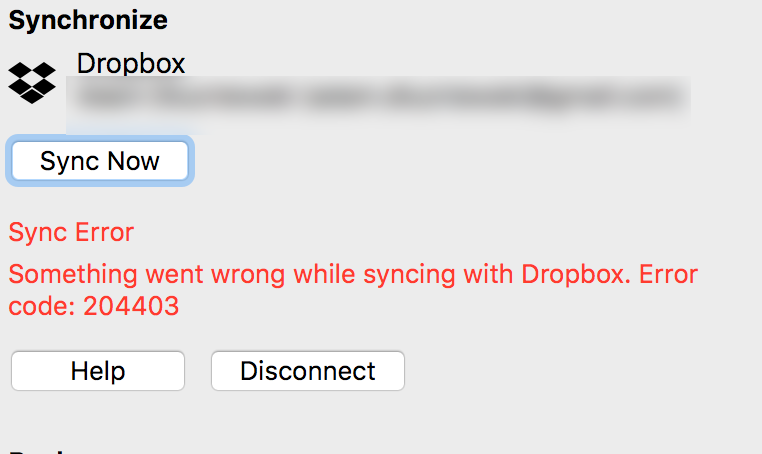
Hi, Dropbox has just been updated and Enpass no longer syncs with Dropbox. Any ideas? Thank you.
-
Thank you!
-
All websites. The point is that version 5 worked fine but the version 6 does not regardless of the settings.
-
This fixed the problem for few sites, most still have the problem. On top that, now when I try to fill using the toolbar button it finds no matches. I disabled this setting so at least I can use the toolbar button to fill. I wish I could go back to Enpass 5, it worked great all the time.
-
This also happens on my Mac at work. So far three Macs and a PC.
-
When I press the key combination, instead of filling the username and password fields, the Assistant (I think that's what it's called) pops up and I have to search for the item, it does not find the match by itself. Now, it gets better: when I click the item, it auto-fills but instead of logging me in, the website opens another Window without logging me in! It happens in Safari in macOS and in Firefox on Windows. This happens when there is a URL match, and auto-fill for the same websites used to work just fine. The browser extensions are updated. In fact, I can auto-fill the username and password fields using the extension button. It finds the matching item and auto-fills and logs me in properly.
-
I get the same error with Dropbox. But if I click Sync Now it syncs.