

Skip to content
View in the app

A better way to browse. Learn more.

Enpass Discussion Forum

A full-screen app on your home screen with push notifications, badges and more.

To install this app on iOS and iPadOS
  1. Tap the Share icon in Safari
  2. Scroll the menu and tap Add to Home Screen.
  3. Tap Add in the top-right corner.
To install this app on Android
  1. Tap the 3-dot menu (⋮) in the top-right corner of the browser.
  2. Tap Add to Home screen or Install app.
  3. Confirm by tapping Install.

qvarq

Members
  • Joined

  • Last visited

Everything posted by qvarq

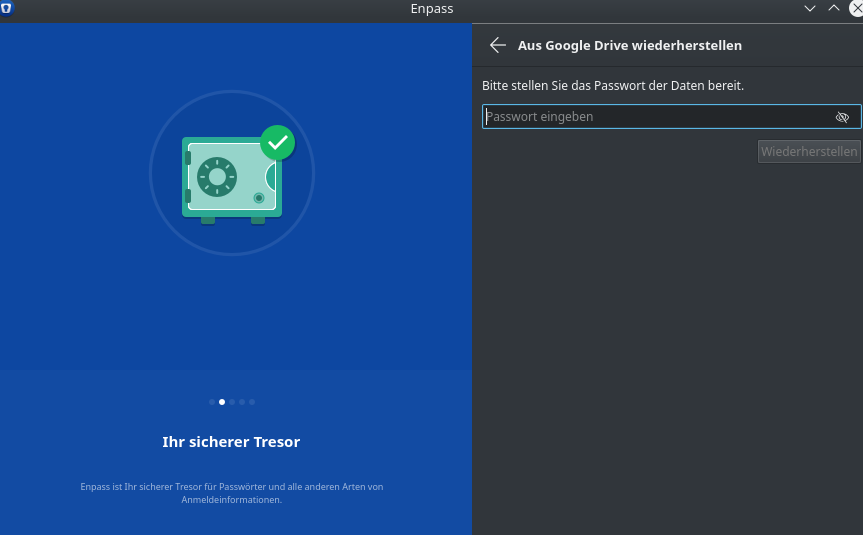
  1. Hi, I just reinstalled enpass on Linux (Kubuntu). I want enpass to use the saved passwords that I stored in Google Drive. Enpass asks me to enter a password. The question i which one? The PW for my Google account or the master PW for enpass (of which I am not sure)? Any help is appreciated! EDIT: Same question here:
  2. Hi, Enpass does still not support Yubikey, right? When will it come then? Thx!
  3. It is not a problem since you can export all your data from the setting menu.
  4. Thanks! I actually had blocked the google API in my hosts file on my local machine. It was dnsmasq.config where I had to manually remove the URL of the Google API. I then could easily sync with Google Drive. I love enpass ;-)
  5. Hi all, I am running Linux Mint with Enpass 6.0.6 (323). Enpass does not sync with Google Drive (it works on my Android) and displays error-message 404007. Can someone please help? thx

Account

Navigation

Search

Search

Configure browser push notifications

Chrome (Android)
  1. Tap the lock icon next to the address bar.
  2. Tap Permissions → Notifications.
  3. Adjust your preference.
Chrome (Desktop)
  1. Click the padlock icon in the address bar.
  2. Select Site settings.
  3. Find Notifications and adjust your preference.
