


Jeff Vance
Members
-
Joined
-
Last visited
Everything posted by Jeff Vance
-
Nevermind - this was just user error, things are working expected.
-
It looks like something has changed with iCloud authentication, today I tried to authenticate (which now does two-factor authentication via text message, instead of the usual notification pushed to my phone) and after I authenticate on the apple webpage Enpass fails to authenticate.
-
Alright - it looks like some update went in recently, and now things are working. Thank you!
-
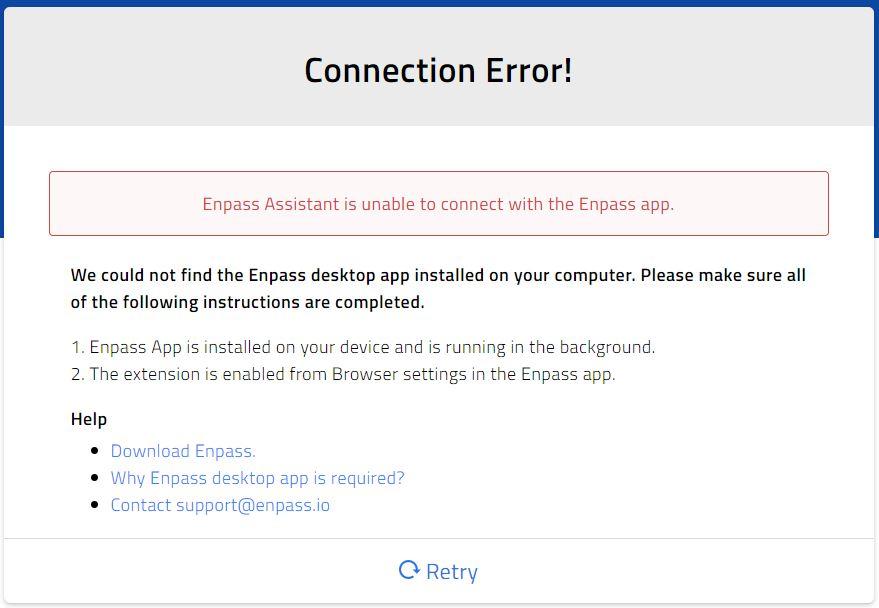
Recently the Enpass extension for MS Edge has been unable to communicate with the Enpass application - whenever I try to utilize the browser extension it will correctly pop up the app; but it never actually links up, giving me a Connection Error each time. Even after logging into the app, the problem exists. If I look in "Settings > Browser > Review Browsers" no browsers are listed, but I'm never prompted for a request to actually sync them up? I've reinstalled both the store app and the browser extension and this didn't seem to help.
-
Agree - after an updated and a restart of my machine this looks to be fixed.
-
I've been using enpass for awhile now, without issue. The last two days, though, I've been unable to sync to my iCloud - the synchronize just sits there with a busy icon. I can sync with my phone app just fine. Any idea?
-
On my PC I have 26 login entries, syncing with google drive. I open the iOS app, ask it to sync with my drive, and in the settings it displays "Primary, Items: 26". When I look at the "all items" tab, however, it is only showing 20 of my logins - 6 are definitely missing. I only have one vault, Primary, so I'm not sure what's going on.
