


Danial
Members
-
Joined
-
Last visited
Everything posted by Danial
-
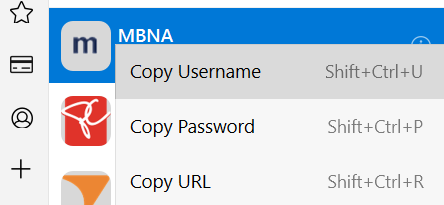
The browser extension needs to be improved for credit card filling. Specifically I am talking about this functionality: On credit card there should be fields to copy the number, expire or CVC. Copying username or password is irrelevant here. On websites where autofill might not work it is cumbersome to open extension, then go to creditcard, then click the small i to get a copy of the CC number. In contrast, bitwarden extension has quick copy buttons on each of the entries to directly copy them from the first view
-
Suggestion Idea: The inline autofill integration is amazing. The one way it will be more convenient is to have a setting which lets us keep the inline icon enabled, but the inline popup only starts when the icon is clicked within the field, instead of it showing up when the field is focused. This would allow the user to easily decide if they want to use the autofill menu or just type within the field manually.
-
Any follow up on this feature? It has been in the roadmap since early last year?
-
Its all good, I fixed it by setting the following: QT_auto_screen_scale = 0 and QT_screen_scale_factor = 1. When I had set to fractional scaling like 1.25 then I noticed a large amount of lag and some pixelation but setting it to 1 has fixed the issue.
-
I want to provide an update. On the nightly version of Firefox the flickering has been fixed. Although the website domain does not seem to be getting passed to Enpass afterwards.... It never matches any of your logins you have manually search through the full list
-
Enpass version 6.4.2 (669), non windows store version 1080p resolution with 125% scaling.
-
Hello, I am using the latest Enpass on Windows 10. The issue I have noticed is that scaling looks off with certain items very large or certain very small. Due to this I applied this fix: https://www.enpass.io/support/kb/troubleshooting/enpass-looks-too-small-or-big-on-my-display-how-can-i-fix-it/ Although after setting this setting the Enpass application becomes very laggy ... all the animations run very choppy and overall the application becomes slow to use. So I went and disabled the setting and the lag from the application finished. Can we get a permanent fix for scaling without side effects?
-
Hello, I was looking to ask for the following suggestion: In certain password managers (lastpass, 1password) the browser extensions have a login field button. This button has a dropdown lets you quickly fill a login if your vault is unlocked making the process a lot more seamless for mouse users. It would be great if enpass could add something like this! This can be seen here:
