Skip to content
View in the app

A better way to browse. Learn more.

Enpass Discussion Forum

A full-screen app on your home screen with push notifications, badges and more.

To install this app on iOS and iPadOS
  1. Tap the Share icon in Safari
  2. Scroll the menu and tap Add to Home Screen.
  3. Tap Add in the top-right corner.
To install this app on Android
  1. Tap the 3-dot menu (⋮) in the top-right corner of the browser.
  2. Tap Add to Home screen or Install app.
  3. Confirm by tapping Install.

robert.endicott

Members
  • Joined

  • Last visited

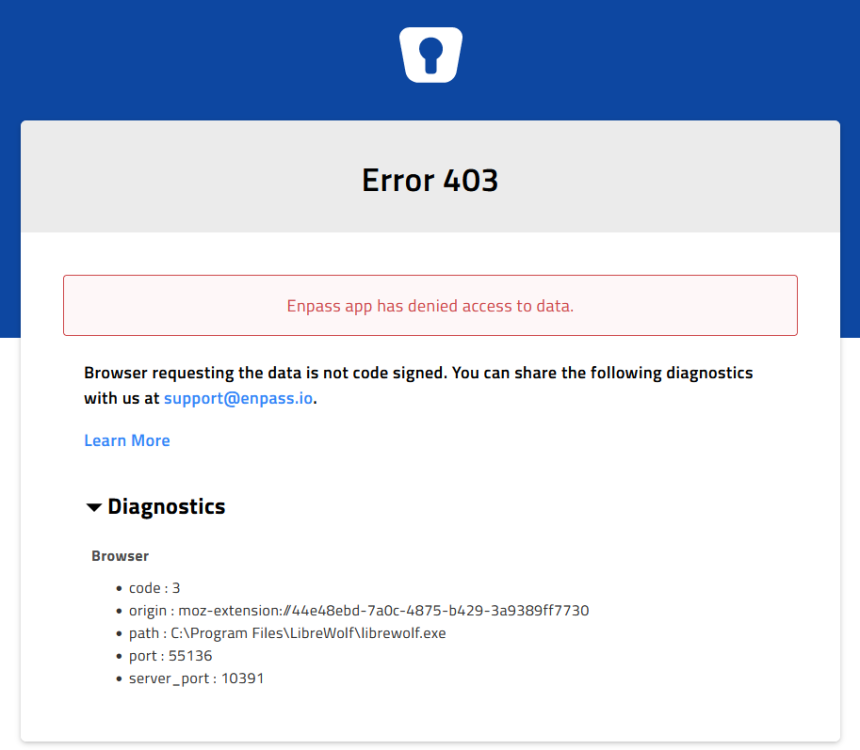
  1. I'm trying to use LibreWolf (a Fork of Firefox) and I am getting "Error 403" Has anyone tried this with LibreWolf?
  2. Sorry for the late reply on this, I decided to switch from Box to Dropbox and it is working fine.
  3. I just wiped and reinstalled my phone and when I go to setup enpass with box it will not allow me to type in my credentials. The cursor blinks and will not allow me to do anything. It is like it is frozen. I tried this with the other providers and I do not have this problem. I have use box so I need this to work. Thanks, Bob
  4. I just wiped and reinstalled my phone and when I go to setup enpass with box it will not allow me to type in my credentials. The cursor blinks and will not allow me to do anything. It is like it is frozen. I tried this with the other providers and I do not have this problem. I have use box so I need this to work. Thanks, Bob
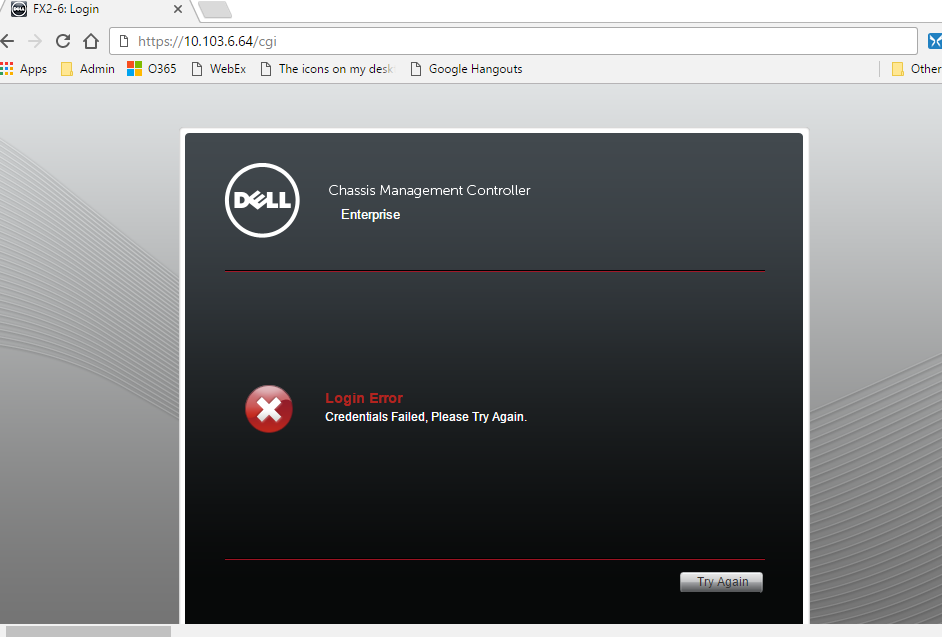
  5. Vikram, Disabling the Auto-Submit Login allows me to login to the Dell CMC. Thank you for your assistance.
  6. robert.endicott posted a topic in Mac
    I have put this issue into support but they have been less than helpful. I responded to their original question but have not have received an update for over a month. First and foremost this is not an issue with the Android App this only affect Mac, Windows 10 & Linux desktop client. Here are the answers that I gave support. I also attached a screenshot of the error. On which all devices (Along with OS version) are you using Enpass? Mac 10.12.2, Windows 10, Linux Mint 18.1, Android N 7.1.1 Which Enpass version are you using on the devices? Android 5.4.8, Mac 5.4.1 Windows 5.4.1. Which Chrome/Firefox version are you using? (Chrome Mac 55.0.2883.95, Firefox Mac 50.1.0) (Windows 10 Chrome 55.0.2883.87) Which Antivirus (along with its version) are you using? No antivirus Are you using any third party network security/ Firewall/ any security related Extension or Proxy? none Which version of the Enpass extension is installed? Android 5.4.8, Mac Chrome 5.3.3 Mac Firefox 5.3.3 Windows 10 5.3.3. I really like the product that is why I purchased the Android app. When I used LastPass it worked with no issues, but I really need this to work with the Enpass desktop client.

Account

Navigation

Search

Search

Configure browser push notifications

Chrome (Android)
  1. Tap the lock icon next to the address bar.
  2. Tap Permissions → Notifications.
  3. Adjust your preference.
Chrome (Desktop)
  1. Click the padlock icon in the address bar.
  2. Select Site settings.
  3. Find Notifications and adjust your preference.