Zerginator
-
Posts
2 -
Joined
-
Last visited
Zerginator's Achievements

Newbie (1/14)
0
Reputation
-
High CPU load created by EnpassNMHost on macOS 10.13.2 (High Sierra)
Zerginator replied to Padrio's topic in Mac
I face the same problem under Linux (Mint 18). A seemingly random times (but there seems to be some connection to waking up from sleep) EnpassNMHost uses 80-90% CPU constantly. -
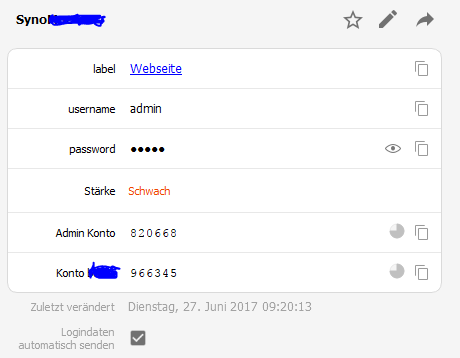
I miss the possibility to add more than one TOTP field for an entry. I use e.g. Enpass for my Synology Diskstation and like to have TOTPs for both user and admin accounts TOTP in one place there (I do not need autofil for admin account) Enpass is capable of this as my entries imported from 1passwort feature multiple TOTP fields, but for new entries it is not possible. I do not like the current workaround of creating an entry in 1password and import it, but there is currently no other way to do that.