brosenz
-
Posts
28 -
Joined
-
Last visited
-
Days Won
1
brosenz's Achievements

Newbie (1/14)
3
Reputation
-
Are you using the machine with multiple users? No Which cloud services are you using to sync? OneDrive Are you using both the versions of Enpass? Only 1 version 5.6.6 Have you imported the data from any other software? No I only use EDGE, I do not have any other browser installed.
-
At this point in time, between Enpass jumping into other tabs, jumping into the "Tabs you have set aside", the desktop application crashing almost every time I use Enpass and the extension connection error, Enpass it is pretty much unusable, I have so many issues every time I try to use it
-
At this point in time, between Enpass jumping into other tabs, jumping into the "Tabs you have set aside", the desktop application crashing almost every time I use Enpass and the extension connection error, Enpass it is pretty much unusable, I have so many issues every time I try to use it
-
At this point in time, between Enpass jumping into other tabs, the application crash and the connection error of the extension, Enpass it is pretty much unusable, I have so many issues every time I try to use it
-
At this point in time, between this crash and the connection error of the extension, Enpass it is pretty much unusable, I have so many crashes a day
-
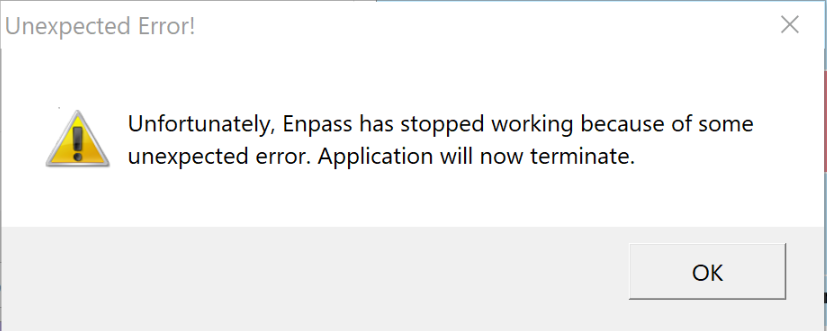
I am getting this Unexpected Error Crash almost 2-3 times a day since the latest version upgrade about 1-2 weeks ago, I am using the version from the Microsoft Store together with the Edge extension, to me the latest version is extremely buggy, if I add the connection error to it. Sometimes it will crash even without this message.
-
With the latest version of Enpass, now it will jump to the far left section (tabs you have set aside) of EDGE.
-
Enpass Connection Error in Chrome, Opera, Edge
brosenz replied to jsk's topic in Autofilling and Desktop Browser Extensions
I have the exact same problem multiple times a day, almost EVERY time I am going to use Enpass to fill a user/pasword. - Edge Version 41.16299.15.0 - Windows 10 Build 1709 (16299.192) - Enpass Desktop 5.6.6 (from the Microsoft Store) - Enpass Edge extension 5.5.2 (from the Microsoft Store) -
Enpass Connection Error
brosenz replied to brosenz's topic in Autofilling and Desktop Browser Extensions
I would say connection error happens almost 100% of time when I do not use Enpass for one to two hours, and I guarantee that it is not the lock timeout because I have it set to 24 hours, and I do not get any request for credentials -
Enpass Connection Error
brosenz replied to brosenz's topic in Autofilling and Desktop Browser Extensions
Over the last 24 hours I have had more connection errors than ever, I would say 3 to 6 times more than with previous versions, clearly something is wrong -
Autofill on EDGE iOS not working
brosenz replied to brosenz's topic in Autofilling and Desktop Browser Extensions
any update when the Enpass extension for iOS will work? It is available today but doesn't work -
Enpass Connection Error
brosenz replied to brosenz's topic in Autofilling and Desktop Browser Extensions
Based on experience the last 15 hours I see the connection error more frequent now than with previous versions -
Enpass Connection Error
brosenz replied to brosenz's topic in Autofilling and Desktop Browser Extensions
I had already installed the latest version 5.6.6 when I got the error. That's the reason I posted, because this used to be an error on earlier versions and I thought It would have been fixed in the last one, unfortunately it did not get fixed. -
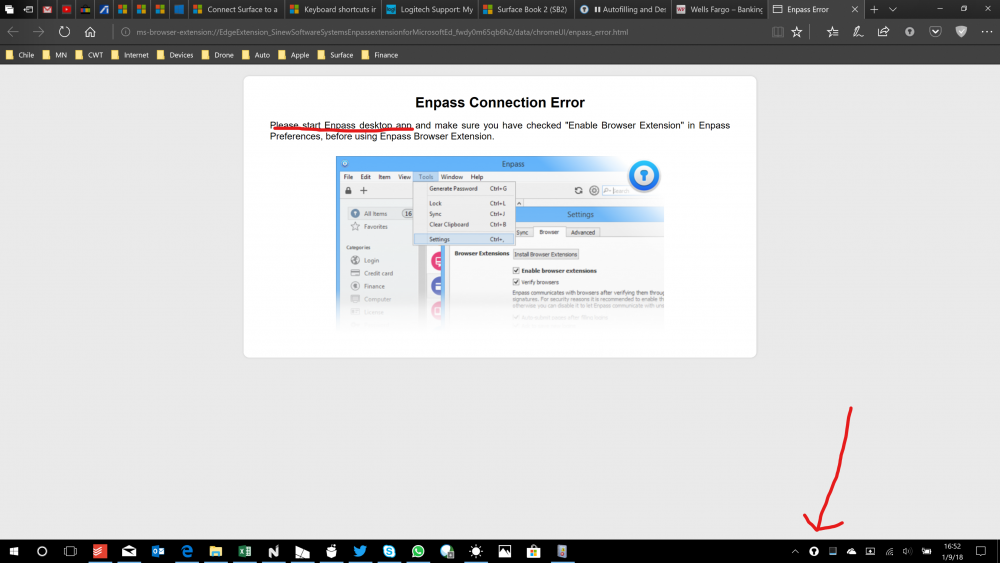
For unknown reasons I get this error sometimes asking me to start the desktop app, and the desktop app is already running, look at the photo attached, If I try a second time it will be fine
-
Let us say, I am at a page ready to fill user/pass, then I press in EDGE the Enpass icon, as soon as I press it, it will switch to a different tab, randomly, sometimes it does it sometimes it doesn't, but it is very annoying, because then you have to select back the tab you wanted to fill in the credentials with Enpass.