Jump to content
View in the app

A better way to browse. Learn more.

Enpass Discussion Forum

A full-screen app on your home screen with push notifications, badges and more.

To install this app on iOS and iPadOS
  1. Tap the Share icon in Safari
  2. Scroll the menu and tap Add to Home Screen.
  3. Tap Add in the top-right corner.
To install this app on Android
  1. Tap the 3-dot menu (⋮) in the top-right corner of the browser.
  2. Tap Add to Home screen or Install app.
  3. Confirm by tapping Install.
  • Search By Tags

    Search will match any tag entered
  • Search By Author

Content Type

Forums

  • General discussion
    • Hot topics
    • Enpass Support & Troubleshooting
    • Registration and Purchases
    • Autofilling and Desktop Browser Extensions
    • Data Security
    • Announcements
  • Help us improve Enpass
    • Feature requests
    • Enpass Beta
    • Localization
  • General discussion

Find results in

Find results that contain...

Date Created

  • Start

    End

Last Updated

  • Start

    End


Filter by number of...

  • Minimum number of replies

  • Minimum number of views

Found 3 results

  1. Hello, if my iMac with MacOs Big Sur (11.6.7) goes in the sleep mode and I reactivate it mostly enpass 6.8.3 is crashed. Its really annoying to input again my Masterpassword. What can I do to support you to fix the problem? Cheers
  2. Hey guys, is it normal that when u restart the MAC u have to enter the masterpassword instead using Touch ID? I have the option to login with touch id AFTER entering the masterpassword once. Thanks
  3. HansiBindi posted a topic in Mac
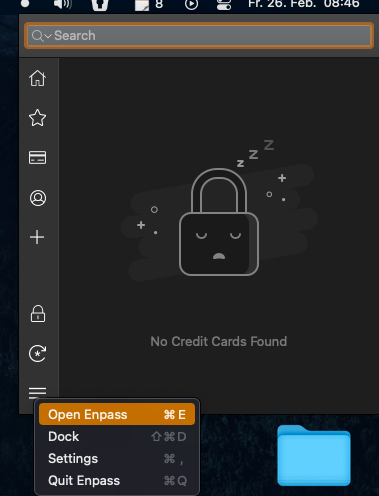
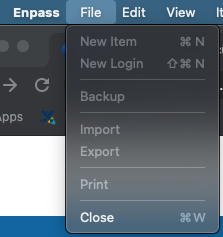
    Hey there, im on big sur with the latest version from the appstore and i cant open enpass main window. If i go to "Open enpass" nothing happens. And also in the status bar the options to create a new entry are not clickable.
Configure browser push notifications

Chrome (Android)
  1. Tap the lock icon next to the address bar.
  2. Tap Permissions → Notifications.
  3. Adjust your preference.
Chrome (Desktop)
  1. Click the padlock icon in the address bar.
  2. Select Site settings.
  3. Find Notifications and adjust your preference.