Jump to content
View in the app

A better way to browse. Learn more.

Enpass Discussion Forum

A full-screen app on your home screen with push notifications, badges and more.

To install this app on iOS and iPadOS
  1. Tap the Share icon in Safari
  2. Scroll the menu and tap Add to Home Screen.
  3. Tap Add in the top-right corner.
To install this app on Android
  1. Tap the 3-dot menu (⋮) in the top-right corner of the browser.
  2. Tap Add to Home screen or Install app.
  3. Confirm by tapping Install.
  • Search By Tags

    Search will match any tag entered
  • Search By Author

Content Type

Forums

  • General discussion
    • Hot topics
    • Enpass Support & Troubleshooting
    • Registration and Purchases
    • Autofilling and Desktop Browser Extensions
    • Data Security
    • Announcements
  • Help us improve Enpass
    • Feature requests
    • Enpass Beta
    • Localization
  • General discussion

Find results in

Find results that contain...

Date Created

  • Start

    End

Last Updated

  • Start

    End


Filter by number of...

  • Minimum number of replies

  • Minimum number of views

Found 3 results

  1. After upgrading my One Plus 5 to the latest Android Pie build, I've encountered an issue when enabling the accessibility option for enpass. When enabled, the multi tasking windows gets extremely laggy and slow. As soon as I disabled the accessibility option, it works normal. Is this some kind of unintended bug?
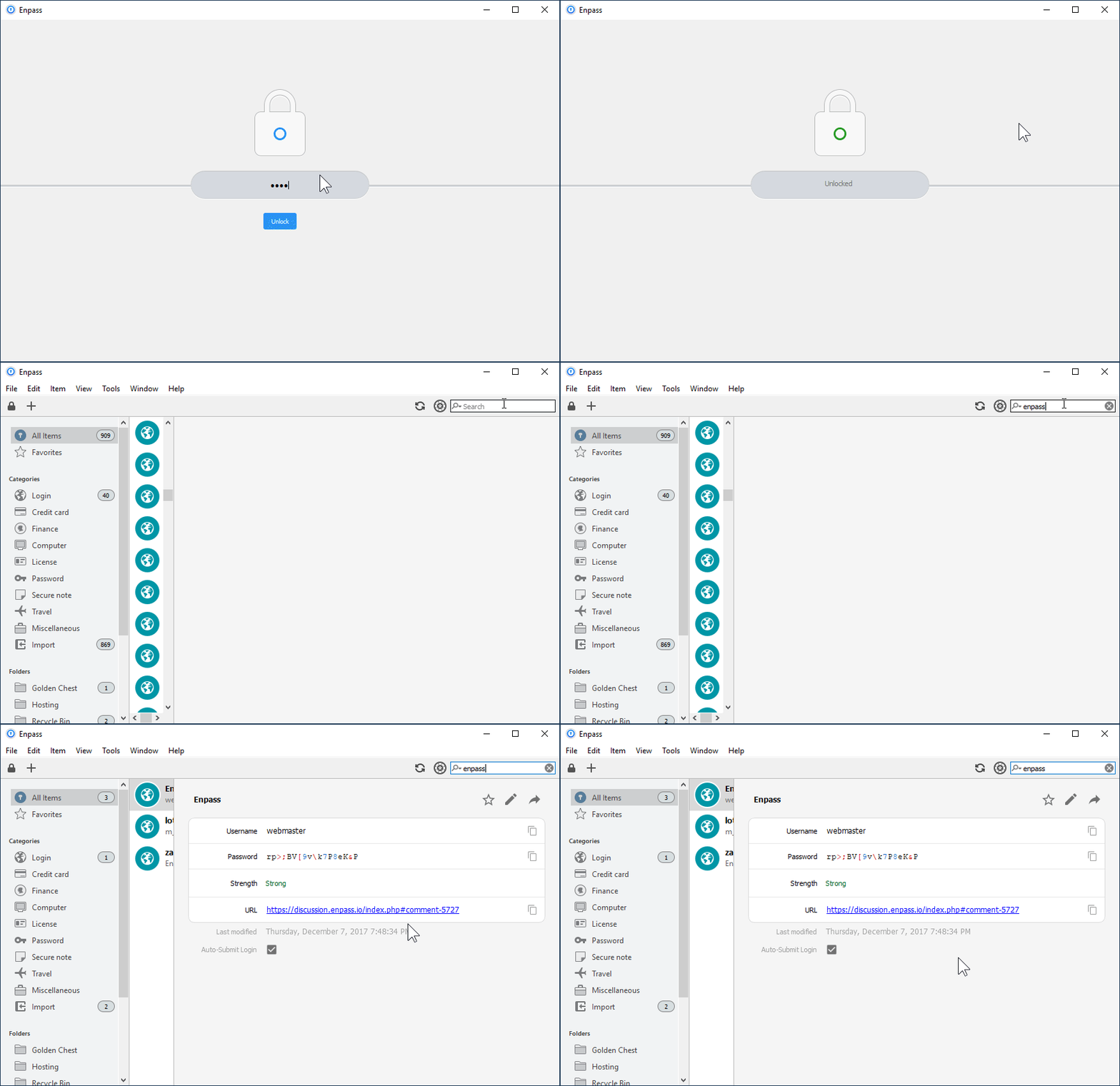
  2. Product: Enpass Version: 5.6.2 System: Windows 10 Locale: en_US --- What can I do to remove the lag? Maybe a registry hack or something else? My machine is pretty friggin' awesome, it's not on my end. Also, the lag appears sometimes in Edge / Chrome Browser too. Whenever I search for something in Enpass, it has lag. It just doesn't make any sense. Notice the gif below, it's normally always even slower than that too!
  3. Hi there, I am using Enpass Desptop for Windows in v5.5.3 on Windows 7 and Windows 10. On both systems, the application hangs for about 10 seconds if editing an entry. The whole application window goes white and the title bar says "Enpass (not responding)". I have to wait about 10sec, then it's working. This happens ALWAYS when editing. Also the application in general isn't the fastest. My database isn't so big (~220 entries). Best regards Julian


Account

Navigation

Search

Configure browser push notifications

Chrome (Android)
  1. Tap the lock icon next to the address bar.
  2. Tap Permissions → Notifications.
  3. Adjust your preference.
Chrome (Desktop)
  1. Click the padlock icon in the address bar.
  2. Select Site settings.
  3. Find Notifications and adjust your preference.