

Leaderboard
-
user from keepass
Members2Points12Posts -
DenalB
Members1Points110Posts -
metropical
Members1Points7Posts -
Garima Singh
Enpass team member141Points1588Posts




Popular Content
Showing content with the highest reputation on 01/04/22 in all areas
-
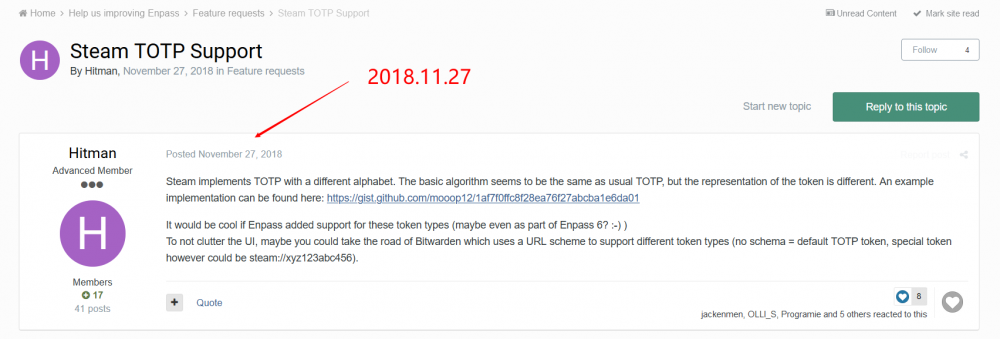
1 pointThe lastest steam totp request was submitted two years ago, but the reply template is just Perfunctory which we will see anywhere in the forum or auto-reply emails. That's not just , and I have emailed to their address and asked for the feature , but nothing happened. And today I submit it again.
 1 point
 -
1 pointfigured it out. some background app was preventing it. I disabled a few login items. Unfortunately, I didn't track them to see which was the cause. But Enpass seems to be working OK now.1 point
-
Hi @Manish Chokwal! Actually, I disabled shortcuts in Vivaldi browser to be able to use them in Enpass extension.1 point
-
1 pointAnd it maybe a next 2 years? Or just upcoming updates in several months?1 point
-
0 pointsHi @user from keepass, Apologies for the delay. Please note that our team is working on it. However, we’re not sure of a specific timeline when this will be fixed. Please stay tuned for the updates. If you have any other queries, please let us know. Thanks.0 points
-
0 pointsHey @user from keepass Welcome to the forum! We are extremely sorry for the trouble you have been facing from a long time. I would like to share that this feature is already in our road map and our team is working on it. Hopefully, the same will be available in the future version of Enpass. Your patience will be highly appreciated. Thanks for understanding.0 points

