
DenalB
Members
-
Joined
-
Last visited
-
I'm using tags already... Thanks.
-
Good to hear that it works for you now, @RoadRunner! I wonder why reinstalling Enpass did not help on your first try...
-
Hi @Manish Chokwal! Yes. Setting is enabled. It works on other sites as expected. Sorry, I forgot... I'm using the latest Website version 6.7.4 (933) of Enpass.
-
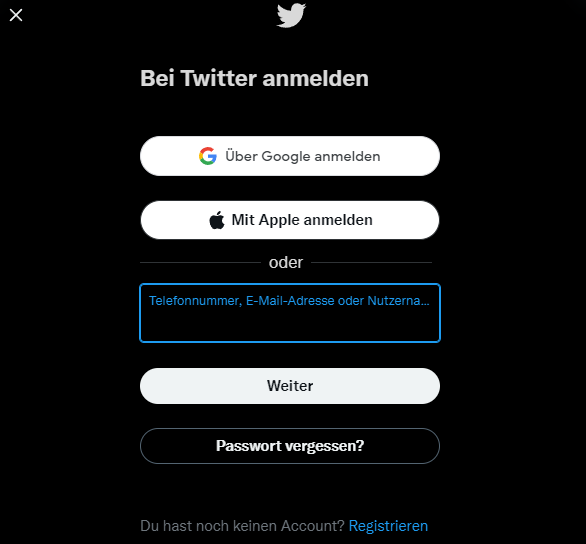
I try to autofill login credentials on https://twitter.com/i/flow/login on Windows 11 Pro in Vivaldi browser 5.0.2497.48 (Stable channel) (64-Bit) with Enpass extension 6.7.4 installed. First, there is no inline popup. So I have to open the Enpass dock. When double-click on the entry with the matching credentials, a new website is opening in a new tab - https://twitter.com. I have to copy and paste the credentials manually. The same is happening in Microsoft Edge browser 98.0.1108.43 (Offizielles Build) (64-Bit) with Enpass extension 6.7.0 installed.
-
Ok... I have no idea what could be the problem... Maybe someone from Enpass can help here?
-
But you are 100% sure, that you are using the same vault on Computer A, which you are syncing to a cloud service on Computer B?
-
Just tried with a website and for me, it works! Good to know. Thanks, @Abhishek Dewan!
-
Sounds great, @Abhishek Dewan!
-
Sounds strange... You are using the same vault as on the working device? Are you using multiple vaults on the working device? If you are using more than one vault, you only have to type in the password of your primary vault. All other vaults are unlocked by this password then. But if you want to use one of the other vaults on another machine as primary vault, you have to use the specific password you set for this vault. I hope I could explain correctly.
-
Hi @RoadRunner! I don't think so. Enpass is an offline password manager. So nobody has access to your master password. Did you try to type your master password into a text editor, so you can see if you are typing the correct one? Maybe capital letters are enabled? How are you syncing your vault? Is it in a cloud? If yes, you could remove Enpass from the computer on which the master password is not working. Then reinstall Enpass. When starting Enpass for the first time, you will be asked if you want to create a new vault or if you want to restore your vault. Just restore the vault from your cloud account, and it should ask for the master password. Now log in with the master password that works on the other computer. I hope that this works for you.
-
You can store an email address which would be filled. Also identities and credit cards would be filled.
-
The UI is Windows XP like. And it's a little complicated to get used to Sticky. There are templates you could use, but they are all templates for notes. You are able to customize templates or change them. But you will find them only local. In Windows, you have to store some registry keys if you want to have your templates back after reinstalling Windows or want to use Sticky on another computer. The browser extension (Vivaldi) worked... good. Sometimes it worked and sometimes not. It is okay, but not the best experience I had. For me, the biggest problem was the iOS app. It looks ugly. If you compare it with competitors, Sticky has the worst app in my opinion. Also, it crashed permanently when trying to autofill. I send logs, but support was not able to help. Sometimes it worked again after rebooting my device, but most times I had to reinstall the app. Then it worked for some days till it crashed again. I think Sticky needs a lot of work...
-
Same with me for email app on iOS. I tried almost every mail app and if I think I found my perfect piece of software I find another one. And the same I did (or do) with password managers. I think I tried nearly all of them. I bought a lifetime license for $30. That's a fair price, I think.
-
Same with me!
-
I don't think that custom forms could be filled. I tried and it didn't work for me. But it would be great if there could be a possibility for that.