

Leaderboard
-
MaxKraft
Members1Points8Posts -
Amandeep Kumar
Enpass team member1Points578Posts


Popular Content
Showing content with the highest reputation on 07/05/24 in all areas
-
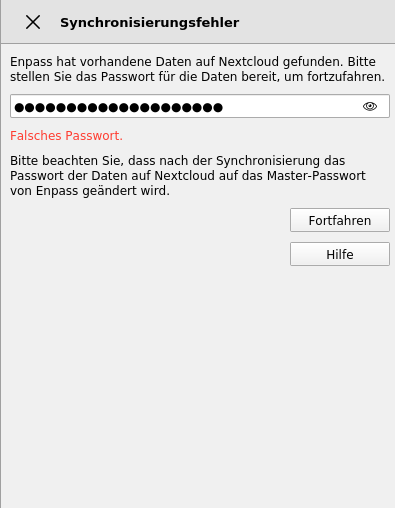
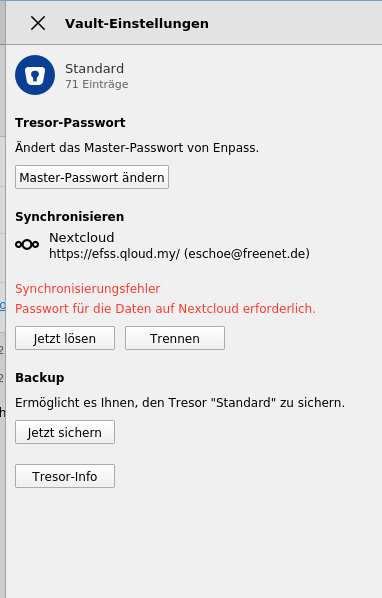
Hello, I have the problem that Enpass doesn't synchronise with the tresor in Nextcloud. I set everything as usual, using my password, but it doesn't work. I attached some screeshots. I don't know when this happened, but it worked before, with the same credentials. I can access Nextcloud without any problems via browser. It is not the password, I checked it 100 times. Since I paid for this app and I rebooted my desktop system and lost a lot of passwords or can't access them now, I am not very happy about that.
 1 point
 -
For troubleshooting purposes, please try the below steps - Disconnect the synchronization from the connected device and then enable the synchronization again. I would also suggest restarting your NextCloud server . Could you please check and confirm that the time setting is set to automatic on all the devices and there is no time difference? If they are not, kindly set it to automatic. Ensure that you have allowed access to Enpass in your Firewall/Antivirus Settings. Moreover, if you are using any VPN service, try disabling it to check if the issue persists. Create a manual backup of your data and then reinstall the app on the affected device. If the issue persists, please share the below details with me, and I’ll have this checked for you -. The version of the Enpass app and OS you are using on all your devices. Any VPN/Antivirus service you are using. If possible, could you provide us with a demo account with its URL, username and password on support@enpass.io ? It will help us immensely in investigating this issue on our end.1 point