


Niesfisch
Members
-
Joined
-
Last visited
Everything posted by Niesfisch
-
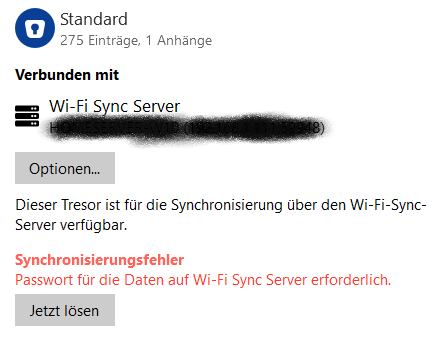
I have been using WiFi Sync for some vaults since some weeks for some IOS Devices. Now i get the following Error on the Windows Desktop Master WiFi Sync. "Password required for the WiFi Sync server" > Button "Resolve now". I get this error now on the Sharing Master Desktop and all other IOS Devices. I didn´t change the Master Database Password or the Wifi Sync Server AuthKey for this Vault. I have tried the Master PW or AuthKey from Manual Setup. Update Enpass, Reboot PC, Disconnect/Reconnect. But nothing works. Sharing another Vault with Wifi Sync works but not my Standard Vault. my Version: 6.8.2(1085) - Win10 Any ideas? Thanks Christian
-
Hello, I have the same problem. My USB Fingerprint works with Windows Hello. Windows Login is ok but while starting Enpass i have to enter the Master Password. After that i can unlock Enpass with my Fingerprint Device. Enpass 6.5.2 (724) / Windows Store Version