Oceanwaves
Members
-
Joined
-
Last visited
-
Update: Firefox Enpass extension is now v6.11.9.2. Map on tronity.io is working and geocaching.com is also working! Thanks for this xmas present and I hope, future versions will not break these sites again.
-
Update: Firefox Enpass extension is now v6.11.8.2. Map on tronity.io is still broken (was fixed in 6.11.6.2), geocaching.com is still broken and completely unusable with enabled extension.
-
Just to let you know: with Enpass extension for Firefox 6.11.7.2 the map on tronity.io disappeared again . This was fixed in v6.11.6.2. See my above comment dated August 27. I disabled the extension again...
-
I've updated to version 6.11.6.2 for Firefox. I can see the map on tronity.io again. But geocaching.com is still unusable. Without the options on the top green line I can't even open my account. Here are two screenshots. The first was taken with Firefox extension 6.11.6.2 enabled, the second one without the Enpass extension.


-
For the moment I disabled the Enpass extension in Firefox, so that I can use these websites. And after having read this article about security issues in actual browser extensions for password managers (including Enpass) I think I will leave it disabled until both issues are fixed. Update: Looks like the mentioned security issues in the extension have been fixed in v6.11.6.2. Now still waiting for the websites to work...
-
The above problems with www.geocaching.com and tronity.io only occur in Firefox (currently using v141.0.2) with Enpass Extension v6.11.5.2 enabled. They disappear if I disable the Enpass extension. In Chromium and Vivaldi both websites work without problems, even with Enpass extension (v6.11.6) enabled. I don't have Chrome installed on my Linux system. I can download and install it if you want me to test Chrome, too. Regards, Oliver
-
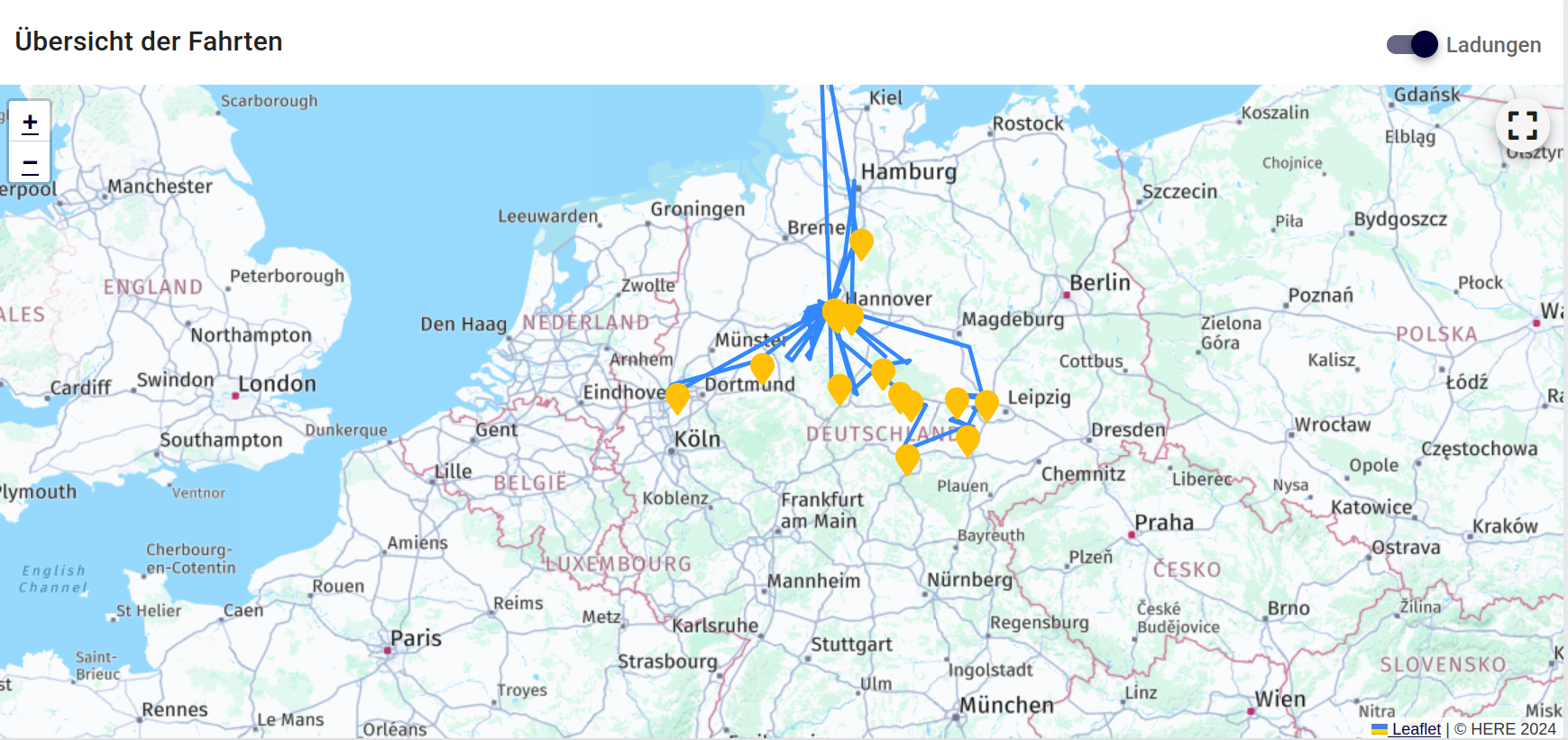
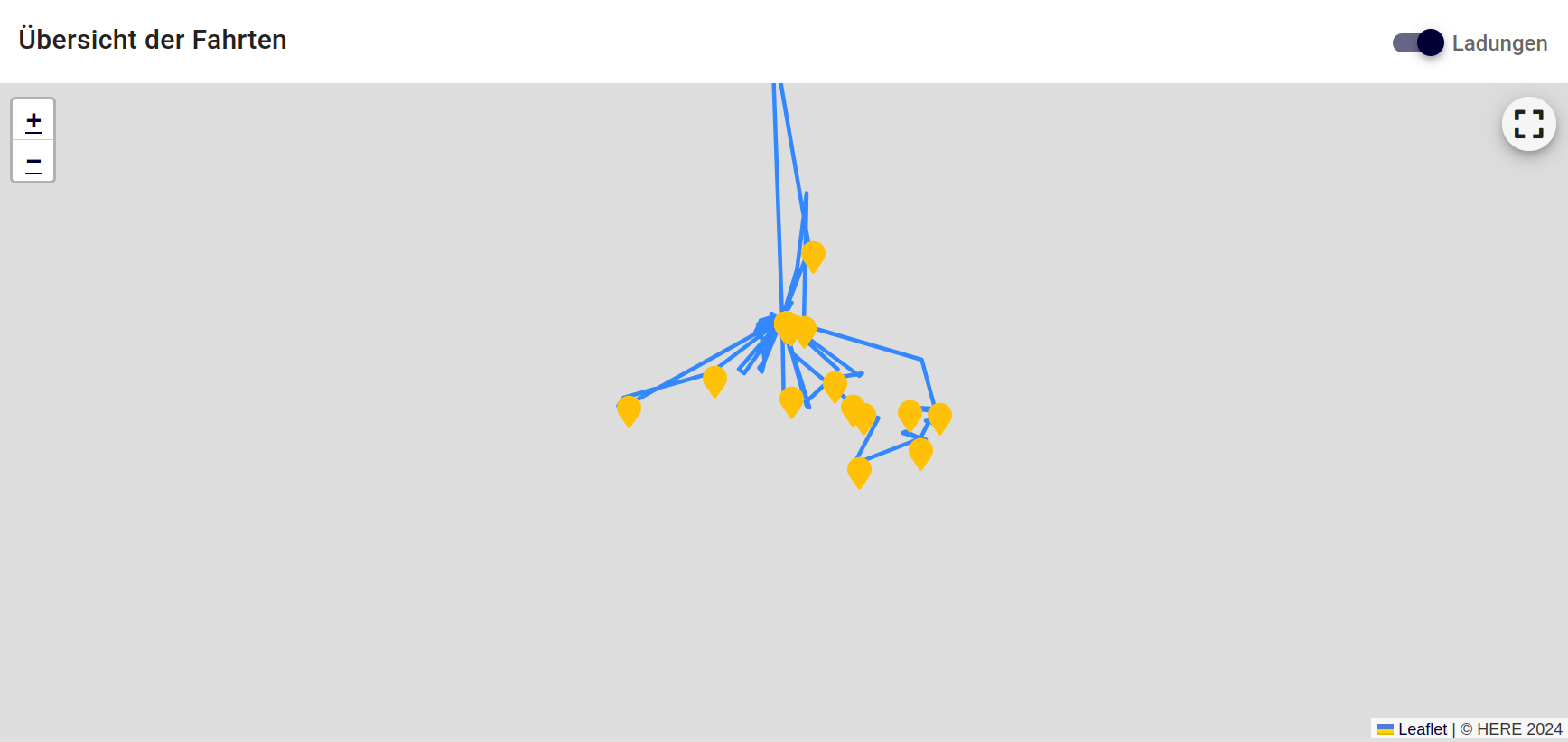
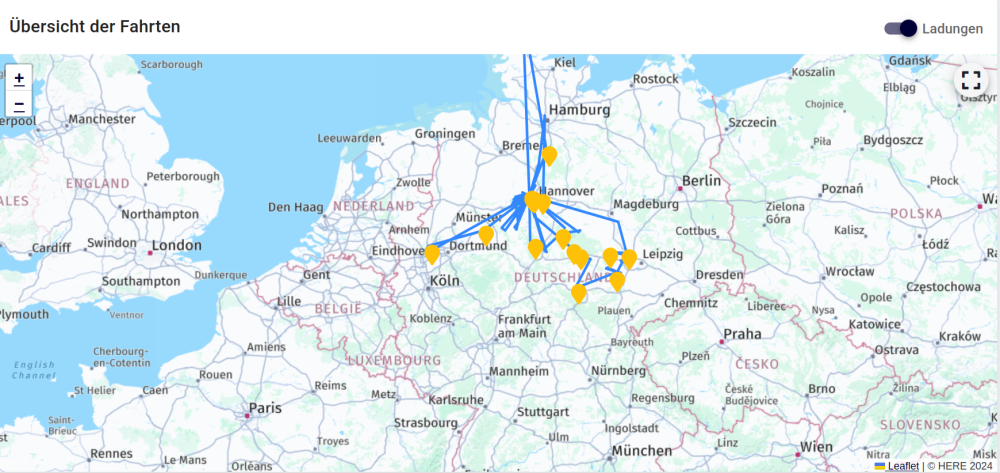
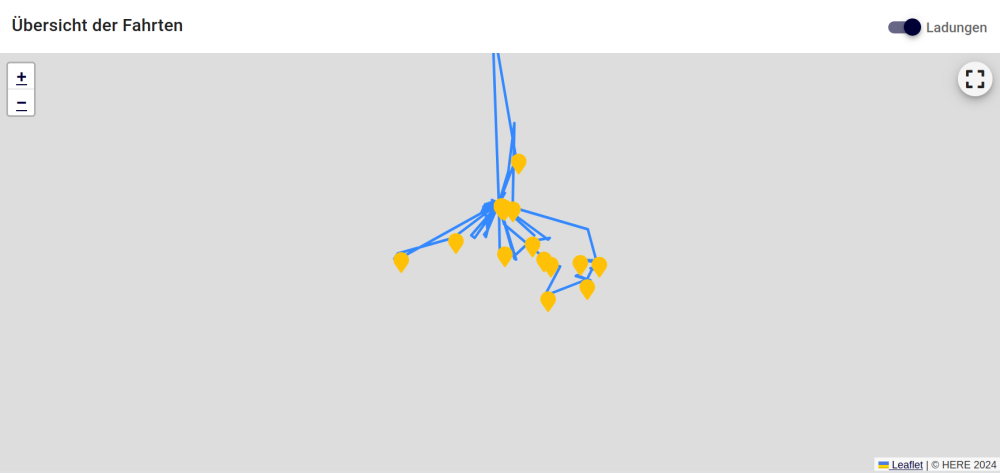
Seems technical team is investigating the problem for more than 1 year now... Here is another website (https://app.tronity.io/dashboard) with a map that stopped working some days ago with the Enpass extension activated in Firefox 141.0.2. tronity.io is a website that records where my car is driving to and where I charged it. With Enpass extension 6.11.5.2 disabled everything looks fine: If I enable the Enpass extension the map is not shown anymore. I still can see that there are outgoing DNS requests for aps.hereapi.com, but the map is missing from the website: The interesting thing is that on Vivaldi browser everything looks fine, even with the Enpass extension activated (I tried Enpass extension v6.11.5 and v6.11.6). Would be nice if these modifications of websites in Firefox would be fixed. Kind regards, Oliver
-
Yes, works here again, too. Just updated to 6.11.12.
-
I'm suffering from the same issue (SuSE Tumbleweed). Would be nice to see a solution soon as I can't update Enpass anymore. I'm currently on v6.11.6.1833, while the current version according to your website is 6.11.12.1953 (released July 28th, so the error message seems to be caused by this update). Regarding enabling/disabling the repository: this can also by done using the CLI: ~ $ sudo zypper mr -d Enpass Repository 'Enpass' has been successfully disabled. ~ $ sudo zypper mr -e Enpass Repository 'Enpass' has been successfully enabled. Alternatively you can get a list of all repositories using zypper -lr and use the number of the Enpass repository instead of its name.
-
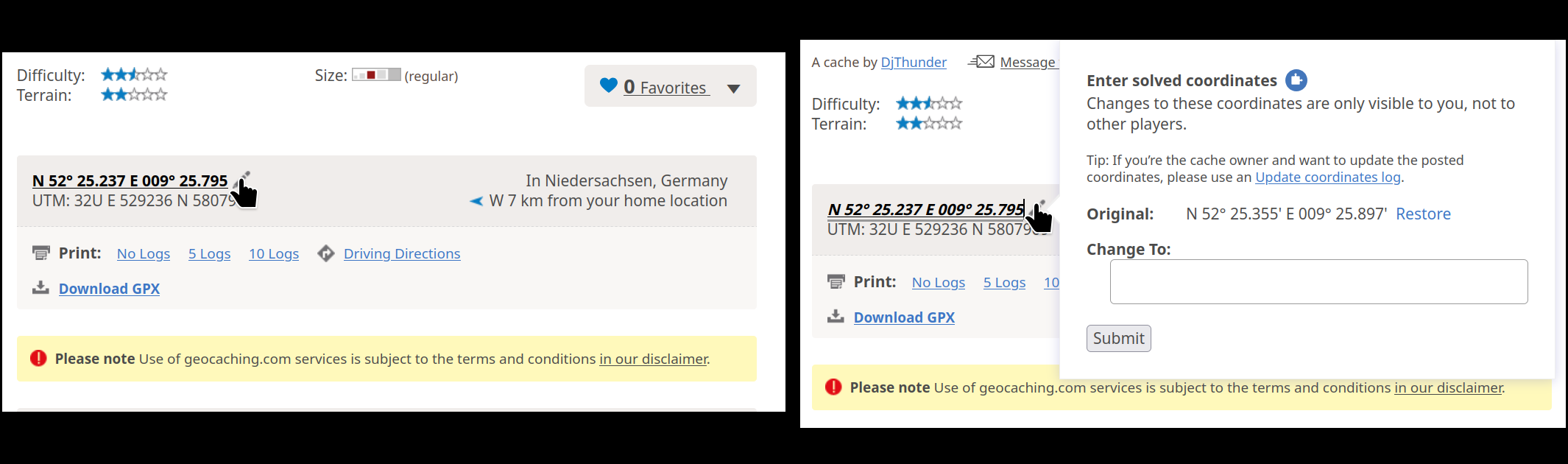
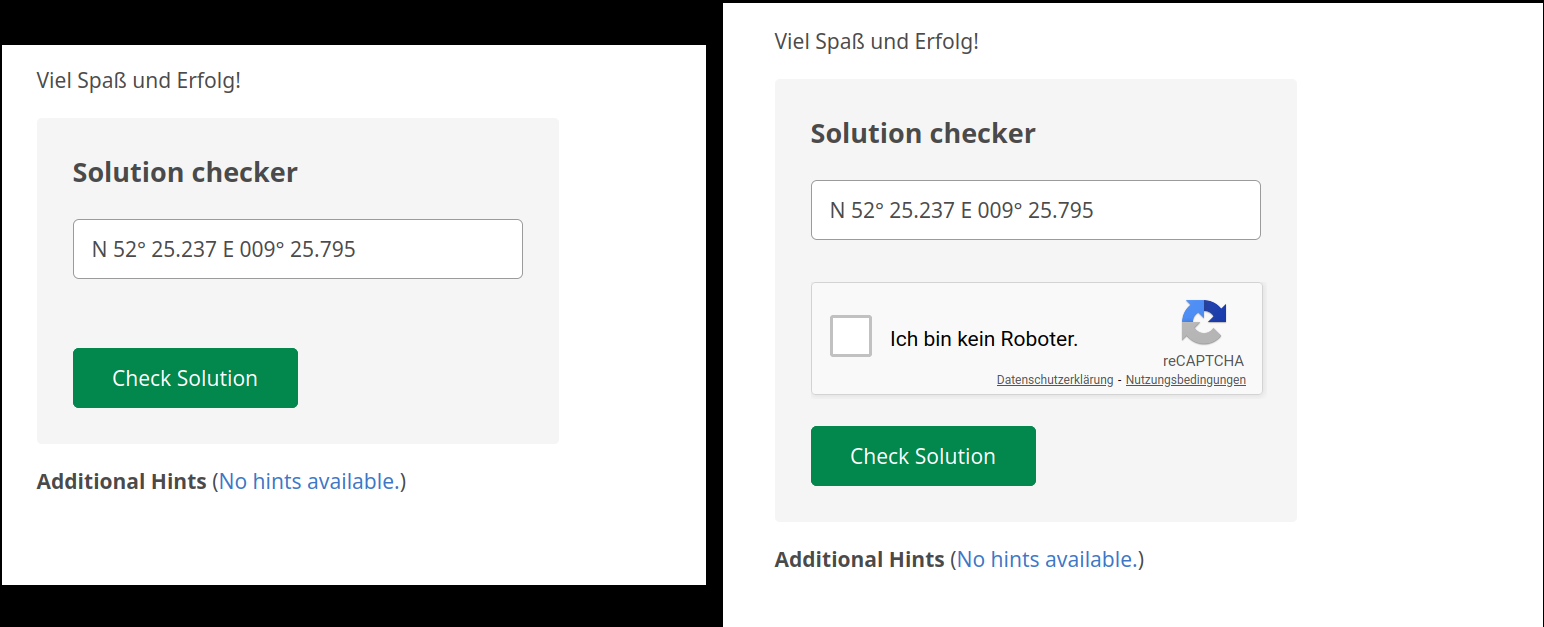
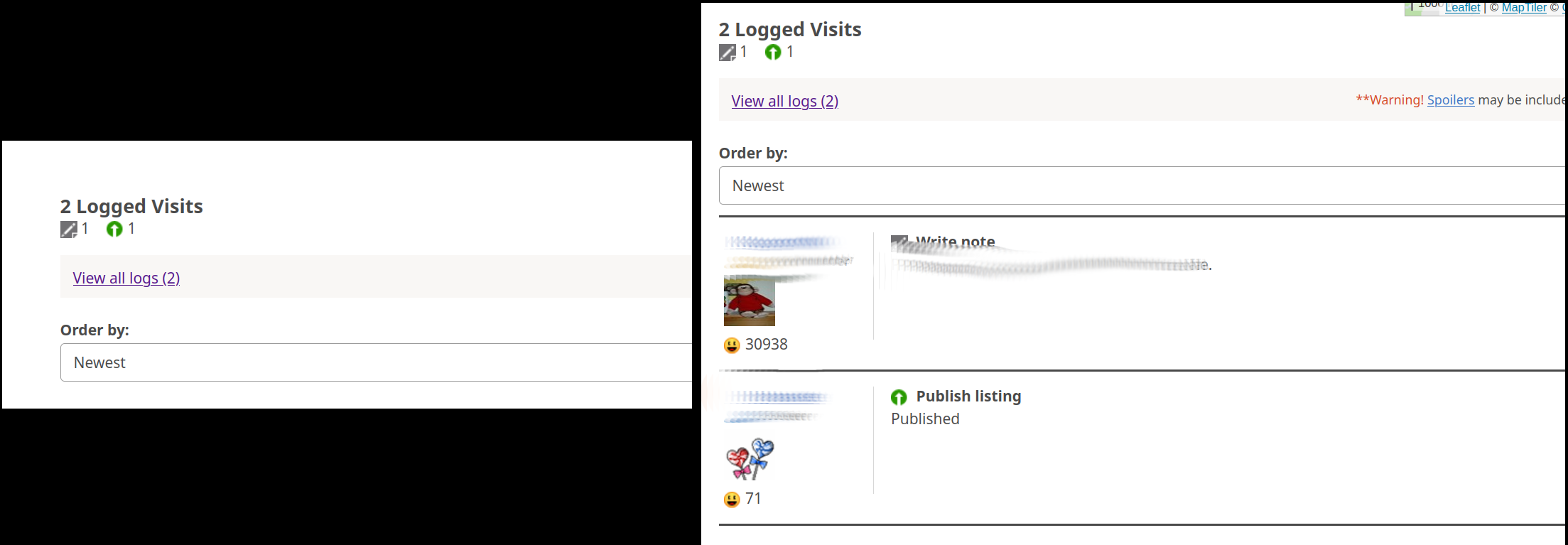
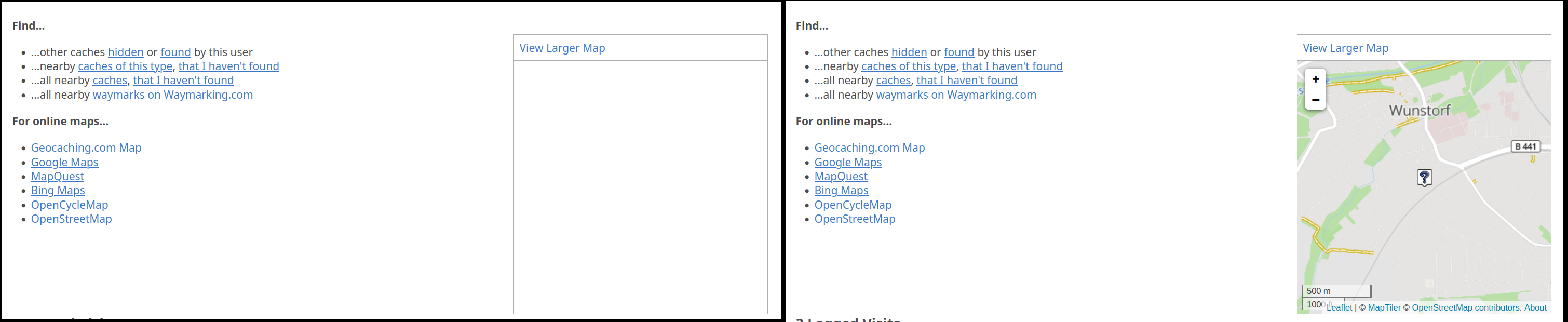
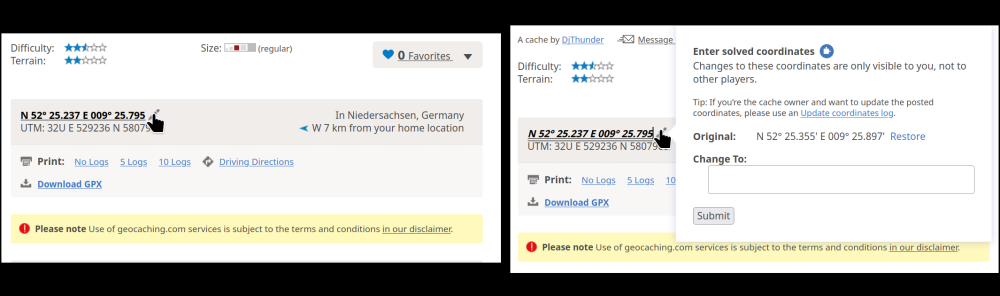
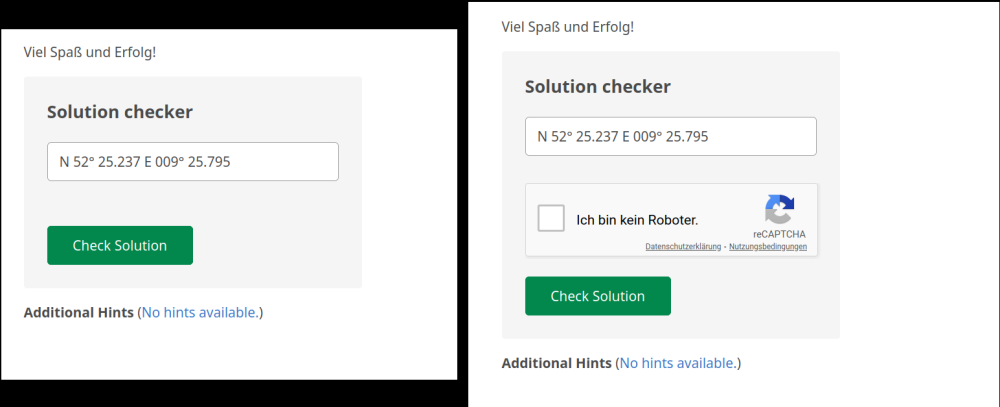
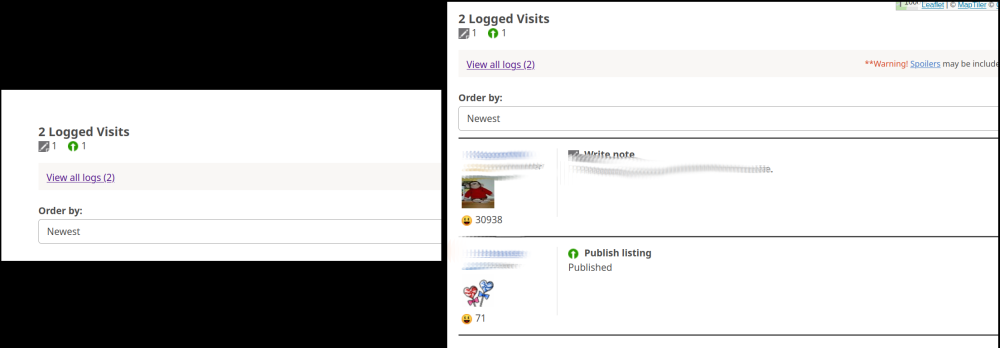
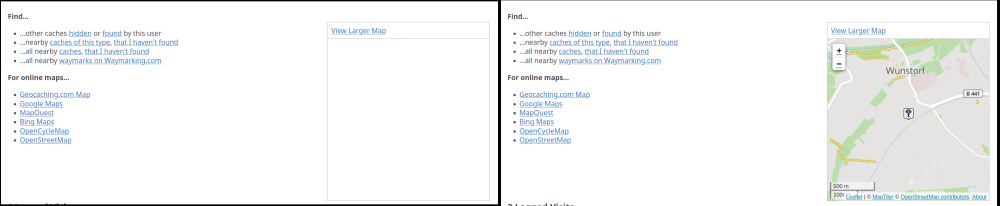
Hello, I'm using Firefox 128 on Linux (SuSE Tumbleweed). I noticed problems when the Enpass Browser Extension for Firefox (Version 6.9.4.2) is active. Example: Website https://www.geocaching.com (requires registration) With the extension active I noticed several modifications of the page, some of them make it unusable. Example 1: Left picture: extension enabled, right picture: extension disabled I clicked on the edit button (pencil) to edit the coordinates of a geocache. With the extension enabled nothing happens, when I click the button. With the extension disabled a windows pops up allowing me to enter other coordinates. For some geocaches it is required to change the coordinates. As a can't do this with the extension enabled I can't save new coordinates for the geocache. Example 2: Left picture: extension enabled, right picture: extension disabled To check new coordinates I can enter them in the field above and press "Check Solution". This requires to check "Ich bin kein Roboter" (I'm not a robot) for the reCAPTCHA. However, with the extension enabled I don't get the reCAPTCHA at all. Entering coordinates and pressing "Check Solution" with the extension enabled just leads to an error message "Recaptcha validation failed.". No chance to check the coordinates. With the extension disabled the CAPTCHA appears. Example 3: Left picture: extension enabled, right picture: extension disabled With the extension enabled I have to click on "View all logs" to see the log entries. Firefox then loads the log page and I can see the logs, but have to use the Back button to get back to the cache. Without the extension log entries are visible at the end of the page. Example 4: Left picture: extension enabled, right picture: extension disabled With the extension enabled I don't see the map with the location of the geocache. With the extension disabled Firefox loads a map. All these problems only show up in Firefox, which is my main browser. In Chrome, the page loads without any problems although the Chrome extension is active. Is there a way to tell the extension to not modify web pages (at least selected)? I haven't found an option in Firefox to disallow the extension to modify web pages. Regards, Oliver
-
Firefox add-on updated to version 6.9.4.2 some days ago, problem disappeared. Thanks for solving this issue!
-
Thanks for pointing me to that thread. Looks like a general Firefox problem. Workaround doesn't help here, I'm restarting FF at least once per day.
-
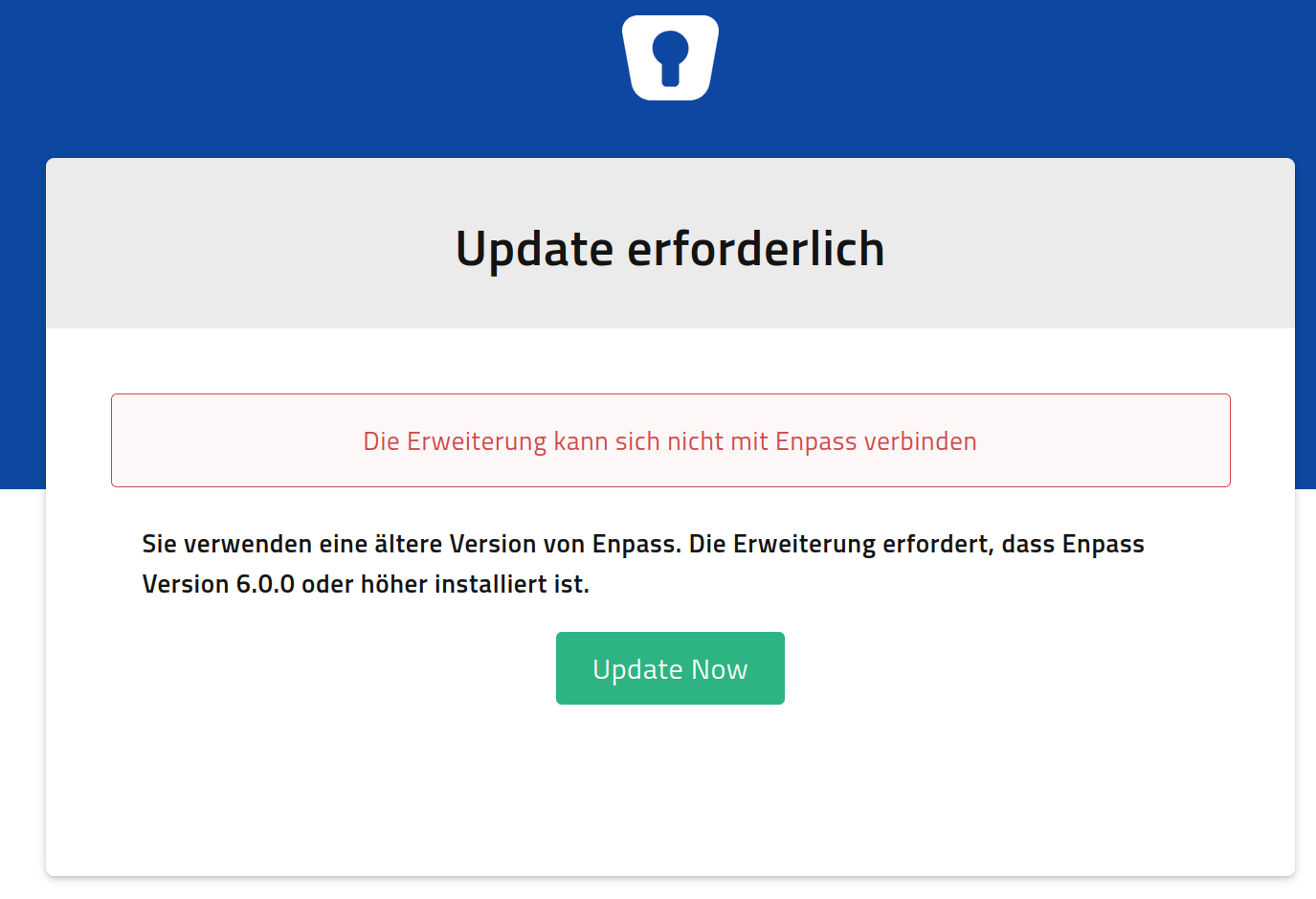
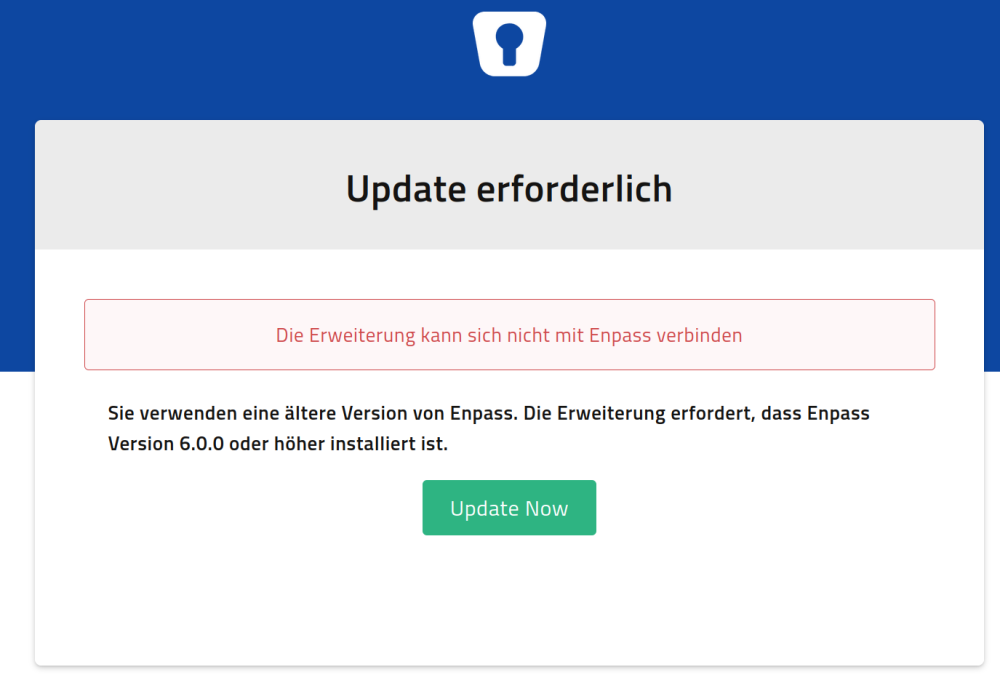
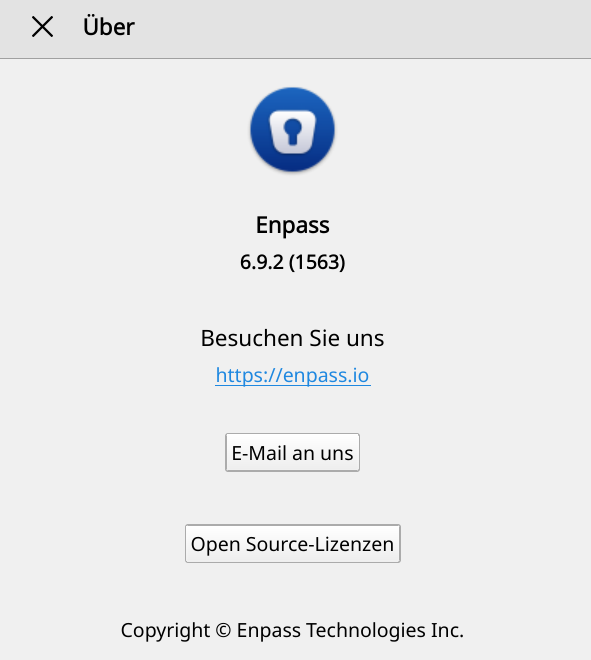
Hello, I'm having a problem with the Enpass extension for Firefox running on SuSE Linux (Tumbleweed). Since one of the latest updates (either FF or Enpass) I always get the message that an update to Enpass is required when trying to login to a web site using the extension. The message is (translated from German): Update required The extension cannot connect to Enpass. You're using an old version of Enpass. The extension requires Enpass version 6.0.0 or above. Of course I'm using the current version of Enpass. According to Help/About I'm using Enpass 6.9.2 (1563). Firefox is version 119.0.1, Linux is SuSE Tumbleweed with Kernel 6.6.2. Extension says that it is v6.9.2 (updated Nov. 08, 2023). When using Chromium the connection to Enpass works fine.
-
Seems to be very difficult... As a workaround I use a little script to enable the Enpass repository before checking for updates and disable it afterwards. This way I don't get error messages all the day about the repository not being accessible. The script is for Tumbleweed: #!/bin/bash # Enable Enpass repository printf "\n -------------------------------------------------------------------\n" printf " Enabling Enpass repository\n" printf " -------------------------------------------------------------------\n\n" zypper mr -e Enpass [...] zypper refresh [...] # Dist-upgrade with no-vendor-change zypper dup --no-allow-vendor-change # Disable Enpass repository printf "\n -------------------------------------------------------------------\n" printf " Disabling Enpass repository\n" printf " -------------------------------------------------------------------\n\n" zypper mr -d Enpass
-
This is what I tried today: wget https://yum.enpass.io works (downloads index.html, which contains the instructions for installing Enpass through yum) wget https://yum.enpass.io/enpass-yum.repo works (downloads the yum repository) wget https://yum.enpass.io/RPM-GPG-KEY-enpass-signing-key works (this is the GPG key for the repository for zypper) wget https://yum.enpass.io/stable/x86_64/enpass-6.8.1.1063-1.x86_64.rpm works too What I don't know: how does openSUSE 15.x/Tumbleweed check for an update to Enpass? If it simply does a check for files in yum.enpass.io/stable/x86_64/ then this will probably give an "Access denied" error now.