Oceanwaves
Members
-
Joined
-
Last visited
Everything posted by Oceanwaves
-
Update: Firefox Enpass extension is now v6.11.9.2. Map on tronity.io is working and geocaching.com is also working! Thanks for this xmas present and I hope, future versions will not break these sites again.
-
Update: Firefox Enpass extension is now v6.11.8.2. Map on tronity.io is still broken (was fixed in 6.11.6.2), geocaching.com is still broken and completely unusable with enabled extension.
-
Just to let you know: with Enpass extension for Firefox 6.11.7.2 the map on tronity.io disappeared again . This was fixed in v6.11.6.2. See my above comment dated August 27. I disabled the extension again...
-
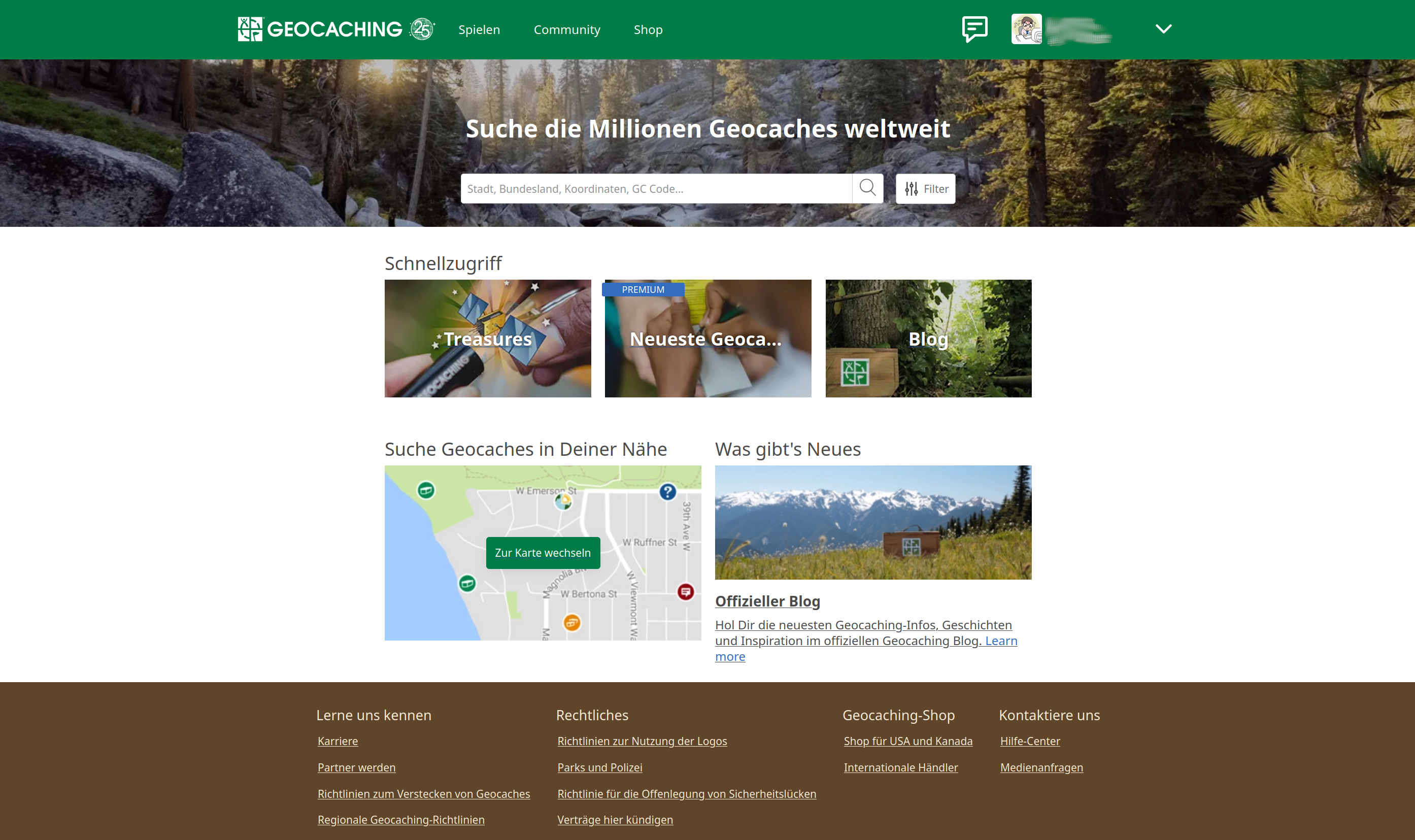
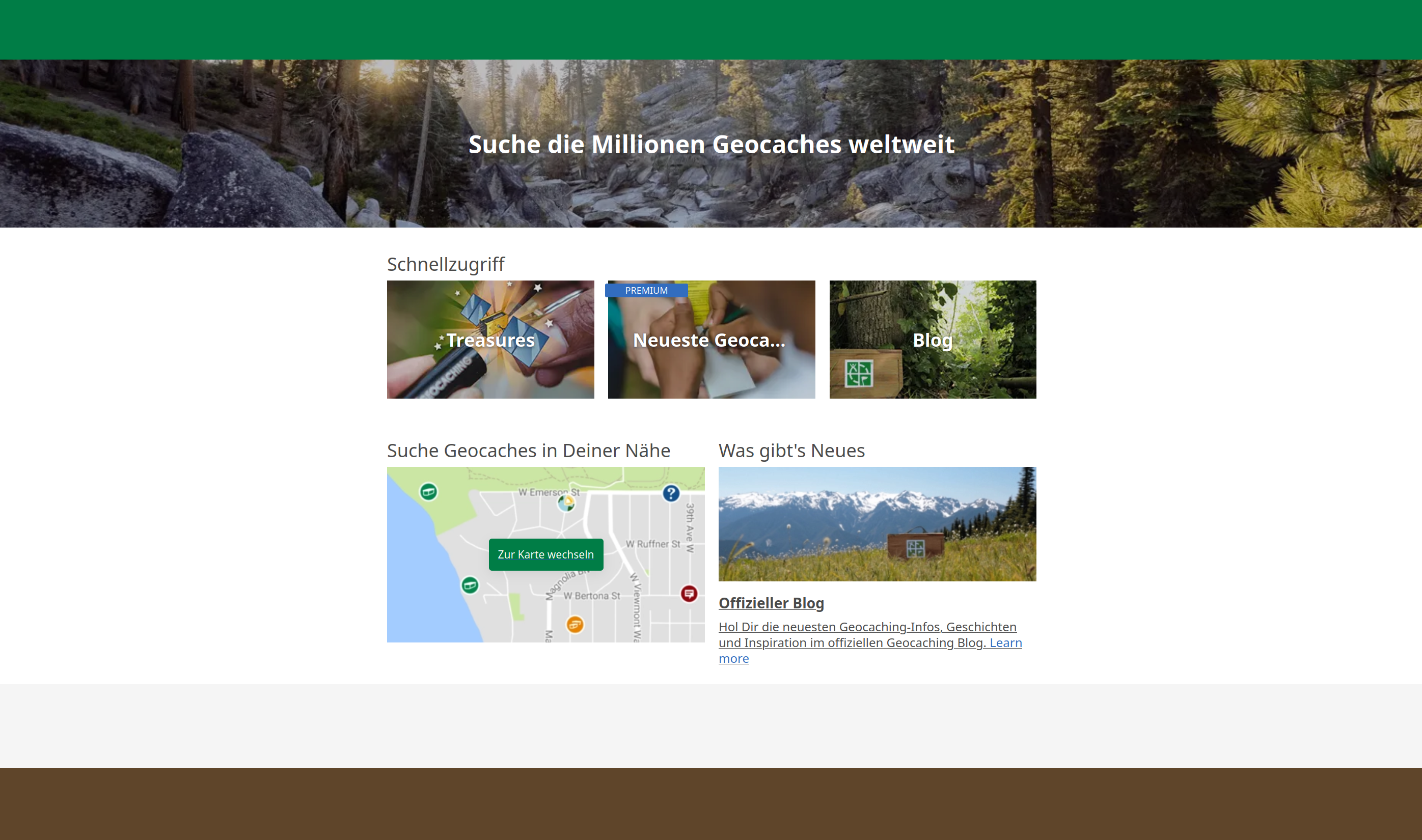
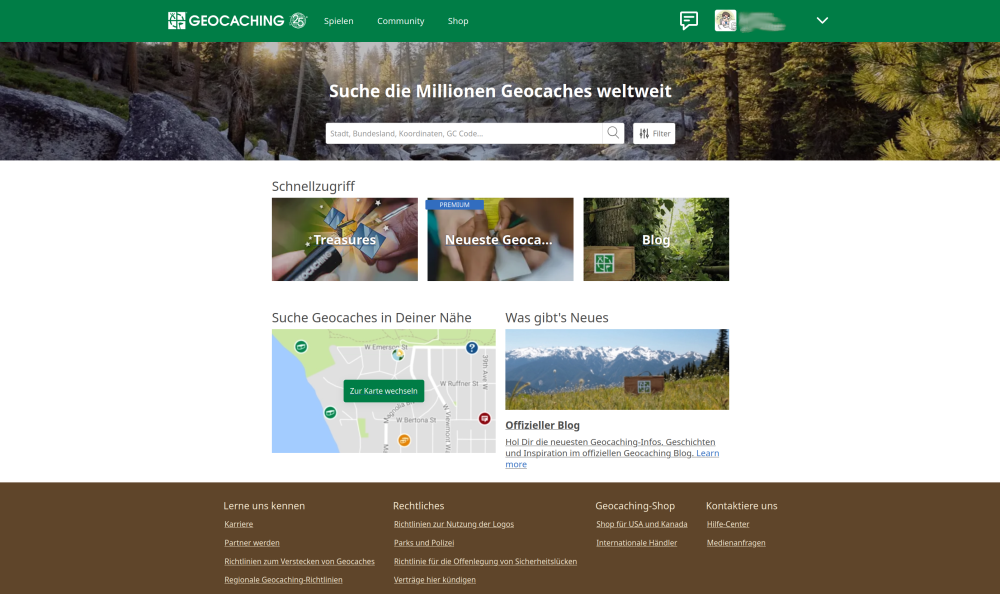
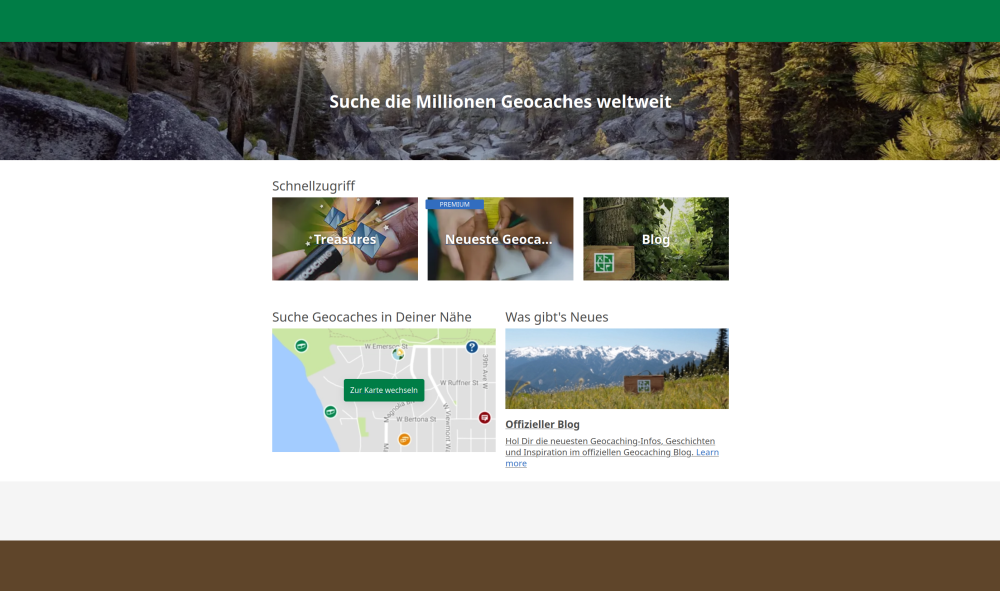
I've updated to version 6.11.6.2 for Firefox. I can see the map on tronity.io again. But geocaching.com is still unusable. Without the options on the top green line I can't even open my account. Here are two screenshots. The first was taken with Firefox extension 6.11.6.2 enabled, the second one without the Enpass extension.
-
For the moment I disabled the Enpass extension in Firefox, so that I can use these websites. And after having read this article about security issues in actual browser extensions for password managers (including Enpass) I think I will leave it disabled until both issues are fixed. Update: Looks like the mentioned security issues in the extension have been fixed in v6.11.6.2. Now still waiting for the websites to work...
-
The above problems with www.geocaching.com and tronity.io only occur in Firefox (currently using v141.0.2) with Enpass Extension v6.11.5.2 enabled. They disappear if I disable the Enpass extension. In Chromium and Vivaldi both websites work without problems, even with Enpass extension (v6.11.6) enabled. I don't have Chrome installed on my Linux system. I can download and install it if you want me to test Chrome, too. Regards, Oliver
-
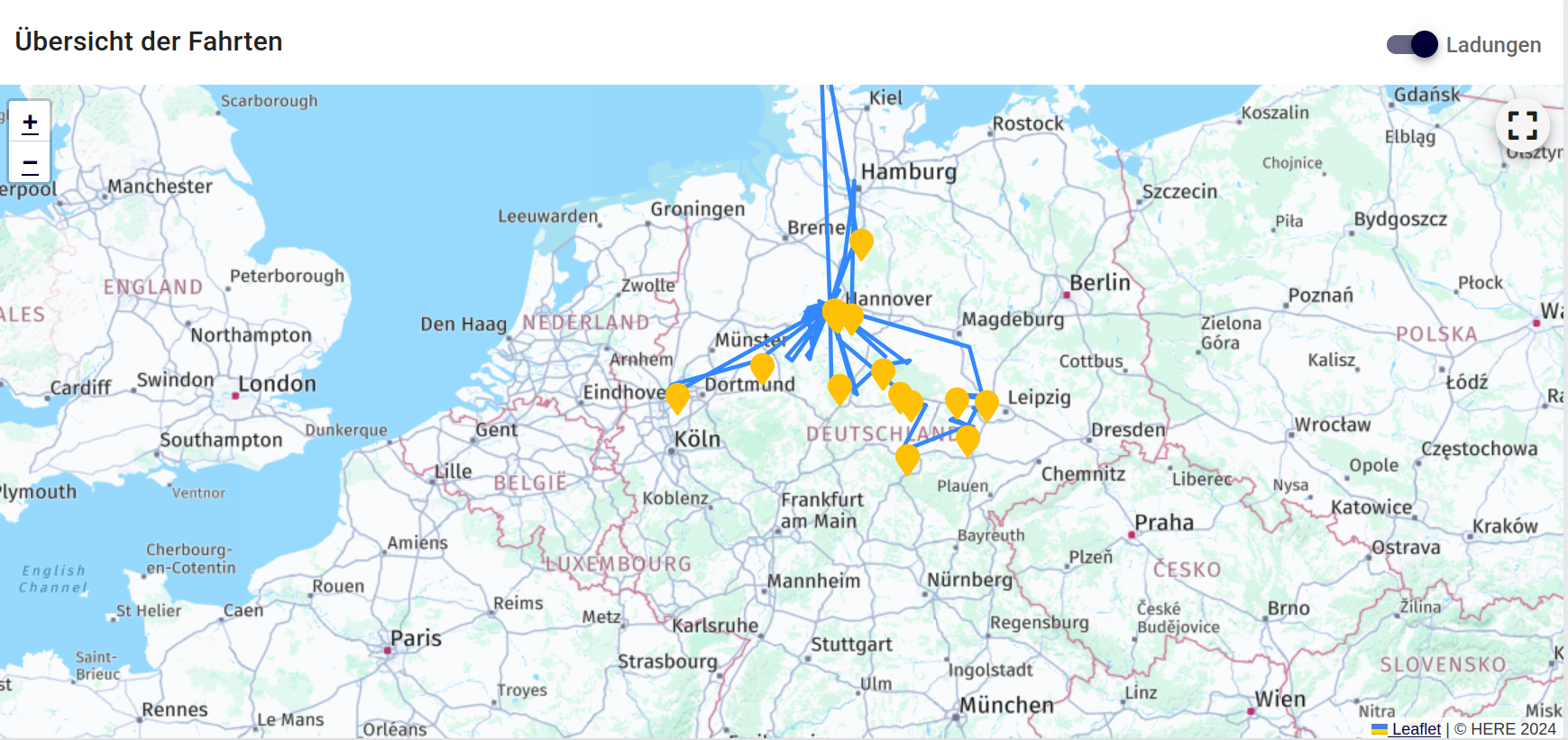
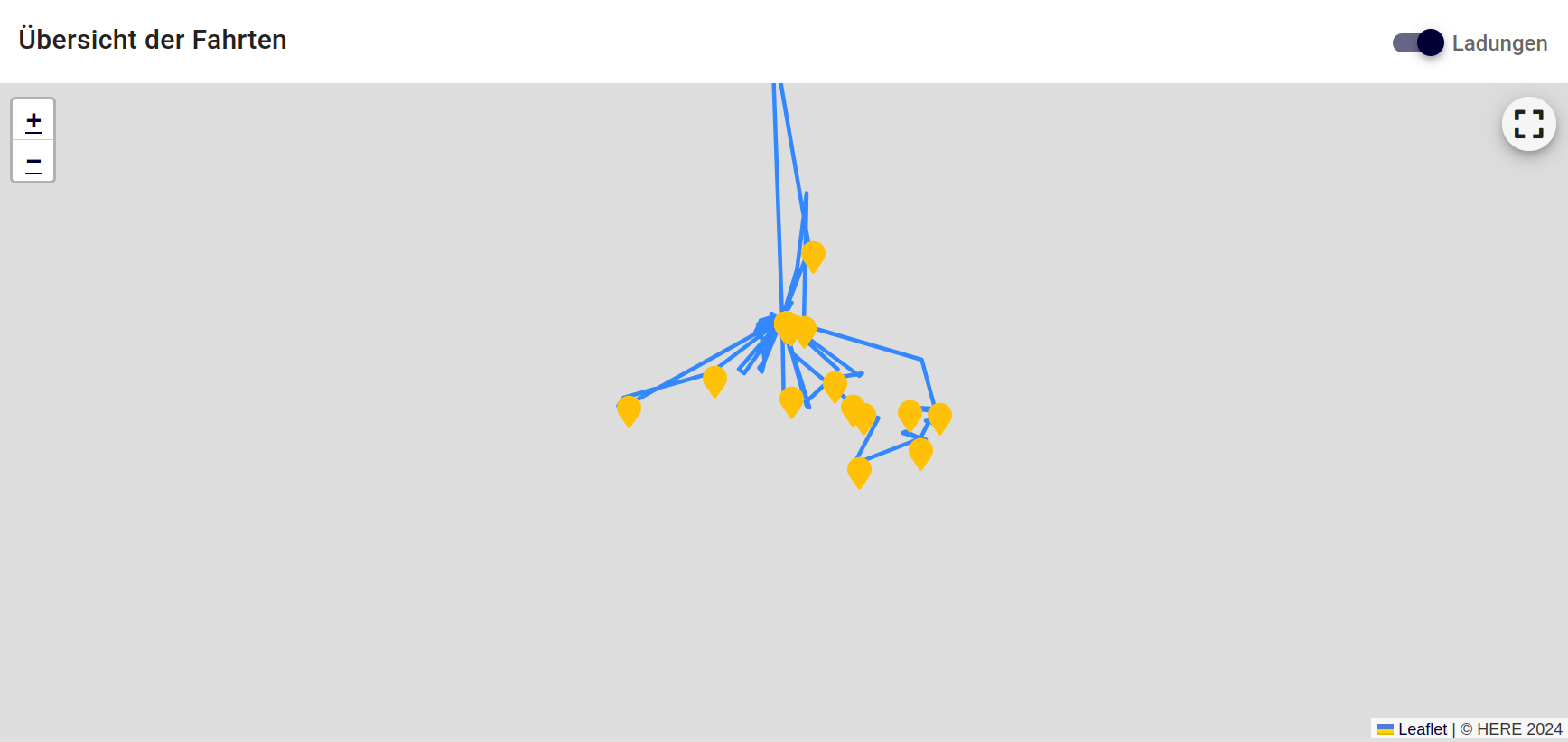
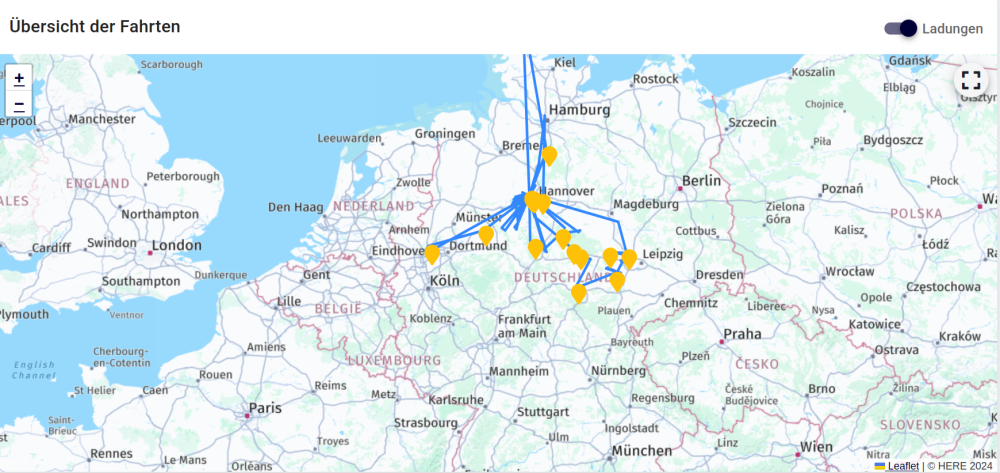
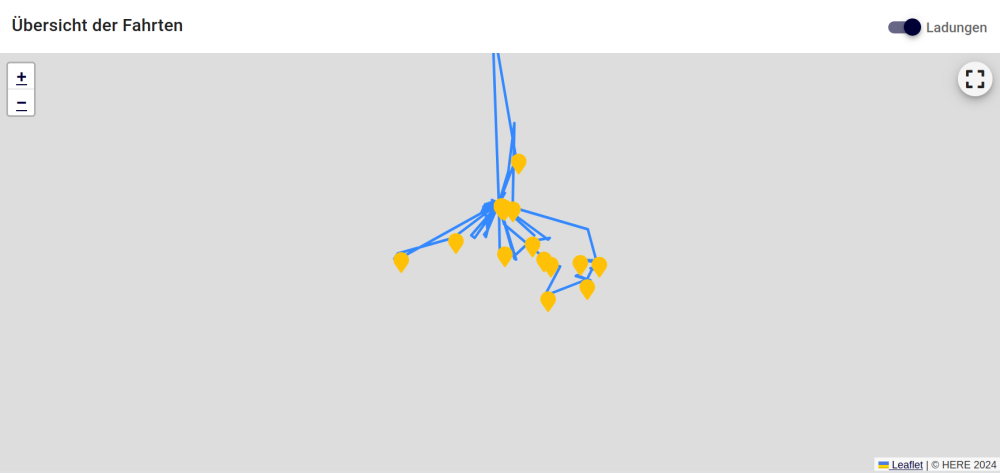
Seems technical team is investigating the problem for more than 1 year now... Here is another website (https://app.tronity.io/dashboard) with a map that stopped working some days ago with the Enpass extension activated in Firefox 141.0.2. tronity.io is a website that records where my car is driving to and where I charged it. With Enpass extension 6.11.5.2 disabled everything looks fine: If I enable the Enpass extension the map is not shown anymore. I still can see that there are outgoing DNS requests for aps.hereapi.com, but the map is missing from the website: The interesting thing is that on Vivaldi browser everything looks fine, even with the Enpass extension activated (I tried Enpass extension v6.11.5 and v6.11.6). Would be nice if these modifications of websites in Firefox would be fixed. Kind regards, Oliver
-
Yes, works here again, too. Just updated to 6.11.12.
-
I'm suffering from the same issue (SuSE Tumbleweed). Would be nice to see a solution soon as I can't update Enpass anymore. I'm currently on v6.11.6.1833, while the current version according to your website is 6.11.12.1953 (released July 28th, so the error message seems to be caused by this update). Regarding enabling/disabling the repository: this can also by done using the CLI: ~ $ sudo zypper mr -d Enpass Repository 'Enpass' has been successfully disabled. ~ $ sudo zypper mr -e Enpass Repository 'Enpass' has been successfully enabled. Alternatively you can get a list of all repositories using zypper -lr and use the number of the Enpass repository instead of its name.
-
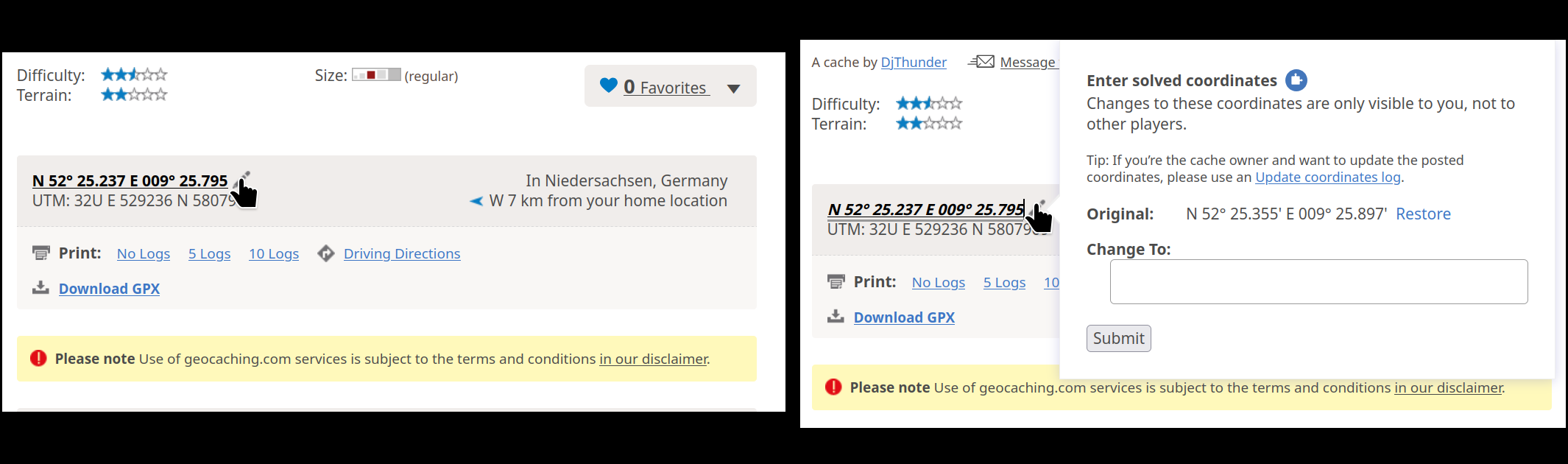
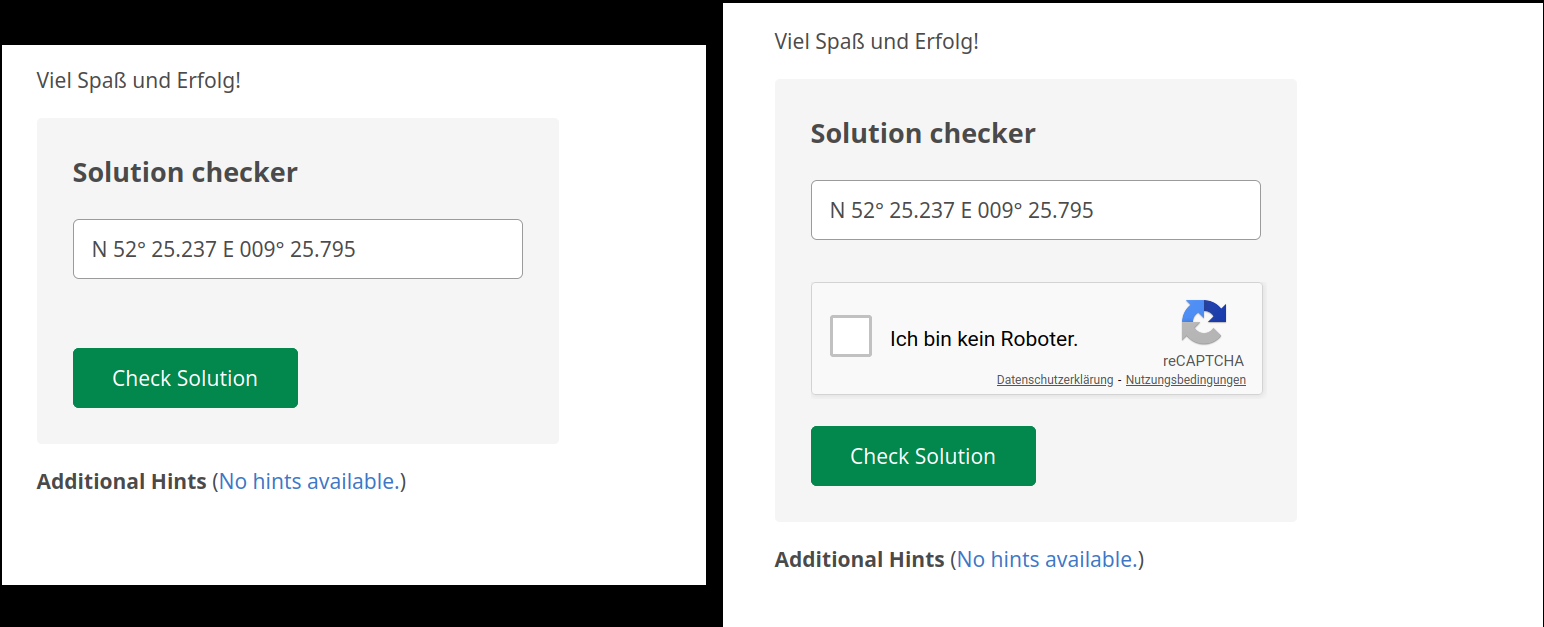
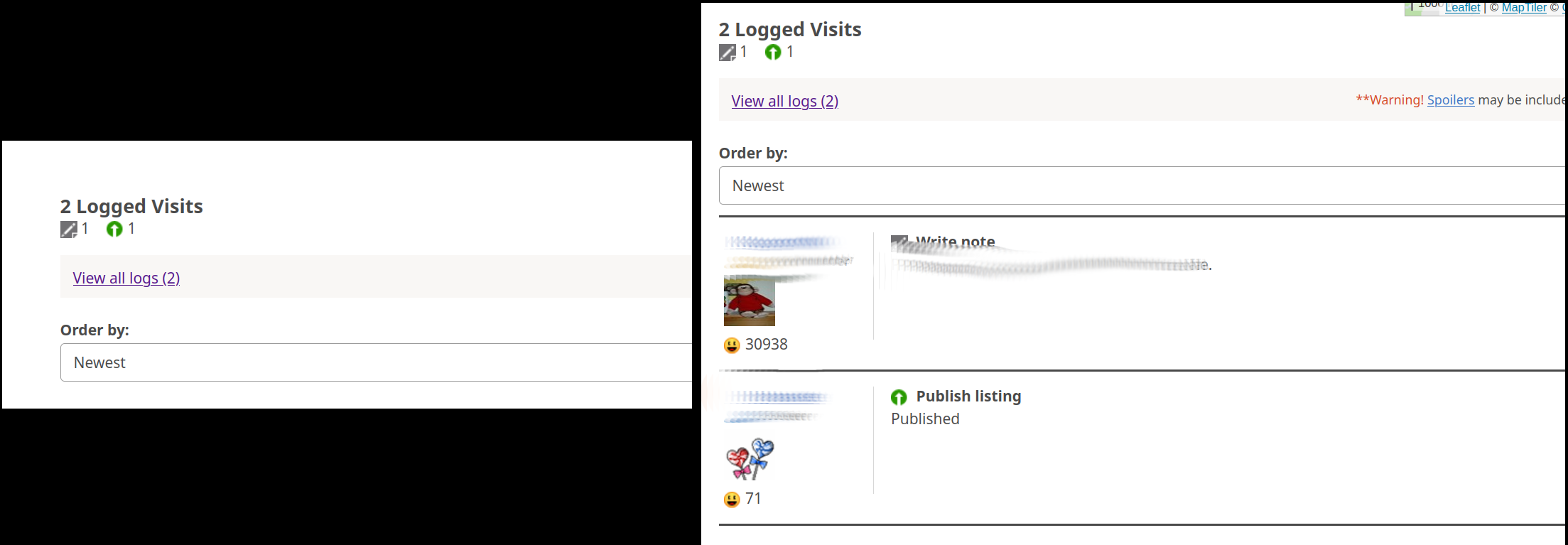
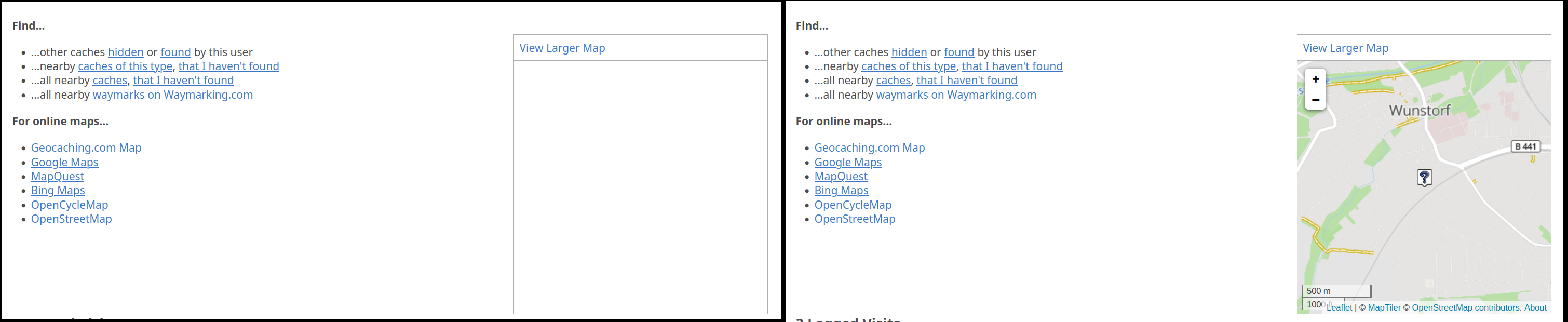
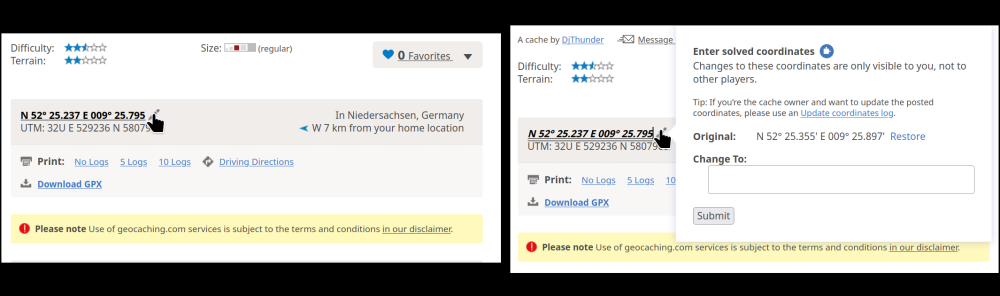
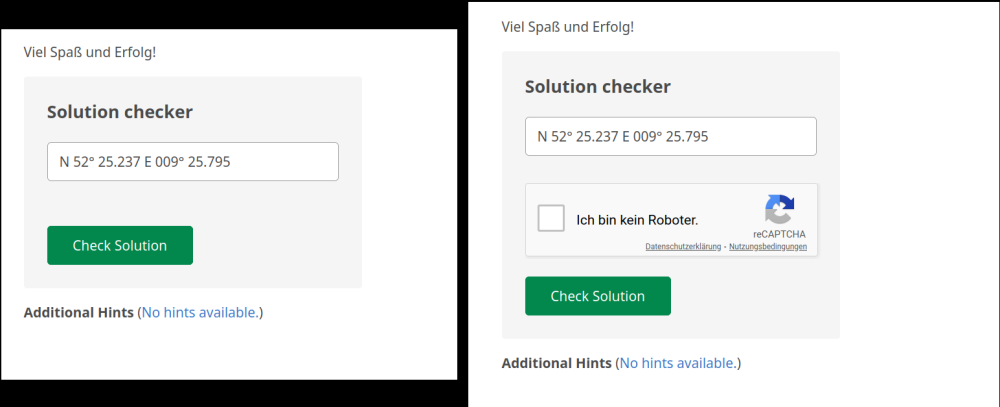
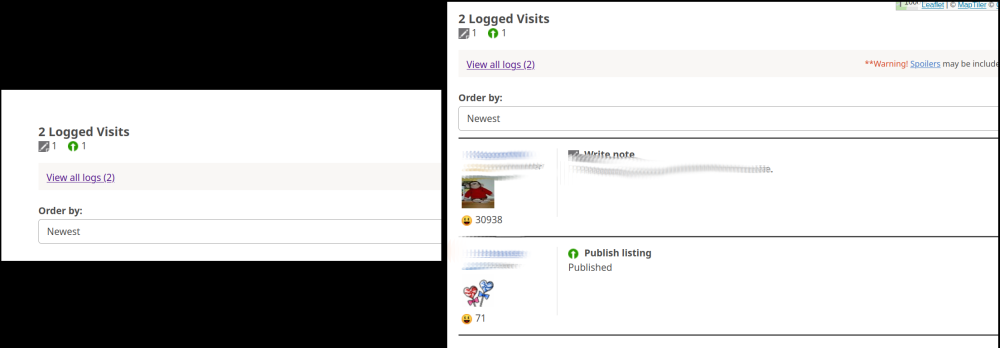
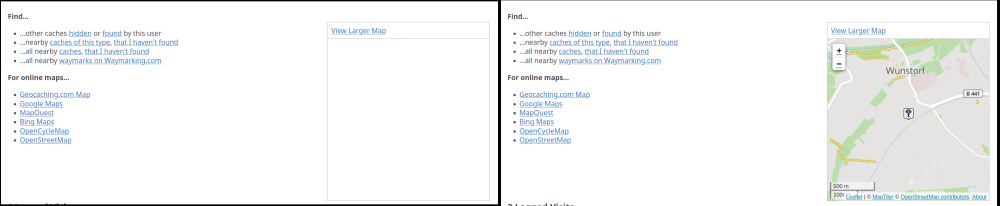
Hello, I'm using Firefox 128 on Linux (SuSE Tumbleweed). I noticed problems when the Enpass Browser Extension for Firefox (Version 6.9.4.2) is active. Example: Website https://www.geocaching.com (requires registration) With the extension active I noticed several modifications of the page, some of them make it unusable. Example 1: Left picture: extension enabled, right picture: extension disabled I clicked on the edit button (pencil) to edit the coordinates of a geocache. With the extension enabled nothing happens, when I click the button. With the extension disabled a windows pops up allowing me to enter other coordinates. For some geocaches it is required to change the coordinates. As a can't do this with the extension enabled I can't save new coordinates for the geocache. Example 2: Left picture: extension enabled, right picture: extension disabled To check new coordinates I can enter them in the field above and press "Check Solution". This requires to check "Ich bin kein Roboter" (I'm not a robot) for the reCAPTCHA. However, with the extension enabled I don't get the reCAPTCHA at all. Entering coordinates and pressing "Check Solution" with the extension enabled just leads to an error message "Recaptcha validation failed.". No chance to check the coordinates. With the extension disabled the CAPTCHA appears. Example 3: Left picture: extension enabled, right picture: extension disabled With the extension enabled I have to click on "View all logs" to see the log entries. Firefox then loads the log page and I can see the logs, but have to use the Back button to get back to the cache. Without the extension log entries are visible at the end of the page. Example 4: Left picture: extension enabled, right picture: extension disabled With the extension enabled I don't see the map with the location of the geocache. With the extension disabled Firefox loads a map. All these problems only show up in Firefox, which is my main browser. In Chrome, the page loads without any problems although the Chrome extension is active. Is there a way to tell the extension to not modify web pages (at least selected)? I haven't found an option in Firefox to disallow the extension to modify web pages. Regards, Oliver
-
Firefox add-on updated to version 6.9.4.2 some days ago, problem disappeared. Thanks for solving this issue!
-
Thanks for pointing me to that thread. Looks like a general Firefox problem. Workaround doesn't help here, I'm restarting FF at least once per day.
-
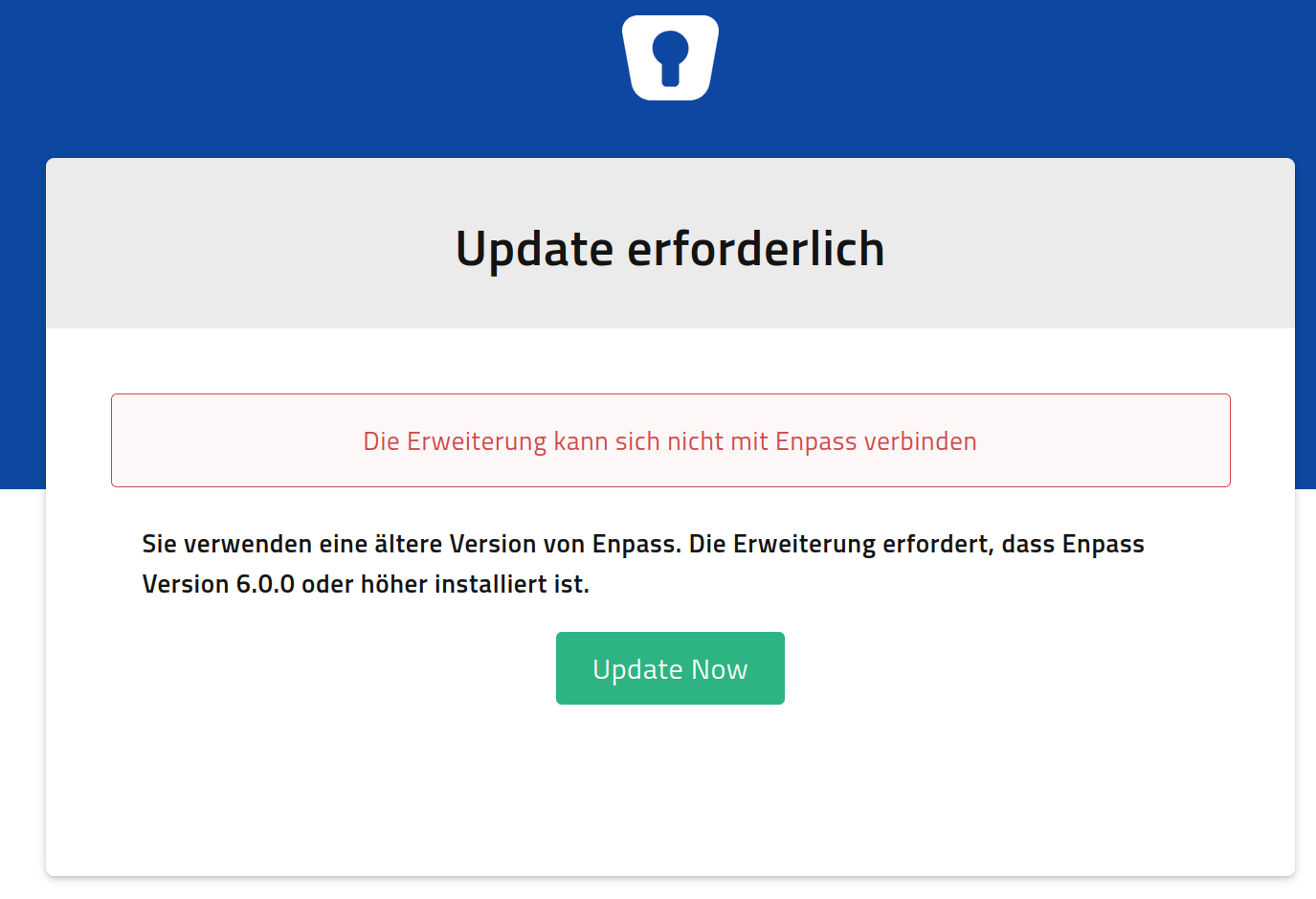
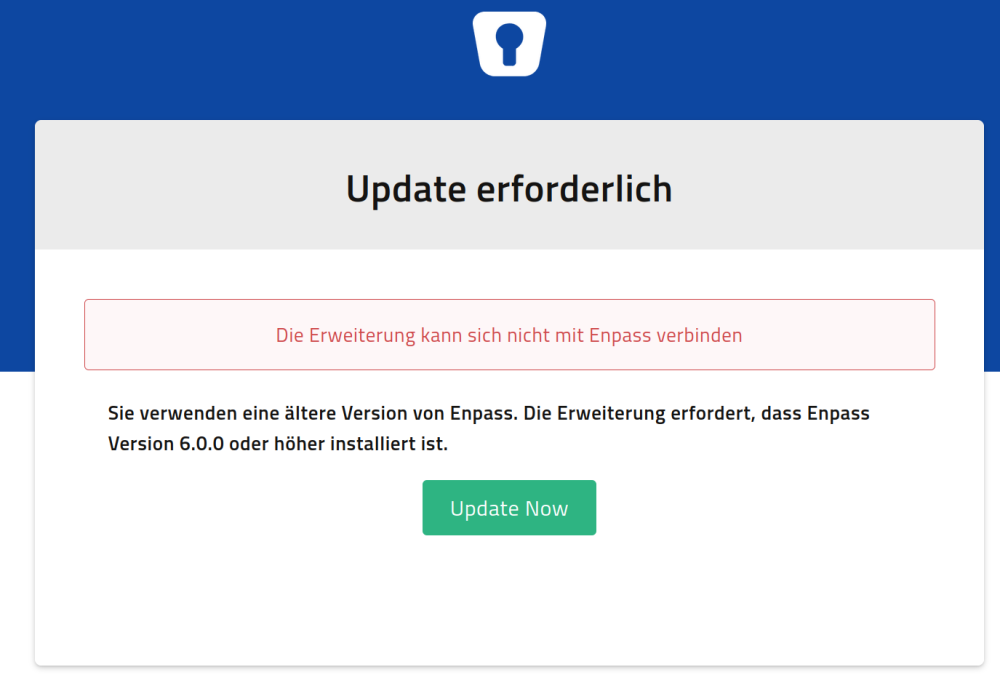
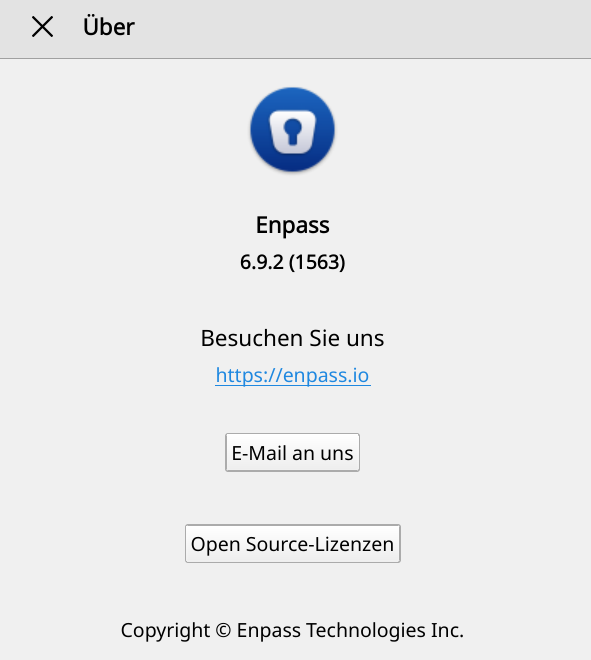
Hello, I'm having a problem with the Enpass extension for Firefox running on SuSE Linux (Tumbleweed). Since one of the latest updates (either FF or Enpass) I always get the message that an update to Enpass is required when trying to login to a web site using the extension. The message is (translated from German): Update required The extension cannot connect to Enpass. You're using an old version of Enpass. The extension requires Enpass version 6.0.0 or above. Of course I'm using the current version of Enpass. According to Help/About I'm using Enpass 6.9.2 (1563). Firefox is version 119.0.1, Linux is SuSE Tumbleweed with Kernel 6.6.2. Extension says that it is v6.9.2 (updated Nov. 08, 2023). When using Chromium the connection to Enpass works fine.
-
Seems to be very difficult... As a workaround I use a little script to enable the Enpass repository before checking for updates and disable it afterwards. This way I don't get error messages all the day about the repository not being accessible. The script is for Tumbleweed: #!/bin/bash # Enable Enpass repository printf "\n -------------------------------------------------------------------\n" printf " Enabling Enpass repository\n" printf " -------------------------------------------------------------------\n\n" zypper mr -e Enpass [...] zypper refresh [...] # Dist-upgrade with no-vendor-change zypper dup --no-allow-vendor-change # Disable Enpass repository printf "\n -------------------------------------------------------------------\n" printf " Disabling Enpass repository\n" printf " -------------------------------------------------------------------\n\n" zypper mr -d Enpass
-
This is what I tried today: wget https://yum.enpass.io works (downloads index.html, which contains the instructions for installing Enpass through yum) wget https://yum.enpass.io/enpass-yum.repo works (downloads the yum repository) wget https://yum.enpass.io/RPM-GPG-KEY-enpass-signing-key works (this is the GPG key for the repository for zypper) wget https://yum.enpass.io/stable/x86_64/enpass-6.8.1.1063-1.x86_64.rpm works too What I don't know: how does openSUSE 15.x/Tumbleweed check for an update to Enpass? If it simply does a check for files in yum.enpass.io/stable/x86_64/ then this will probably give an "Access denied" error now.
-
These are the installation instructions for a standard distribution using rpm packages and yum, you can also find it on the Enpass website describing Linux installations: https://support.enpass.io/app/getting_started/installing_enpass.htm openSUSE 15.x as well as openSUSE Tumbleweed however use zypper instead of yum for package installation and maintenance and the instructions to set up the repository and install Enpass using zypper are on the same page below the above mentioned installation instructions: For openSUSE 42.3 & 15.0 # Download and import Enpass signing key. # wget https://yum.enpass.io/RPM-GPG-KEY-enpass-signing-key # rpm --import RPM-GPG-KEY-enpass-signing-key Add yum repo and install Enpass. # zypper ar -f -c https://yum.enpass.io/stable/x86_64/ Enpass # zypper update # zypper install enpass All they have in common is the URL (yum.enpass.io).
-
-
Yes, that's what I get: nslookup -type=any yum.enpass.io Server: 192.168.178.199 Address: 192.168.178.199#53 Non-authoritative answer: yum.enpass.io canonical name = d1qxtbrol3w4y3.cloudfront.net. dig gives me dig yum.enpass.io ; <<>> DiG 9.18.4 <<>> yum.enpass.io ;; global options: +cmd ;; Got answer: ;; ->>HEADER<<- opcode: QUERY, status: NOERROR, id: 43938 ;; flags: qr rd ra; QUERY: 1, ANSWER: 5, AUTHORITY: 0, ADDITIONAL: 1 ;; OPT PSEUDOSECTION: ; EDNS: version: 0, flags:; udp: 512 ;; QUESTION SECTION: ;yum.enpass.io. IN A ;; ANSWER SECTION: yum.enpass.io. 3433 IN CNAME d1qxtbrol3w4y3.cloudfront.net. d1qxtbrol3w4y3.cloudfront.net. 60 IN A 99.84.146.21 d1qxtbrol3w4y3.cloudfront.net. 60 IN A 99.84.146.111 d1qxtbrol3w4y3.cloudfront.net. 60 IN A 99.84.146.93 d1qxtbrol3w4y3.cloudfront.net. 60 IN A 99.84.146.95
-
Hello, I'm using Enpass on Android and SuSE Tumbleweed (Desktop). Until recently access to the Enpass repository (https://yum.enpass.io/stable/x86_64/) worked fine. But now I'm getting an error "Permission denied". I removed the repository and followed the instructions on https://support.enpass.io/app/getting_started/installing_enpass.htm to set it up again (including downloading and installing the key again), but the problem persists. Configuration of repository: # | Alias | Name | Enabled | GPG Check | Refresh | Priority | Type | URI | Service 1 | Enpass | Enpass | Yes | (r ) Yes | Yes | 99 | rpm-md | https:// yum.enpass.io/stable/x86_64/ Using wget to access the URL also results in an error message: wget https://yum.enpass.io/stable/x86_64/ --2022-07-13 15:51:40-- https://yum.enpass.io/stable/x86_64/ Resolving yum.enpass.io (yum.enpass.io)... 13.226.158.7, 13.226.158.5, 13.226.158.24, ... Connecting to yum.enpass.io (yum.enpass.io)|13.226.158.7|:443... connected. HTTP request sent, awaiting response... 403 Forbidden 2022-07-13 15:51:41 ERROR 403: Forbidden. Have you changed something? How can I get updates to Enpass again?
-
I'm now on Enpass 6.6.1.449 and don't see any improvements in Autofill. Strange thing is that for the mentioned Flagstack app Autofill doesn't work when app asks for user/password, but works after successfully logging in: on the login screen the Enpass icon appears on the status line. When I drag it down there is a notification from Enpass saying "Touch for Autofill" (translated from German). When I touch it it returns to the app but nothing happens. After logging on the Enpass icon is still on the status line. When I now touch the notification Enpass is started, I unlock it, and Enpass offers to transfer username and password to the app. But this happens only after I logged in to the app manually. Another app that doesn't work with Autofill here is Polarsteps app. BTW: After switching options in Autofill settings off and on again the Enpass icon now doesn't appear anymore when trying to login in above mentioned apps. So strange...
-
Hello and sorry for the late reply. I'm currently running Enpass 6.5.2.404 on my OnePlus 7T (OxygenOS 10.0.12) and the problem still exists. Which Enpass version are you using on the same device? -> 6.5.2.404 Let us know the websites or apps in which you are facing this issue? -> App not working: Flagstack (https://play.google.com/store/apps/details?id=net.flagstack.app). Autofill worked fine on my OnePlus 3T running Android 9. Which browser you use on the same device? -> Chrome Are you facing the same response with other browsers too? -> No problem in browsers What method you use to auto-fill the details(Keyboard, framework or accessibility)? -> "Android Autofill Service", "Enpass Keyboard" and "Accessibility" are all enabled
-
-
Hello, I installed Chromium and made it the default browser, then tried again to restore my data from Google Drive. This time it worked! Thanks for the help. The interface looks ugly on the Ubuntu system compared to my SuSE KDE Plasma system but since it is just a VM for tests it doesn't matter. Kind regards, Oliver
-
Hello, after switching to a new phone running Android 10 (old phone was running Android 9) autofill doesn't work for me anymore in apps that worked before (on Android 9). Autofill is enabled in Enpass ("Android Autofill Service" enabled, "Enpass Keyboard" enabled, Autofill using Android Accessibility is enabled). When I open the app and get the login prompt I can see the Enpass icon appear in the status bar, but nothing happens. When I press the user or password field , select the 3 dots and select AutoFill I get the message "Content can't be filled automatically (translated from German message "Inhalte können nicht automatisch ausgefüllt werden"). Is this a problem of Android 10, Enpass (version is 6.4.5.368), the app (for example Flagstack app, Geocaching Adventure Lab app or komoot app) or me?
-
Hello, I'm using Enpass without problems on SuSE Tumbleweed Linux, Android 10 and Windows 10. I now tried to install Enpass (v6.4.1.643) on Ubuntu 18.04 (64 Bit). When I try to restore my data from Google Drive Enpass calls Firefox, I log on to Google and give Enpass access to my Google Drive. When I try to redirect back to Enpass I only get an error "-978" in Enpass, see attached screen shot. What's wrong?