

Skip to content
View in the app

A better way to browse. Learn more.

Enpass Discussion Forum

A full-screen app on your home screen with push notifications, badges and more.

To install this app on iOS and iPadOS
  1. Tap the Share icon in Safari
  2. Scroll the menu and tap Add to Home Screen.
  3. Tap Add in the top-right corner.
To install this app on Android
  1. Tap the 3-dot menu (⋮) in the top-right corner of the browser.
  2. Tap Add to Home screen or Install app.
  3. Confirm by tapping Install.

MichaelMe

Members
  • Joined

  • Last visited

  1. I have the same impression, and because of support issues like this, I am constantly looking for an alternative. Only the offline synchronization is keeping me here at the moment
  2. I've been waiting almost a year for this bug to be fixed. macOS 26.3 (25D125) Safari version 26.3 (21623.2.7.11.6) Enpass 6.11.17 (2132) (Mac App Store) www.amazon.de works as expected. www.paypal.de does not work.
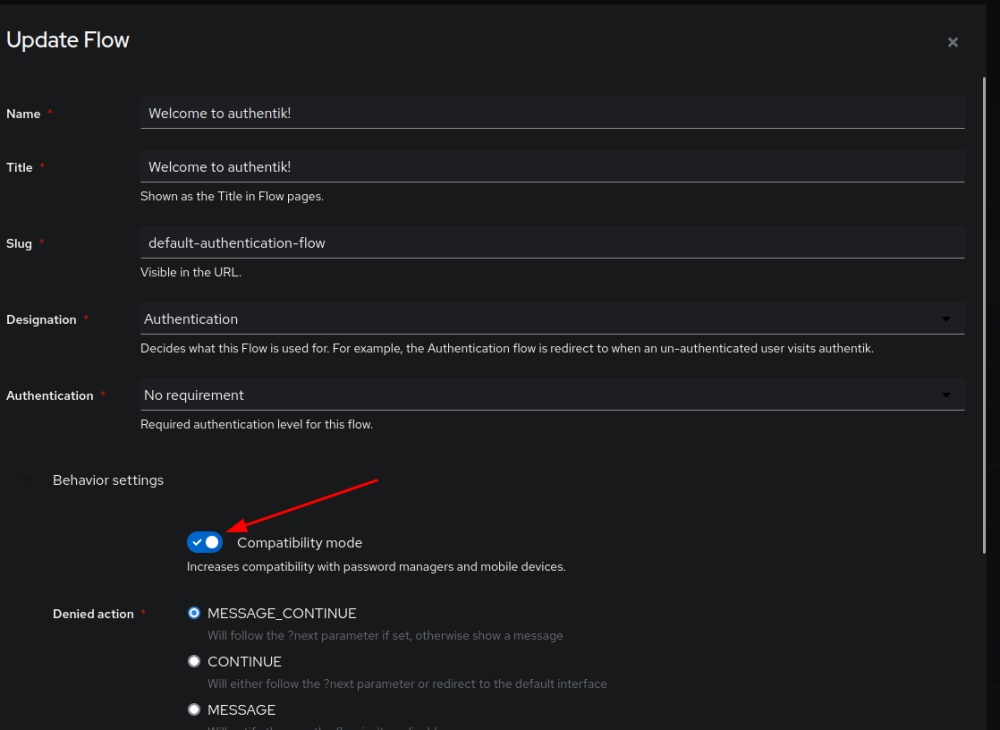
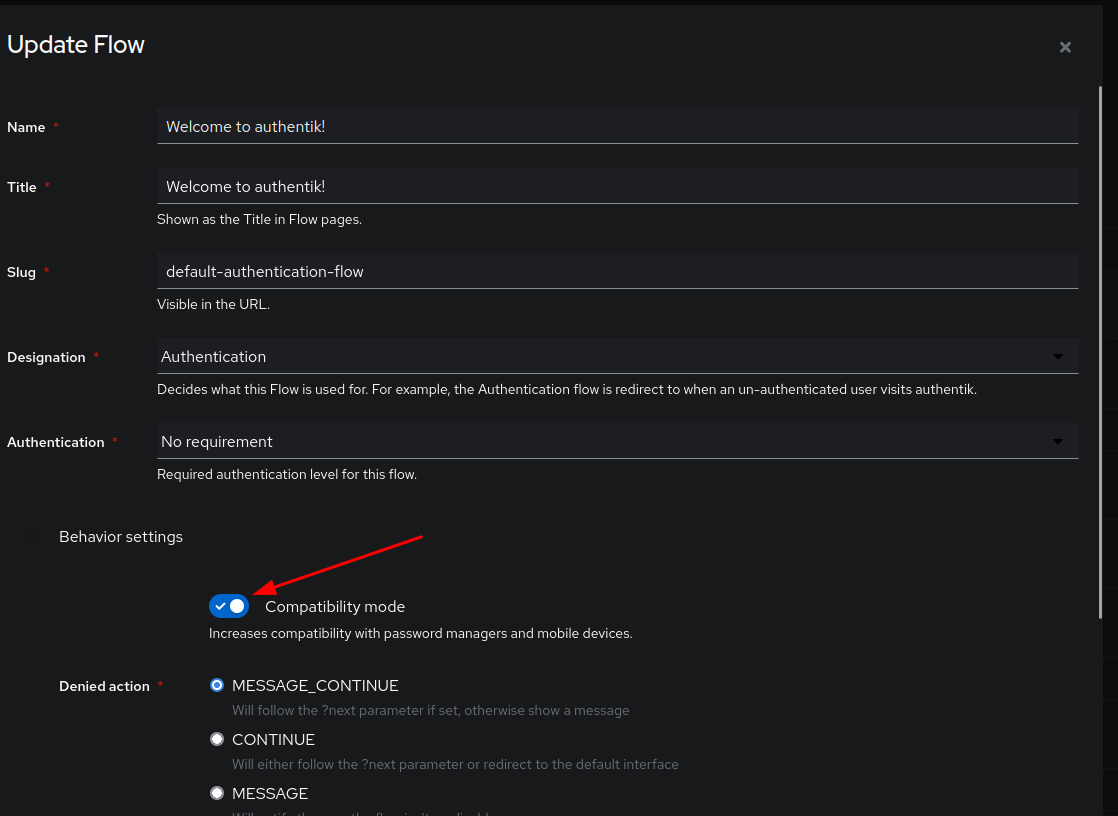
  3. Hello, Authentik recognised this issue some time ago. Other password managers have the same problem. There is a compatibility mode in the options. If this is activated, there will be no issues with Enpass. Best regards, Michael
Account

Navigation

Search

Search

Configure browser push notifications

Chrome (Android)
  1. Tap the lock icon next to the address bar.
  2. Tap Permissions → Notifications.
  3. Adjust your preference.
Chrome (Desktop)
  1. Click the padlock icon in the address bar.
  2. Select Site settings.
  3. Find Notifications and adjust your preference.