Skip to content
View in the app

A better way to browse. Learn more.

Enpass Discussion Forum

A full-screen app on your home screen with push notifications, badges and more.

To install this app on iOS and iPadOS
  1. Tap the Share icon in Safari
  2. Scroll the menu and tap Add to Home Screen.
  3. Tap Add in the top-right corner.
To install this app on Android
  1. Tap the 3-dot menu (⋮) in the top-right corner of the browser.
  2. Tap Add to Home screen or Install app.
  3. Confirm by tapping Install.

bhh

Members
  • Joined

  • Last visited

  1. Hi, I am also interested in this feature. That would be really good if it were to be realized. bhh
  2. In Enpass 6, it is impossible to copy data from individual records to the clipboard. In the previous version this was possible without problems and very practical. If this is not a bug, it should be fixed as soon as possible. So Enpass is extremely unusable.
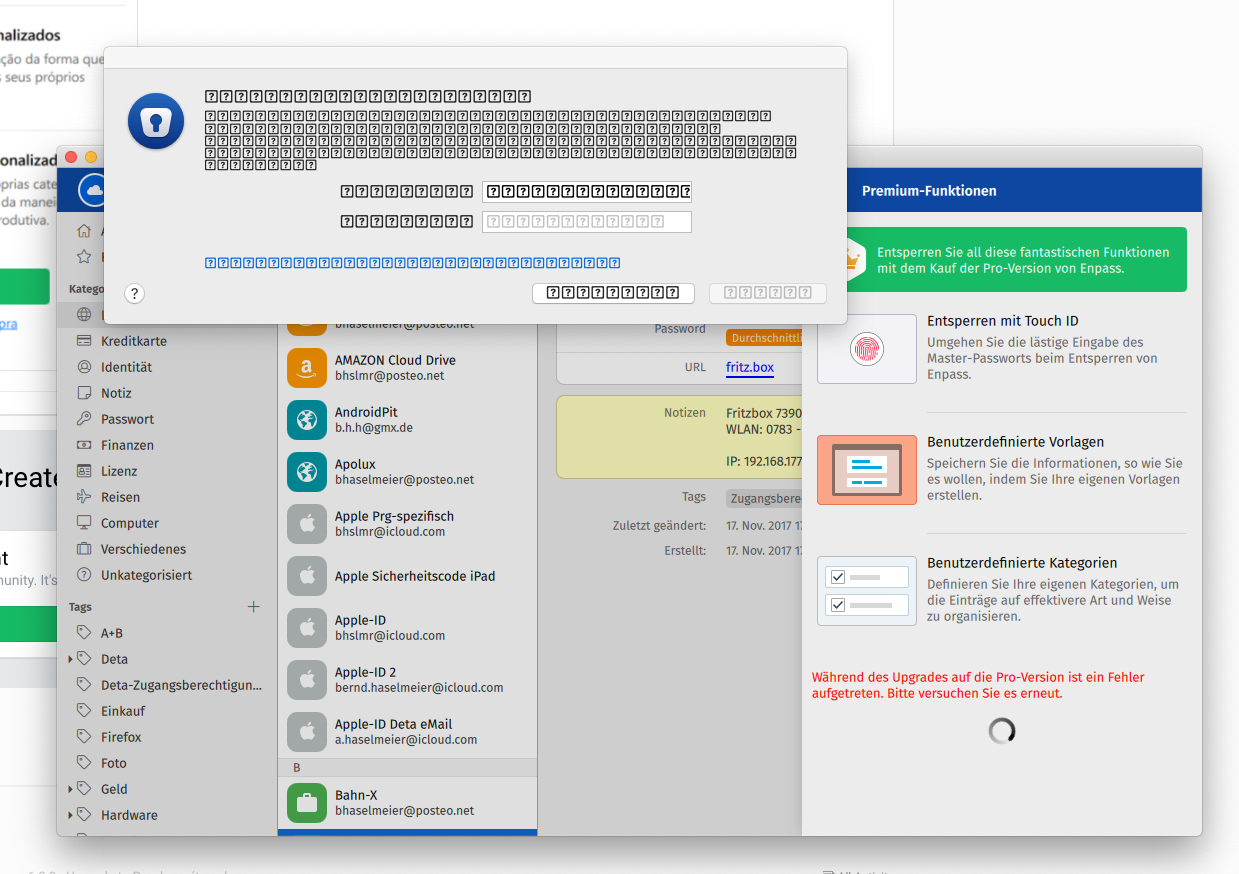
  3. I don't understand. In the macOS version, I press the "Premium settings" in the settings and then press the "Buy" button. Then the window with the many question marks appears (see my previous post). This has nothing to do with a credit card. And refers exclusively to the macOS version. This has nothing to do with the IOS version. And I can't even get to the Apple Appstore. But then I don't buy the premium update. I just save money.

Account

Navigation

Search

Search

Configure browser push notifications

Chrome (Android)
  1. Tap the lock icon next to the address bar.
  2. Tap Permissions → Notifications.
  3. Adjust your preference.
Chrome (Desktop)
  1. Click the padlock icon in the address bar.
  2. Select Site settings.
  3. Find Notifications and adjust your preference.